Store
Ship your Amazon orders from one list.
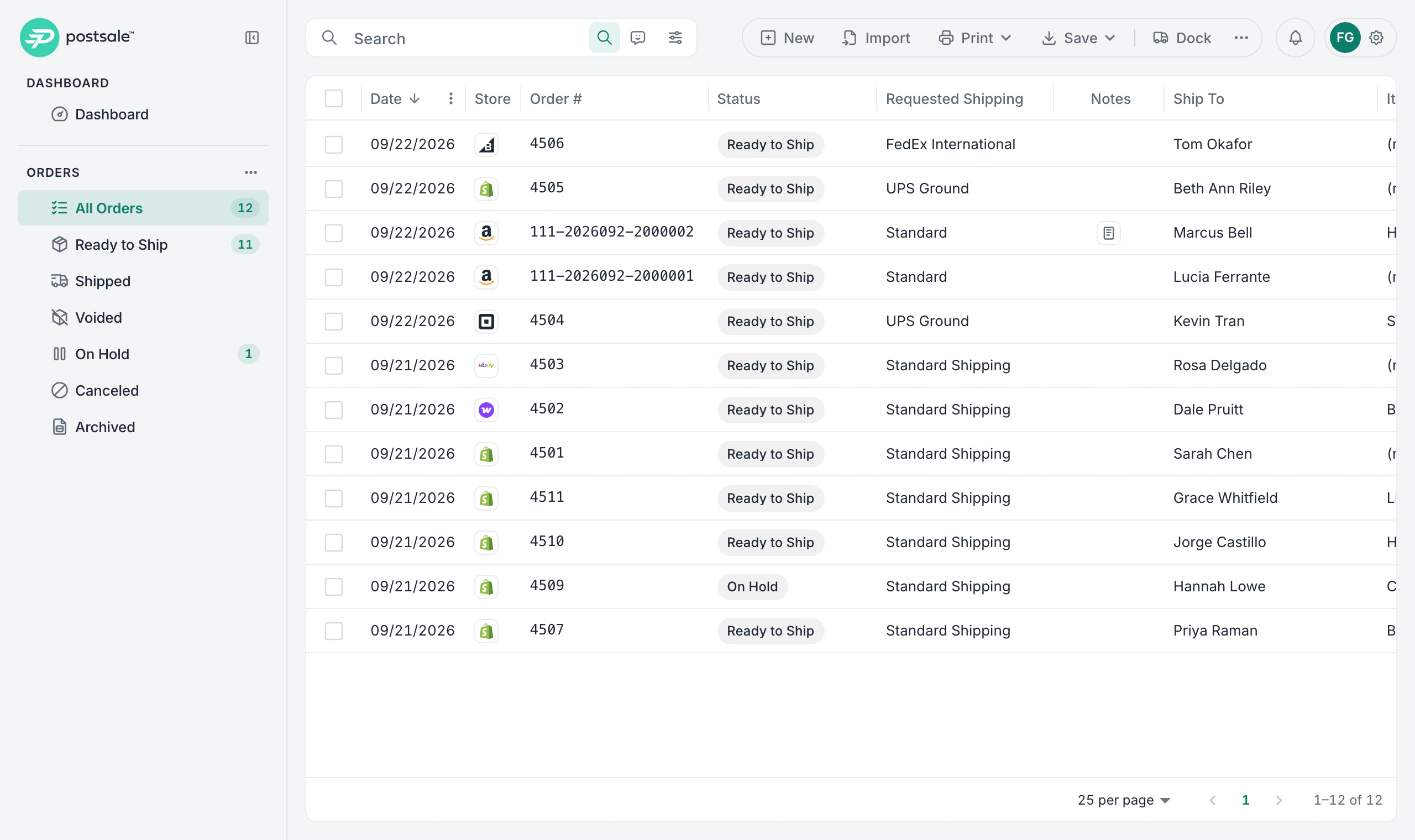
Connect your Amazon seller account and the orders you ship yourself come into the same list as your other stores. When you create the label, the tracking goes back to Amazon and the order is confirmed as shipped.
14-day free trial No card to start Cancel anytime Human support from day one
Setup
Set up Amazon in four steps.
Step 1
Turn On Two-Factor Sign-In
Amazon asks for two-factor authentication on every account that can see its seller data, so turn it on in your Postsale account settings first.
Step 2
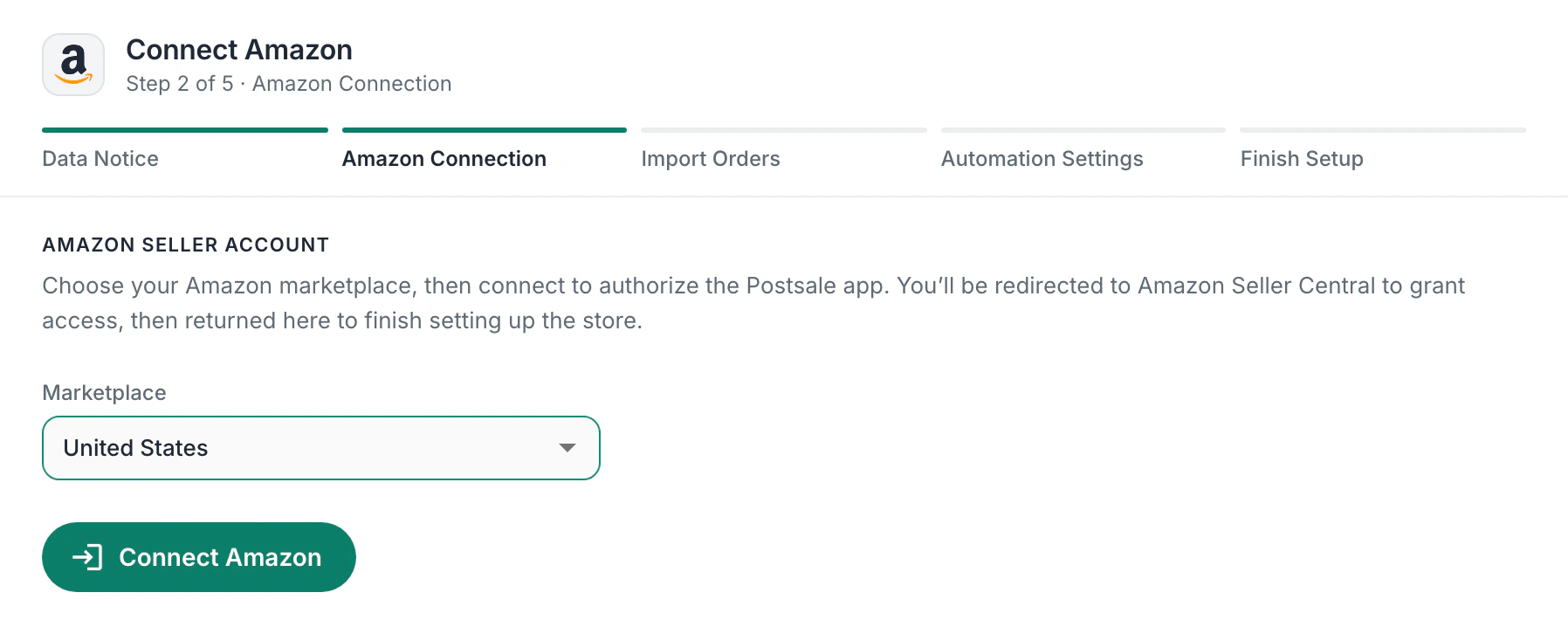
Connect Your Amazon Account
Choose your marketplace, then sign in to Amazon Seller Central and approve Postsale. There are no keys to copy.
Step 3
Import Your Orders
When you connect, choose how many days back to bring in, from the past day up to 7 days. New orders come in on their own after that.
Step 4
Ship and Send Tracking Back
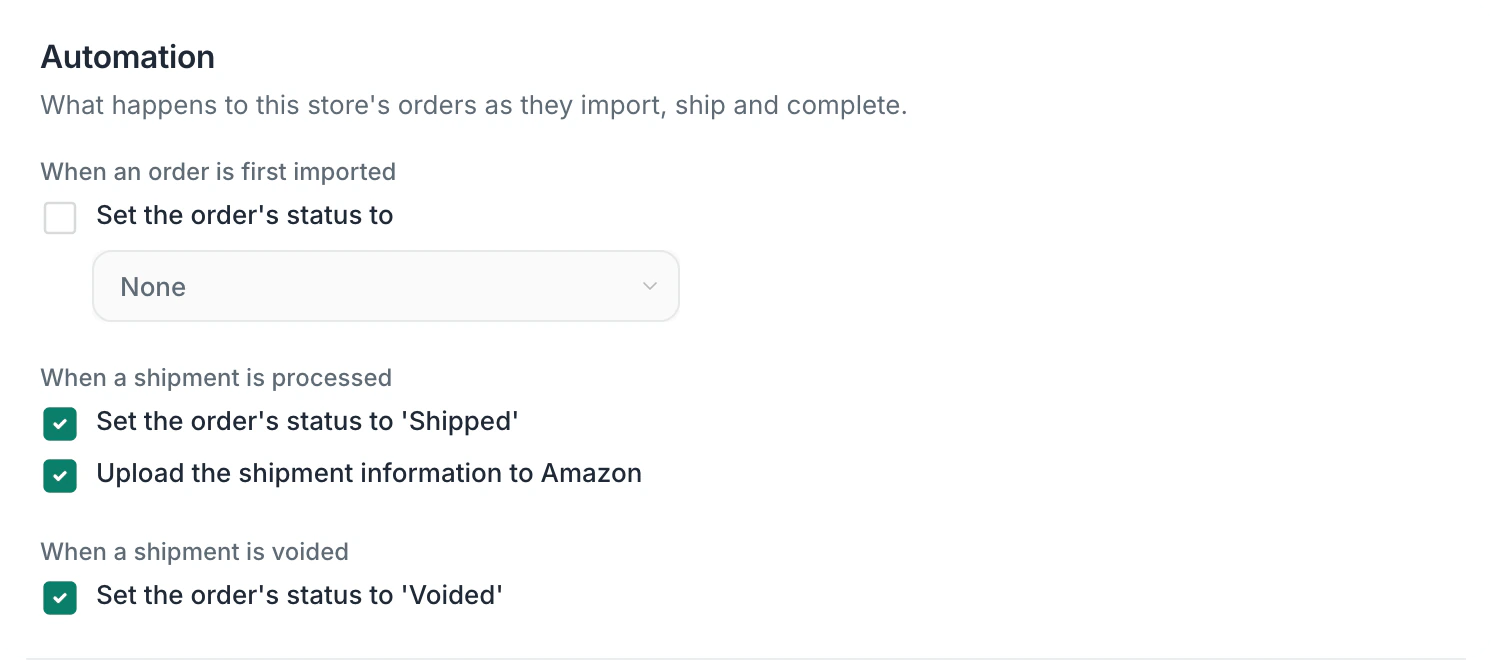
Print labels in Postsale and the tracking number goes back to Amazon, so the order is confirmed as shipped.
In the app
See it in Postsale.
Features
What you get with Amazon.
Sign in to connect
No keys to copy. Choose your marketplace, sign in to Seller Central and approve Postsale.
Amazon orders next to the rest
Amazon orders sit in the same list as your orders from Shopify and your other stores, so one batch of labels can cover them all.
Tracking goes back to Amazon
When you create a label in Postsale, the tracking number and carrier go to Amazon and the order is confirmed as shipped.
The shipping your buyer chose
Each Amazon order shows the shipping level the buyer picked at checkout in Requested Shipping.
Prime and business orders marked
Prime and Amazon Business orders come in with a note, and a business buyer's PO number comes in with the order.
Buyer details cleared on schedule
Amazon buyers' names and addresses are removed from Postsale 30 days after delivery, as Amazon's data rules require.
Questions
About Amazon and Postsale.
What do I need to connect Amazon?
An Amazon seller account in Seller Central, and two-factor authentication turned on for your Postsale sign-in. Amazon requires it on every account that can see its seller data, so it stays on while an Amazon store is connected.
Which Amazon marketplaces can I connect?
Amazon.com in the United States. Each Amazon store you connect in Postsale is one marketplace.
Does it work with Fulfillment by Amazon?
Postsale is for the Amazon orders you ship yourself. An order Amazon ships for you comes in with a Fulfilled by Amazon (FBA) note, so you can leave it to Amazon.
Does Postsale send tracking to Amazon automatically?
Yes. When you create a label, Postsale sends the tracking number and carrier to Amazon and the order is confirmed as shipped. If you void a label, Postsale marks the order Voided on its side, so update the shipment in Seller Central.
Can I send my tracking emails to Amazon buyers?
Amazon asks sellers to contact Amazon buyers only through Amazon, and Amazon tells your buyer the order has shipped once your tracking arrives. So keep Postsale's tracking emails and tracking page for your other stores, and keep promotions out of your Amazon boxes.
Are Postsale labels Amazon Buy Shipping labels?
No. Postsale labels come from FedEx, UPS and USPS through Postsale, not through Amazon Buy Shipping, so the protections Amazon gives Buy Shipping labels don't cover them.
What happens to my Amazon buyers' details?
Postsale uses Amazon order data only to ship your orders. Buyers' names, addresses and phone numbers are removed from Postsale 30 days after delivery, as Amazon's data rules require.
Try it on your own Amazon orders.
Predictable pricing. No per-label software fees.
14-day free trial No card to start Cancel anytime Human support from day one