Carrier
Your UPS account. Your negotiated rates.
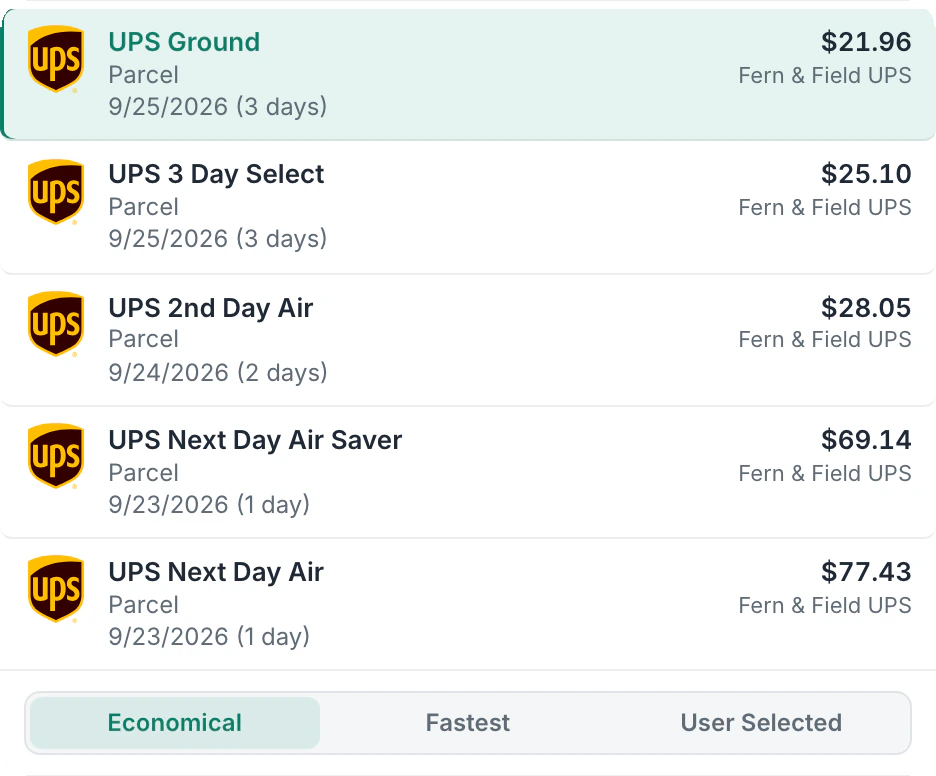
Connect your UPS account and ship at your negotiated rates. Compare 7 domestic and 5 international services before you print, declare package values for coverage and choose who pays duties abroad.
Connect as many UPS accounts as you need, each with its own rates.
14-day free trial No card to start Cancel anytime Human support from day one
Setup
Set up UPS in three steps.
Step 1
Start Your Trial
Sign up for Postsale.
Step 2
Connect Your UPS Account
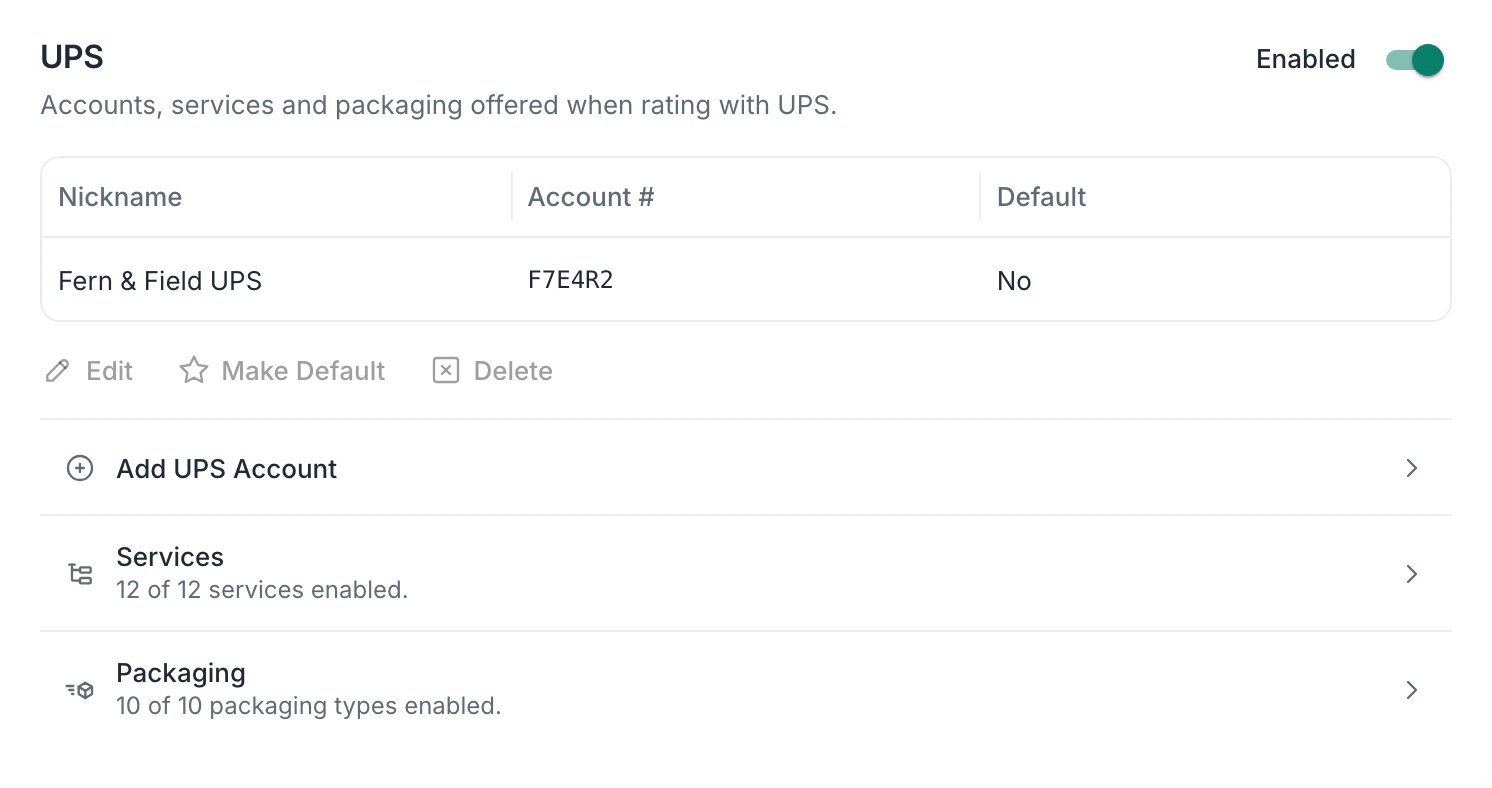
Go to Carriers > UPS in Postsale and connect your UPS account. If you don't have one yet, you can create one during setup.
Step 3
Start Shipping
Choose a UPS service when you create a shipment. Postsale shows estimated rates so you can compare before you print.
In the app
See it in Postsale.
Services
UPS services you can ship with.
Domestic
- UPS Ground
- UPS 3 Day Select
- UPS 2nd Day Air
- UPS 2nd Day Air AM
- UPS Next Day Air Saver
- UPS Next Day Air
- UPS Next Day Air Early
International
- UPS Standard
- UPS Worldwide Expedited
- UPS Saver
- UPS Worldwide Express
- UPS Worldwide Express Plus
Packaging
- Letter
- Pak
- Tube
- Express Box
- Small Express Box
- Medium Express Box
- Large Express Box
- UPS 10 kg Box
- UPS 25 kg Box
- Pallet
Features
What you get with UPS.
Rates before you print
See UPS rate estimates before you print, and compare services to choose the right one for each shipment.
Declared value coverage
Declare a package's value for UPS coverage, from the item prices or a custom amount per package.
Tracking goes back to your store
The tracking number is created with the label and sent to your store.
Choose who pays duties
On international shipments, bill duties and shipping to the sender, the recipient or a third party, or use collect billing.
Messages on the label
Add your own message to a UPS label: a reference for your team, handling instructions or a note for the customer.
Several packages in one shipment
Send several packages as one UPS shipment, with declared value set for each package.
As many UPS accounts as you need
Connect every UPS account you ship on, for example one for each location you ship from, and give each a nickname. The one you set as default is used for rates and labels.
Questions
About UPS and Postsale.
Do I need my own UPS account?
Yes. Connect your own UPS account and Postsale uses your negotiated rates. If you don't have one yet, you can create one during setup.
Can I see rates before printing?
Yes. Postsale shows estimated UPS rates for each available service so you can compare before choosing.
How does declared value work?
You can declare a value for a UPS package from the sum of the item prices or a custom amount. UPS then covers it for loss or damage.
Can I print the order number on a UPS label?
Yes. A UPS label has two reference lines. Type your own message, or pick the order number or the item SKUs from a list. Set it in your shipping defaults to put it on every label.
Can I ship one order in several boxes?
Yes. Add a package to the shipment for each box, with its own weight, size and declared value. Each box gets its own label and tracking number, and the shipment has one master tracking number in your orders.
Can I bill duties to the recipient?
Yes. For international shipments, you can bill duties and taxes to the recipient, the sender or a third party, or use collect billing.
Can I connect more than one UPS account?
Yes. Connect as many of your own UPS accounts as you need and give each a nickname. The account you set as default is the one Postsale uses for rates and labels, and you can change it in Carrier settings.
Try it on your own UPS shipments.
Predictable pricing. No per-label software fees.
14-day free trial No card to start Cancel anytime Human support from day one