Select Your Postsale Plan
Select the subscription that fits your shipping needs
Your 14-day Postsale trial gives you time to explore the app before choosing a subscription. You can select a plan and add a payment method at any time during your trial, or wait until Postsale prompts you when the trial ends.
This article guides you through both ways to select your Postsale plan and continue using the app. It also covers how to switch between plans at any time.
Visit our Postsale pricing page for detailed information about the available plans and current pricing.
Before You Begin
Review the available plans and choose the one that best matches your expected shipping volume and the features your business needs.
Keep the following in mind:
- During the trial period, you are on the Soar plan
- Selecting a different plan during your trial period does not end your trial
- Postsale will not begin charging you for a selected subscription until your trial period ends
- You can change or cancel your plan at any time
Select a Plan During Your Trial
Use the trial banner to choose your plan and add a payment method at any time during your trial period.
Select Manage plan in the banner at the top of Postsale.

You will be taken to Settings > Account Settings > Billing.
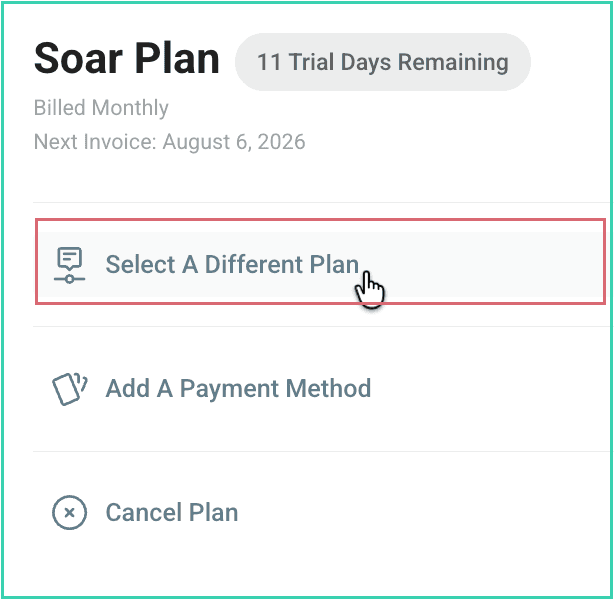
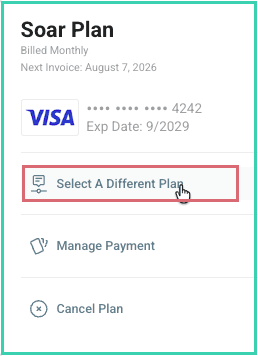
Choose Select A Different Plan.
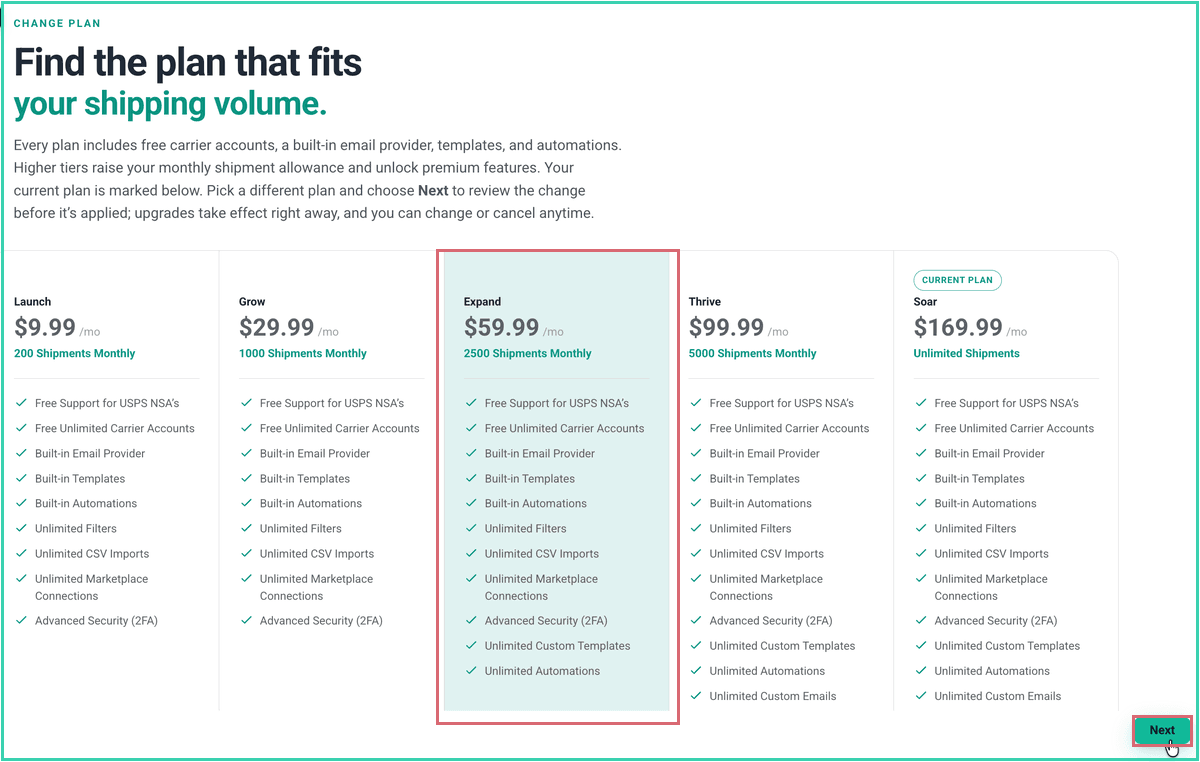
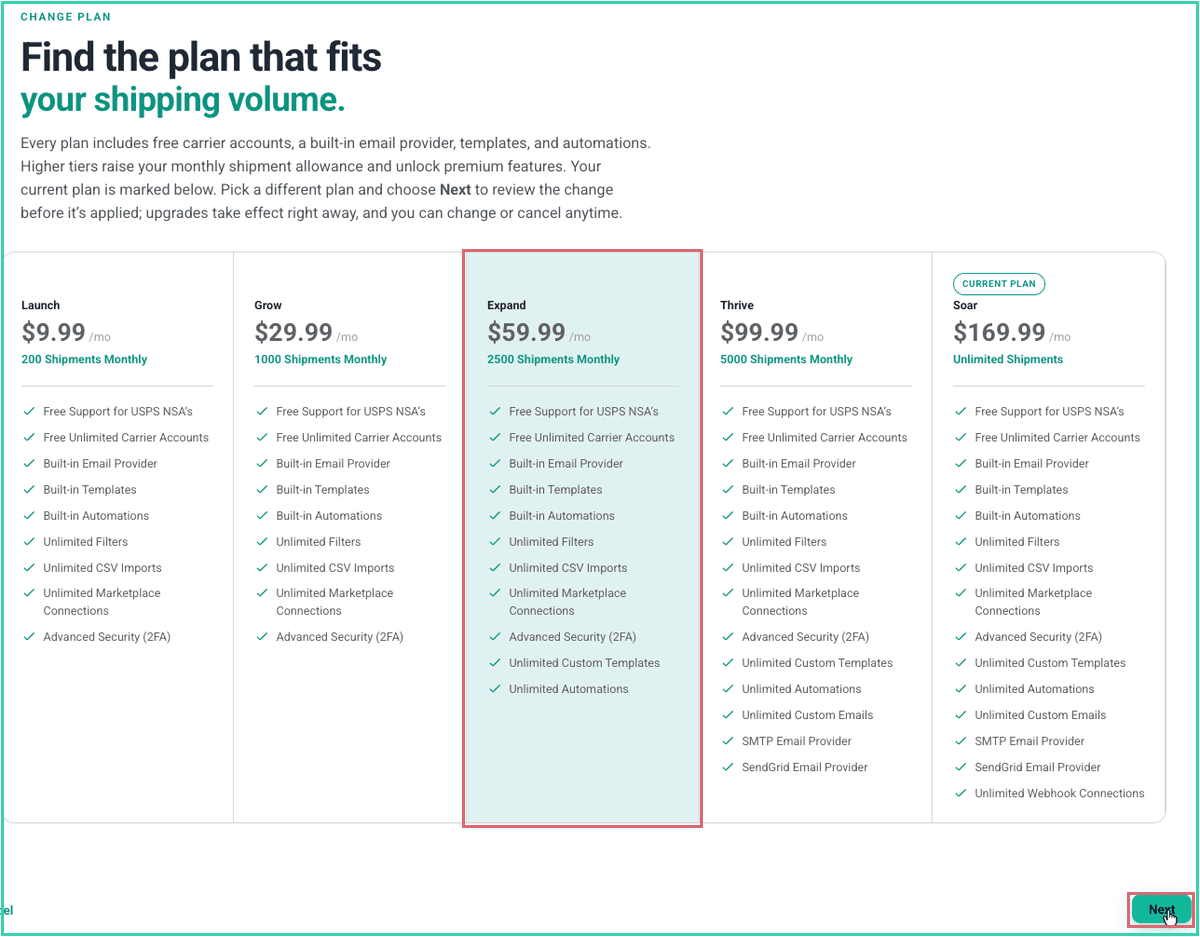
Review the available plans, select the plan you want, and then select Next.
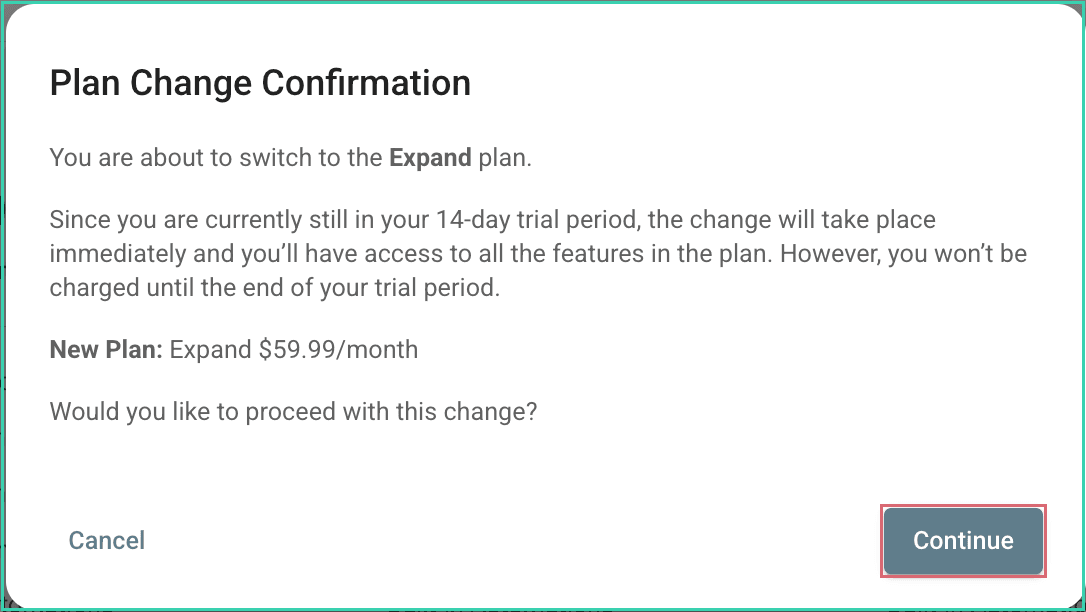
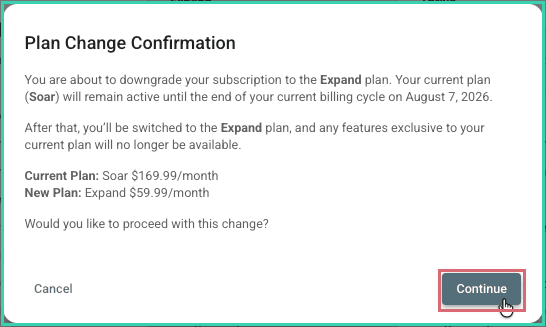
Review the Plan Change Confirmation, and then select Continue.
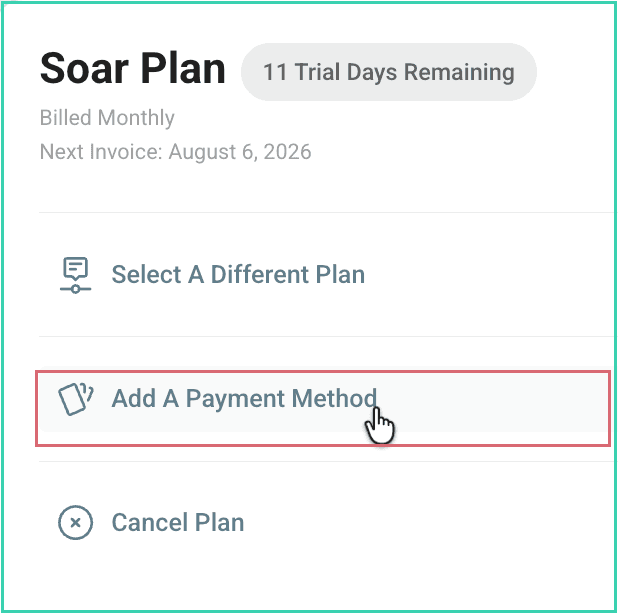
On the Billing page, select Add A Payment Method.
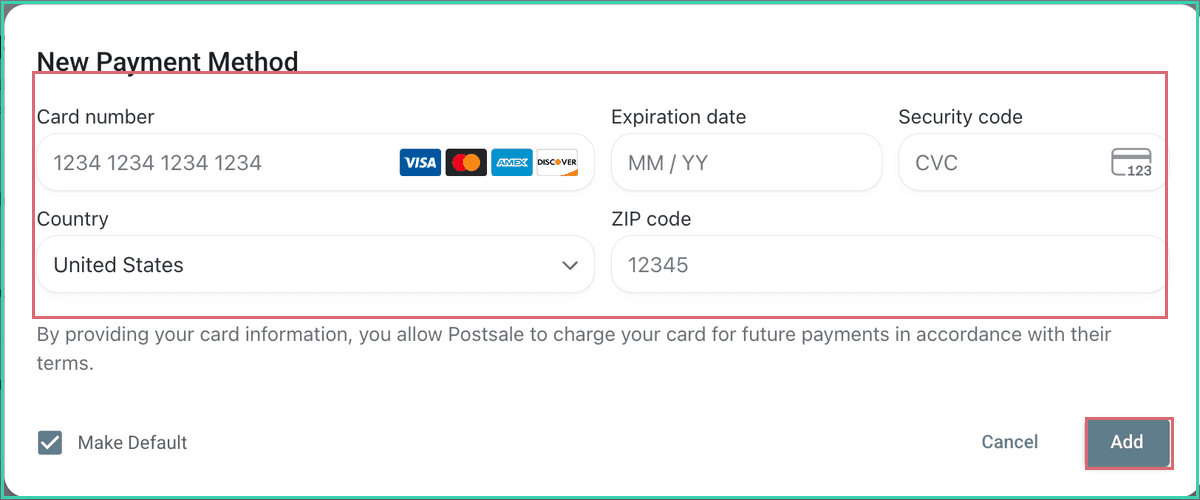
Enter your Card number, Expiration date, Security code, Country, and ZIP code. If desired, select Make Default. Then, select Add. Postsale will begin your subscription when your trial ends.
Select a Plan After Your Trial Ends
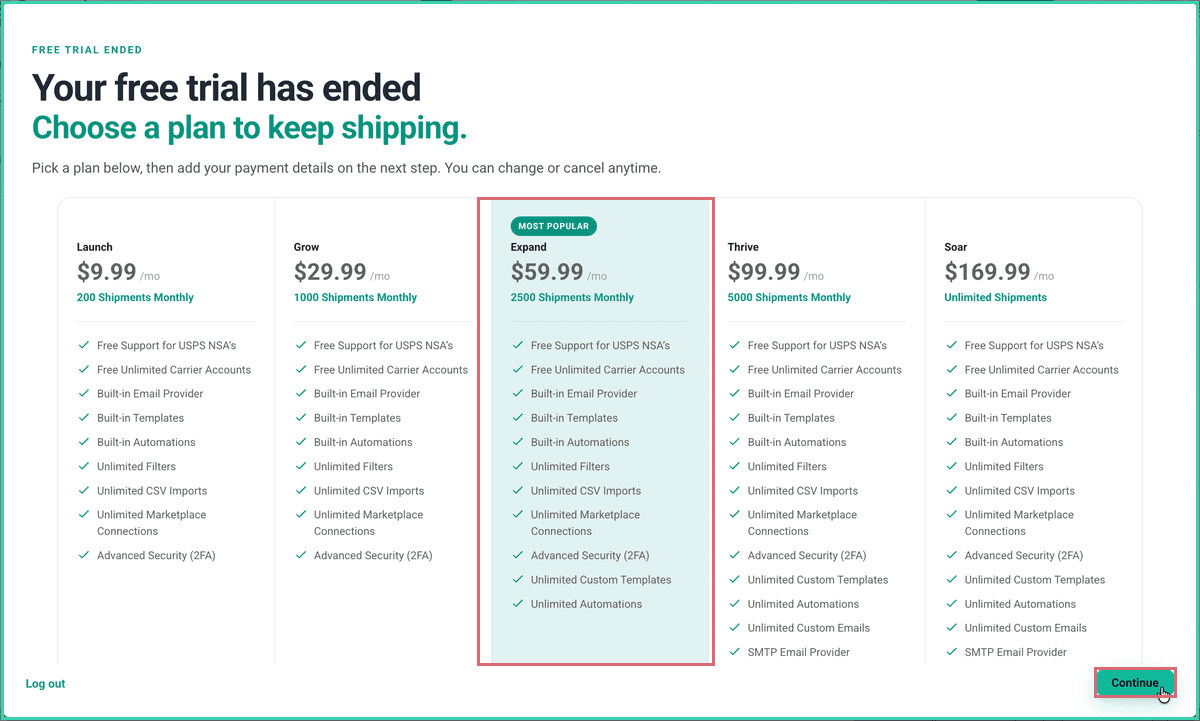
If you do not choose a plan during your trial period, Postsale prompts you to select one the next time you log in after the trial ends.
In the Your free trial has ended pop-up, review the available plans, select the plan you want, and then select Continue.
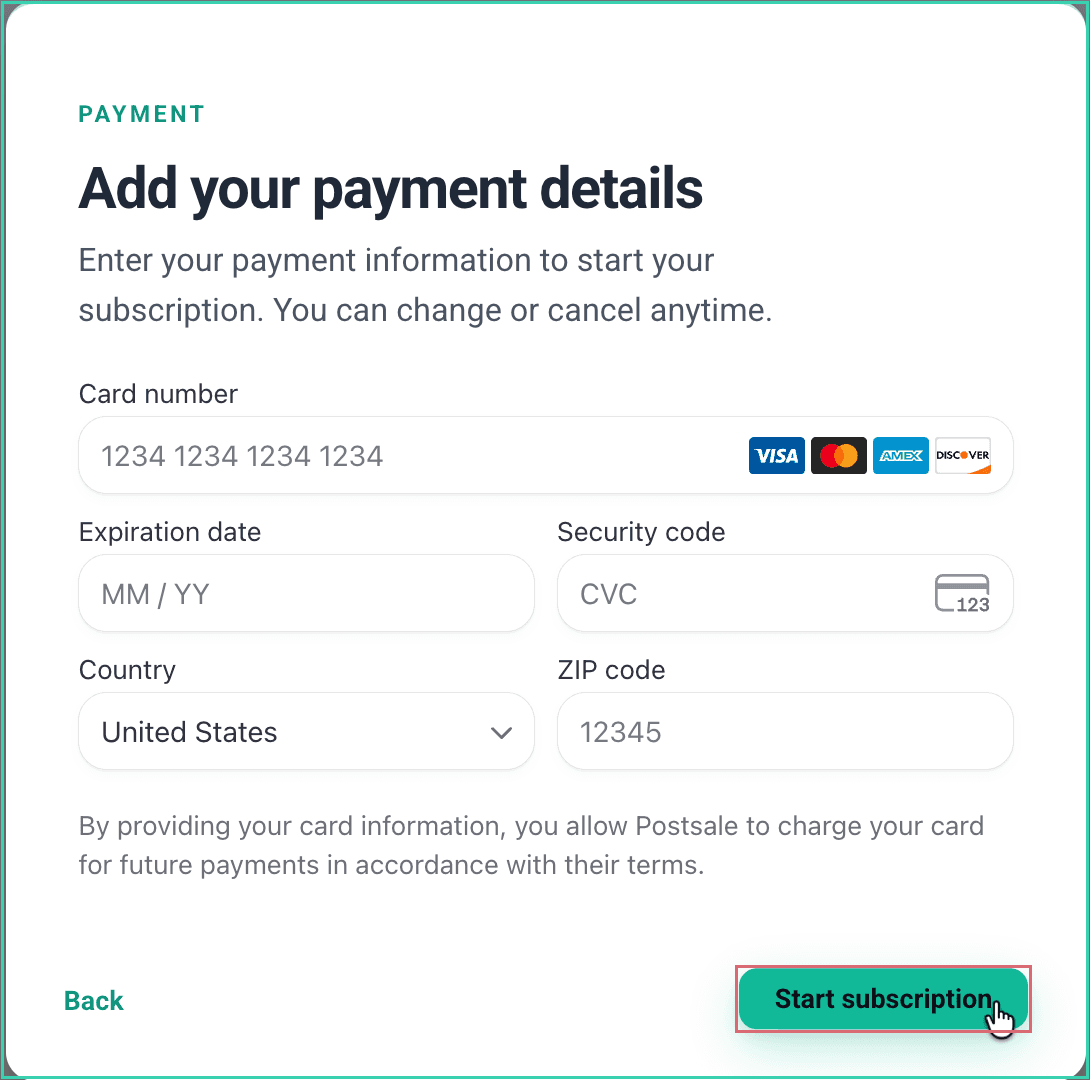
Enter your Card number, Expiration date, Security code, Country, and ZIP code. Then, select Start subscription.
Change Pricing Plans
After your trial ends, you can move between Postsale pricing plans at any time. Postsale applies a scheduled plan change at the end of your current billing cycle.
Go to Settings > Account Settings > Billing, and select Select A Different Plan.
Review the available plans, select the plan you want, and then select Next.
Review the effective date in the Plan Change Confirmation, and then select Continue. Postsale will keep your current plan active until the end of the current billing cycle.
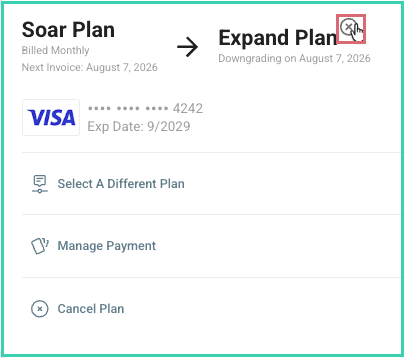
To cancel the pending plan change before the end of the billing cycle, select the X next to the new plan on the Billing page.
Still have a question? Ask a person.
Write to support@postsale.com or send us a message. We reply the same business day, Monday to Friday, 8 AM to 5 PM Central.