Item Attributes
Manage and view item attributes | Add, edit, remove attributes | View attributes on the Orders Grid
Using item attributes is a great way to describe the specific details of the products you sell. They assist your customers by describing specific details about the products they are purchasing, like the brand, size, and color of a product.
In Postsale, item attributes can be used to improve fulfillment accuracy by helping to ensure that you pick, pack, and ship the correct items to your customers.
This article will show you how to view the item attributes on orders imported into Postsale and how to add, edit, and remove item attributes. We will also explore how to view item attributes in the Orders Grid and how to search for orders that contain items with specific attributes.
Real World Example
You sell clothing and apparel that require your customers to select specific attributes, such as the size, color, brand, and gender of the items they purchase. You need to be able to quickly view the attributes associated with items on your orders.
You may also need to, from time to time, edit the item attributes or add new attributes to items directly in Postsale to make it easier to ensure the correct items are picked and packed.
You can do all of that in Postsale.
Before We Begin
Before we look at how to view, add, edit, or remove attributes, let's take a look at the default attributes that are available in Postsale and at how attributes associated with items on your orders get imported from your online store.
The Default Attributes in Postsale
Postsale has several default attributes. Think of the default attributes as placeholders for attributes associated with the items on your orders.
For example, you might sell a T-Shirt to a customer. Your customer specifies that they would like a Size: Large and Color: Black T-shirt. When the order is imported into Postsale, Postsale populates the default item attributes, Size and Color, with the correct values, Large and Black.
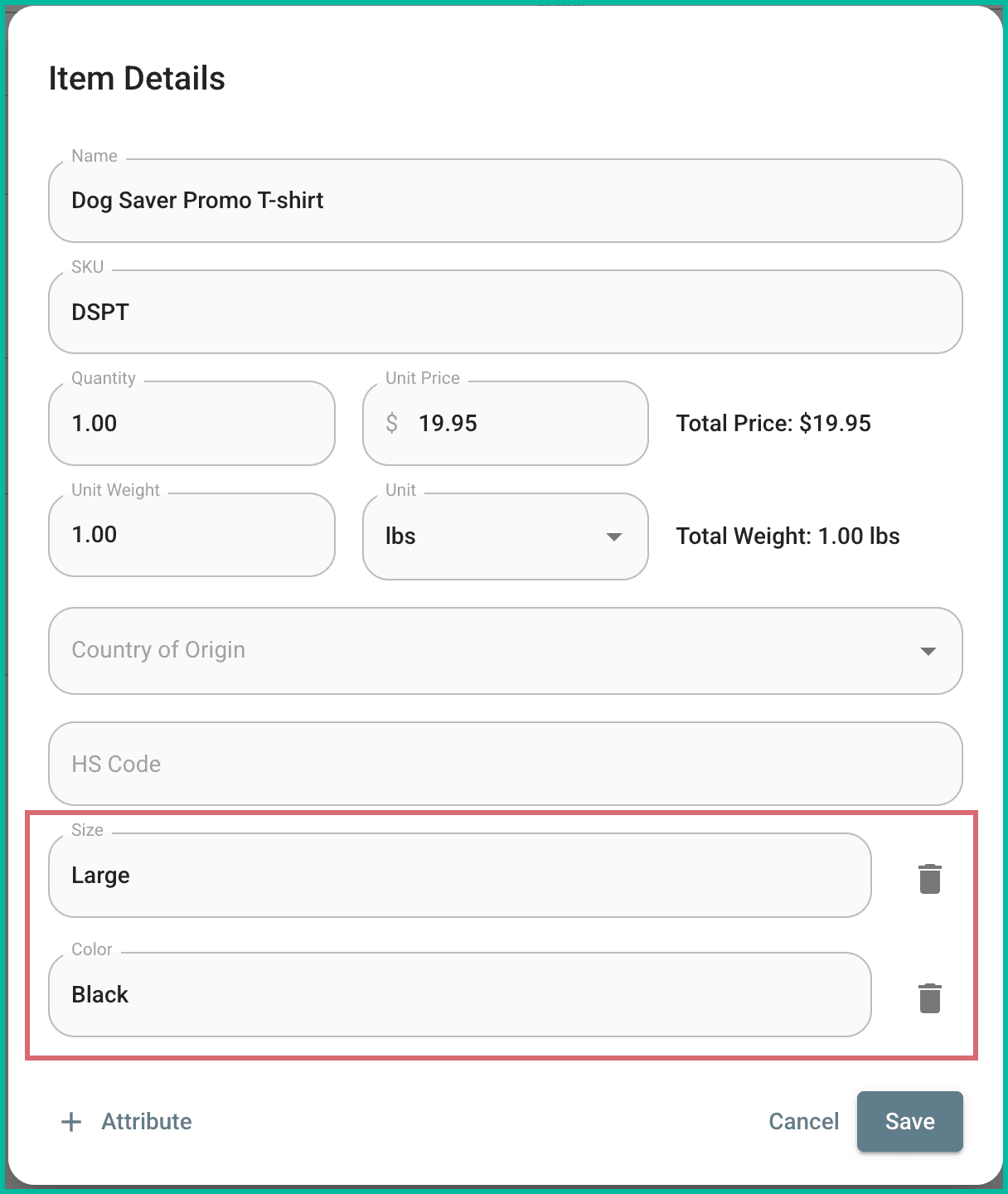
Here are the default attributes in Postsale:
- UPC
- ISBN
- Description
- Brand
- Manufacturer
- Model Number
- Color
- Size
- Category
- Serial Number
- Barcode
- Image URL
Other Attributes
If an imported order has an item attribute that isn't already in Postsale, Postsale creates it automatically.
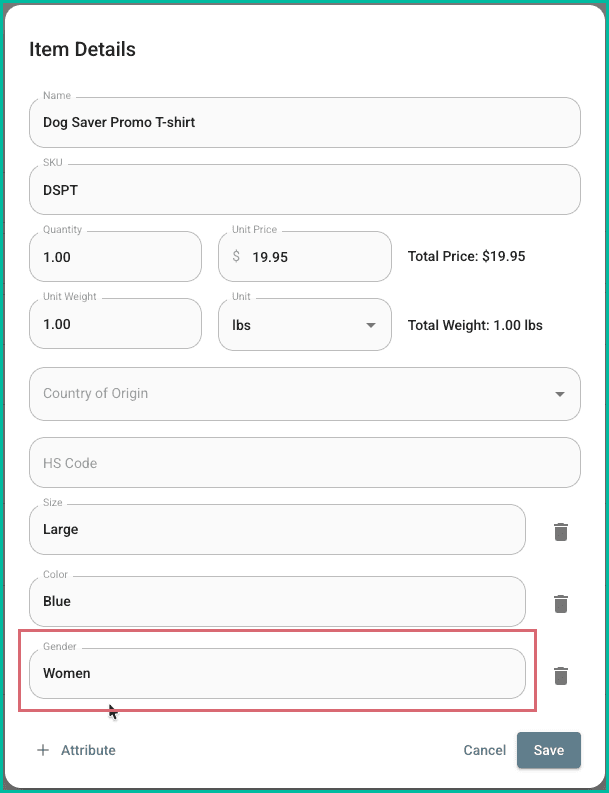
Postsale will create a new attribute for you and populate it with the value specified by your customer. Let's use the same example as above, only this time in addition to the Size and Color, your customer also specifies Gender: Women.
In this case, when the order is imported into Postsale, a new attribute of Gender is created and populated with the value Women.
Work With Attributes
Where to Find Attributes
Since attributes are associated with the items on your orders, working with attributes is done in the Items section of the Order Editor.
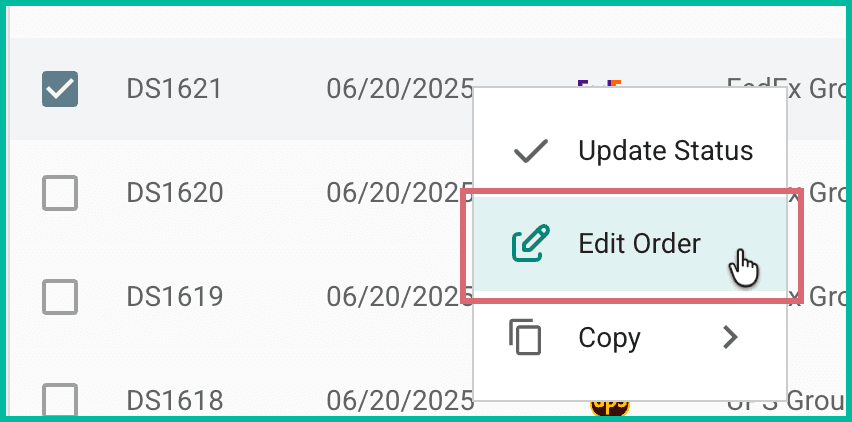
- Open the Order Editor by:
- Double clicking the order.
- Right clicking (Windows) or Control + Clicking (Mac) the order and selecting Edit Order.
Select the item you wish to edit in the Items section and click Edit.
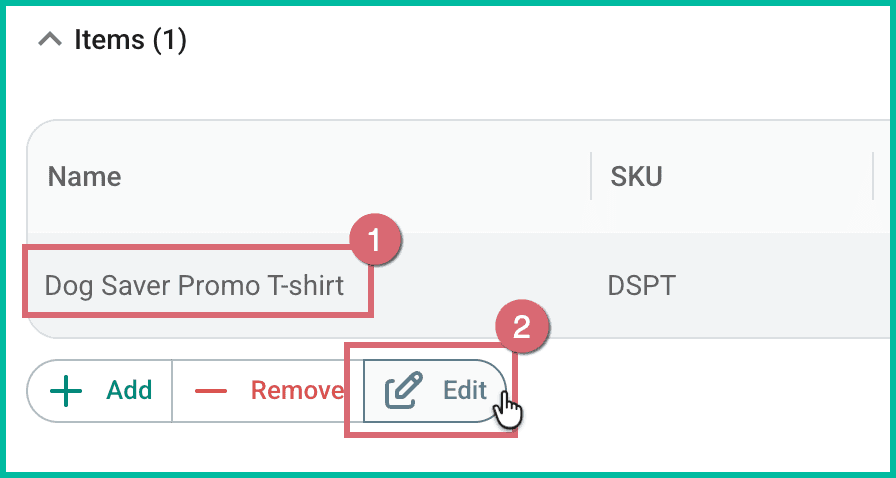
Item attributes are displayed at the bottom of the Item Details pop-up.
Edit an Attribute
Follow these steps when you need to edit the value of an attribute associated with an item. For example, we might wish to change the Color from Black to Blue at the customer's request.
Click in the attribute's field. Then, enter the updated value for the attribute.
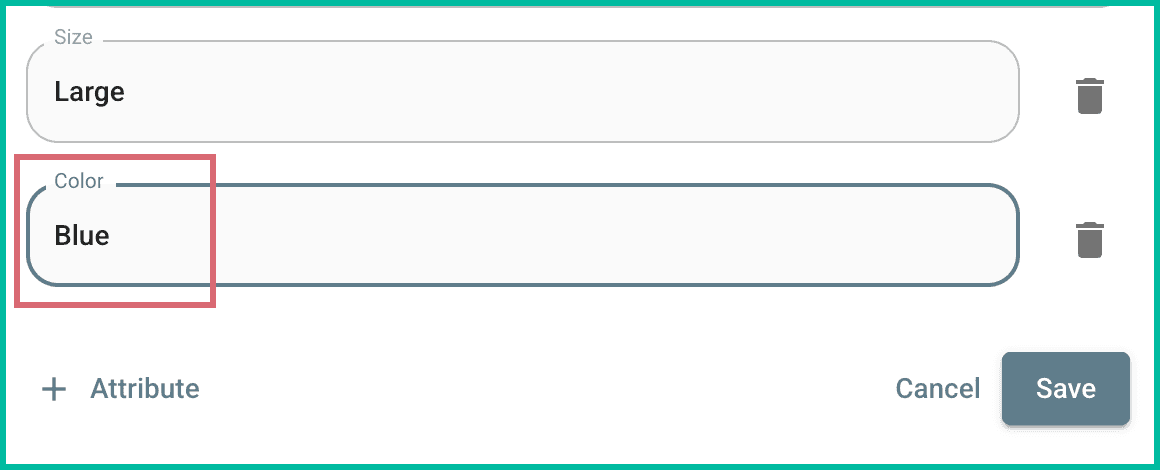
Click Save to save the changes to the item.
Add an Attribute to an Item
Select an Existing Attribute
There may be times when you need to add attributes to an item. Let's add the Brand attribute so that we can specify the brand of the shirt:
Click the Attribute link at the bottom of Item Details.
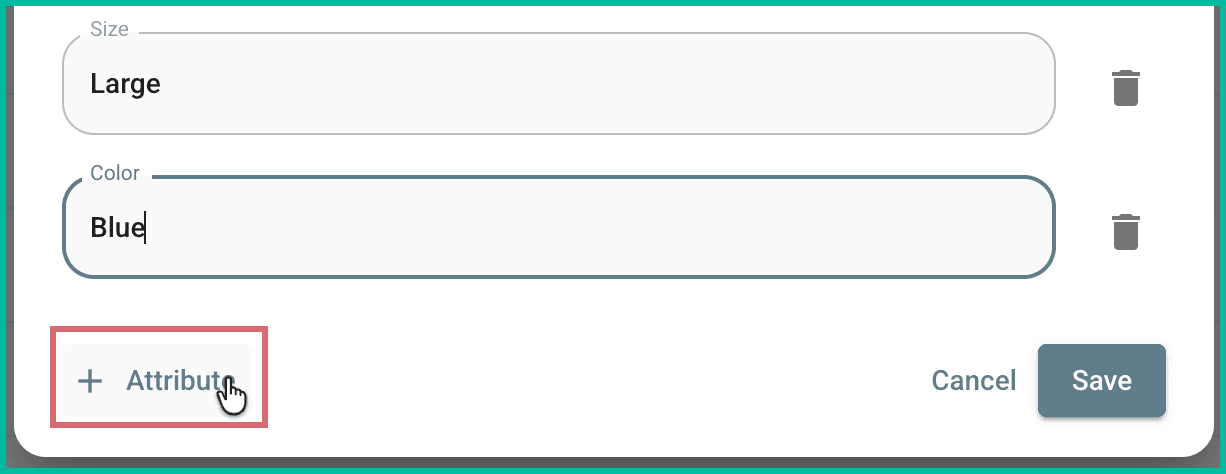
The list of available attributes is displayed for you.
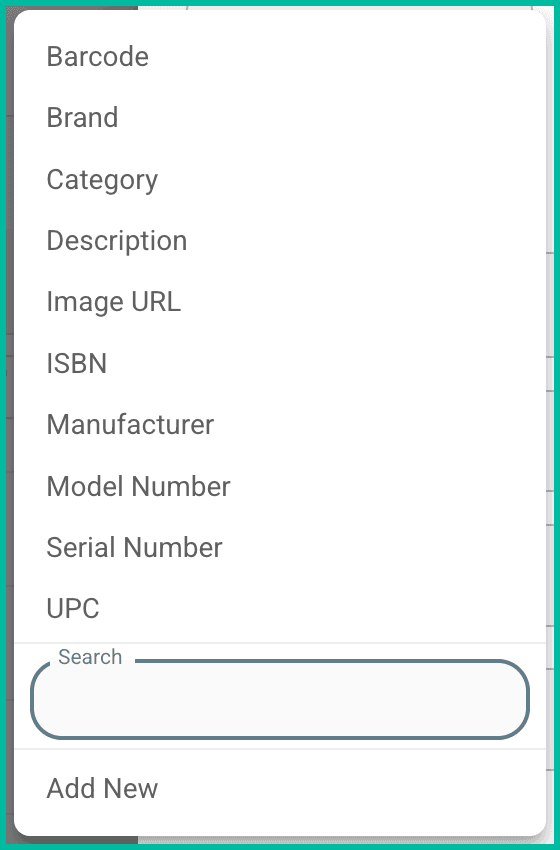
Select Brand from the list of available attributes.
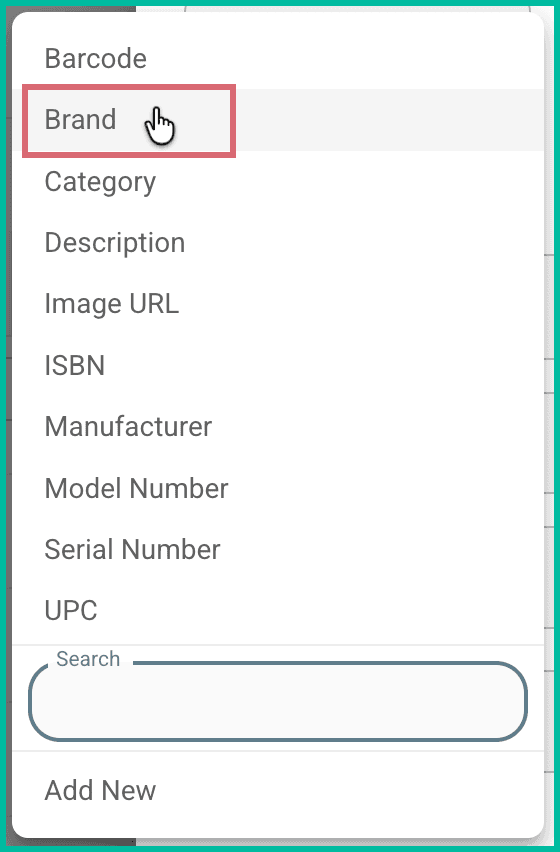
The Brand attribute is added to the attributes associated with the item.
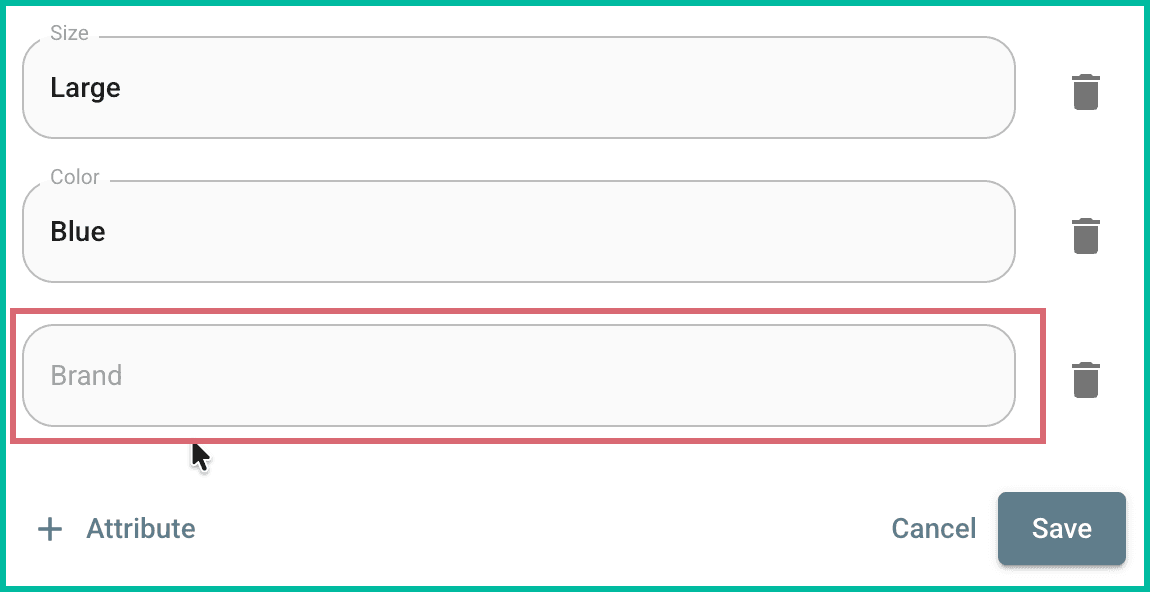
Enter the correct value for the attribute.
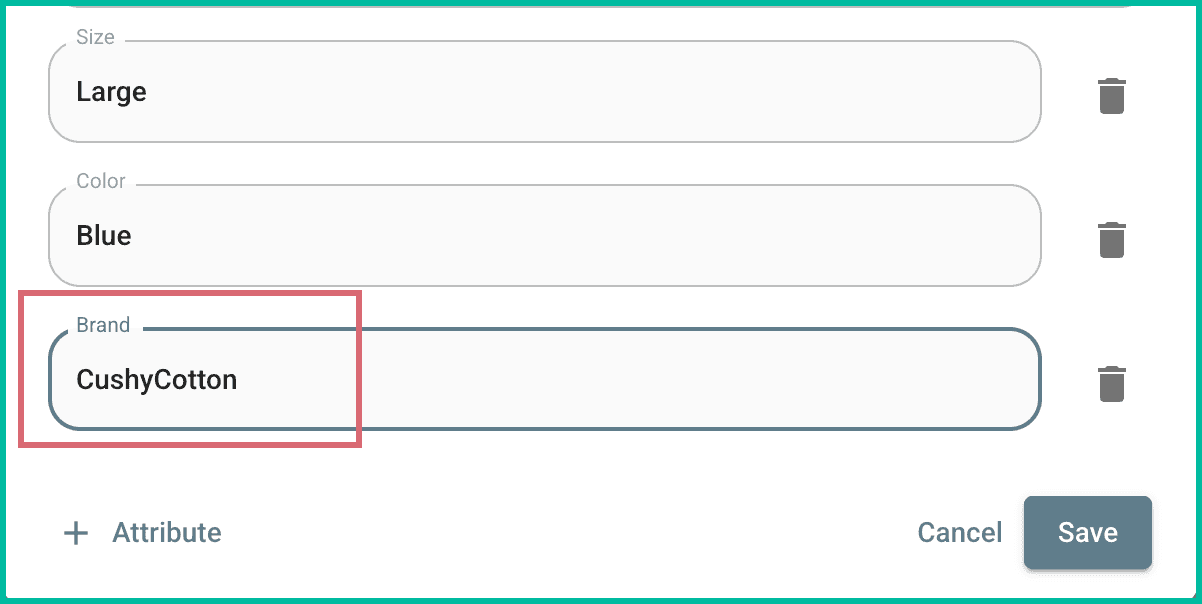
Click Save to save the changes to your item.
Add a New Attribute to the List
What if the attribute you need to add to the item is not in the list? You can add it, here's how:
Click the Attribute link at the bottom of Item Details.
Click Add New at the bottom of the list of available attributes.
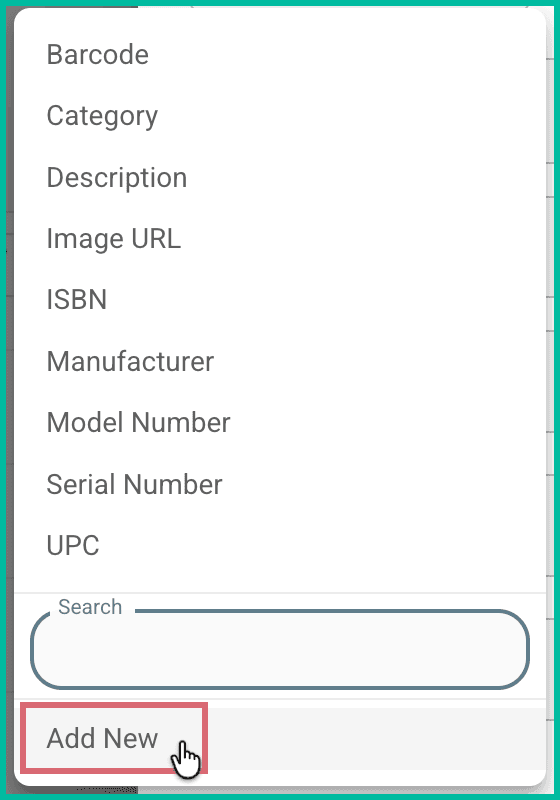
Enter the name of the attribute into the Attribute field. Then, click Add. The name must be unique and contain only letters and spaces.
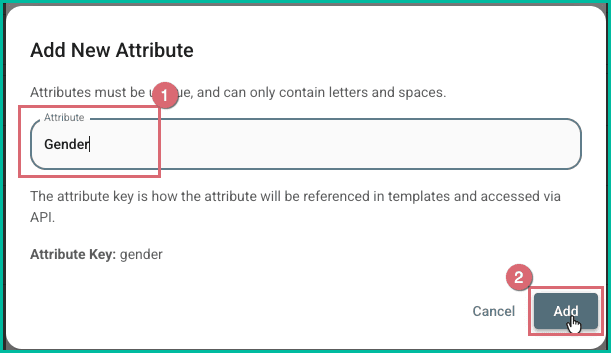
The attribute is added to the list of available, selectable attributes and is associated with the item for you.
Enter the value for the attribute.
Click Save to save the changes to your item.
The new attribute has been added to the list of available attributes so that you can add it to additional items as needed.
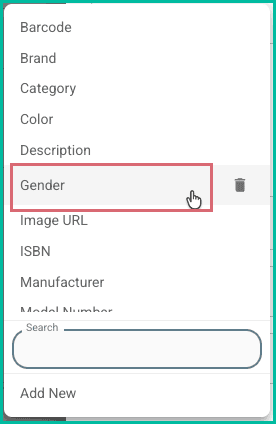
Remove Attributes
Remove an Attribute from an Item
Follow these steps when you wish to remove an attribute from an item, but leave it in the list of available, selectable attributes in Postsale.
- Open the Order Editor by:
- Double clicking the order.
- Right clicking (Windows) or Control + Clicking (Mac) the order and selecting Edit Order.
Select the item you wish to edit in the Items section and click Edit.
Click the trashcan icon for the attribute you wish to remove from the item. Then, click Remove to confirm you wish to remove the attribute from the item.
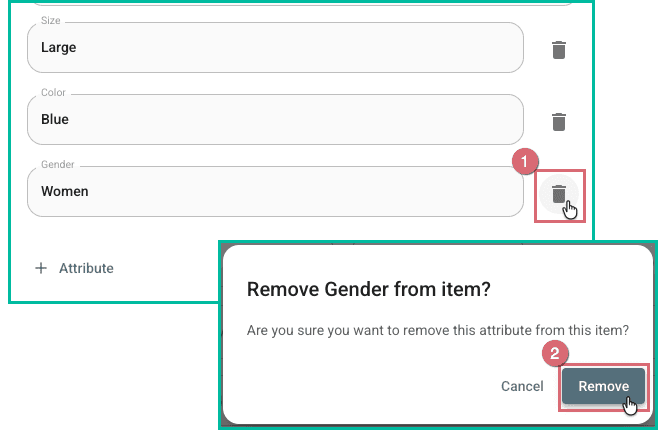
The attribute is removed from and is no longer associated with the item. However, the attribute remains available in the list of selectable attributes in Postsale.
Remove an Attribute from the List of Available Attributes
Follow these steps when you wish to remove an attribute from the list of available, selectable attributes in Postsale.
- Open the Order Editor by:
- Double clicking the order.
- Right clicking (Windows) or Control + Clicking (Mac) the order and selecting Edit Order.
Select the item you wish to edit in the Items section and click Edit. The item must not have the attribute you intend to remove associated with it.
Click the Attribute link at the bottom of Item Details.
Click the trashcan icon associated with the attribute you are removing. Then, verify that you wish to remove the attribute from the list.
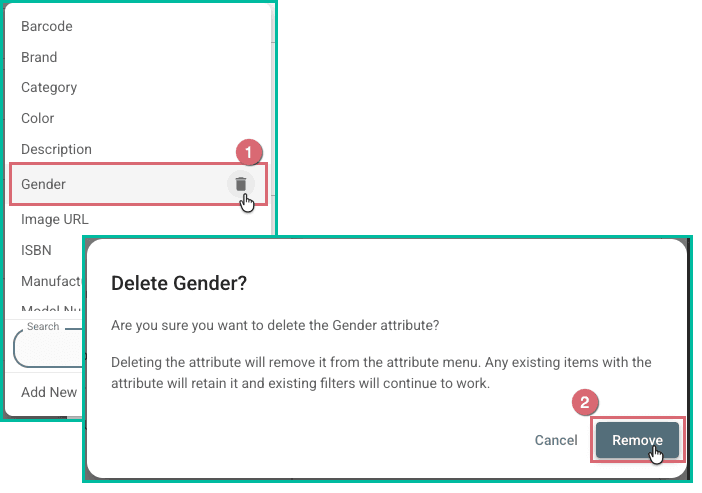
The attribute is now removed from the list of available attributes.
View Attributes on the Orders Grid
View the attributes associated with the items on your orders directly in the Orders Grid by adding columns to the grid. Here's how:
Learn more about personalizing your Orders Grid.
Click the kebab menu in any column heading in the Orders Grid. Then, select Manage Columns.
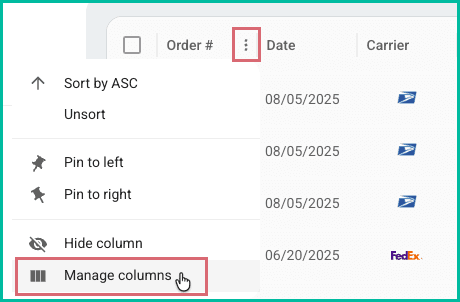
Check the box for the attribute(s) you wish to add to the Orders Grid.
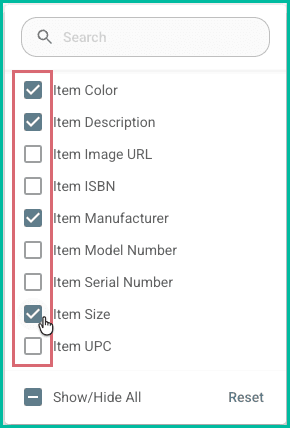
The attribute columns you enabled are now displayed in the Orders Grid.

Filter Orders by Item Attributes
Locate orders that contain items with specific attributes using Postsale's advanced search. Then, save your search as a Filter so that you can quickly repeat the search any time, just by selecting the filter.
In this section, we will perform a search for a single attribute to help you get started. Keep in mind that you can create an advanced search that locates orders based on multiple criteria and attributes. Learn more about performing an advanced search and saving filters here.
Let's set up a search to find any orders with items that have the Size attribute with a value of Large.
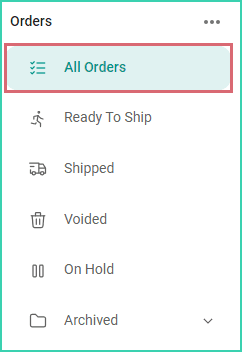
Select All Orders in the Orders Menu. Selecting All Orders ensures that no criteria have already been added to your search.
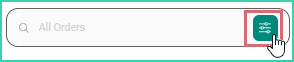
Click the Advanced Search button in the Search Bar.
The Advanced Search pop-up will open.
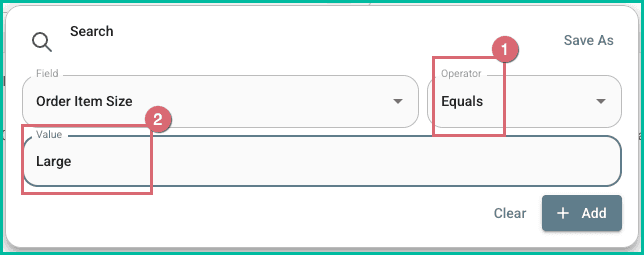
Click the Field drop-down and select the Order Item Size field. Use the Search to quickly locate the field.
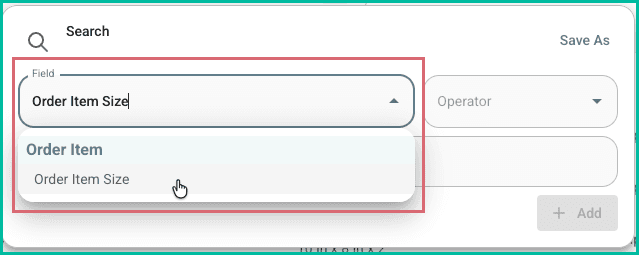
Leave the Operator as Equals. Then, enter Large into the Value field. We'll leave it as Equals because we know the exact value (Large) we are searching for.
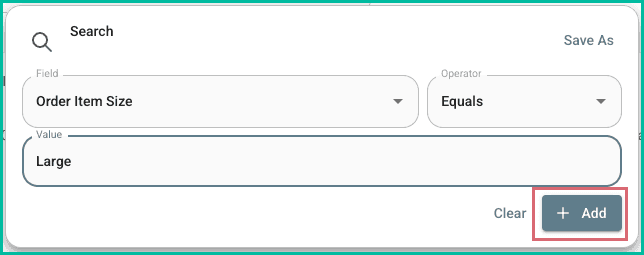
Click Add to add the search criteria.
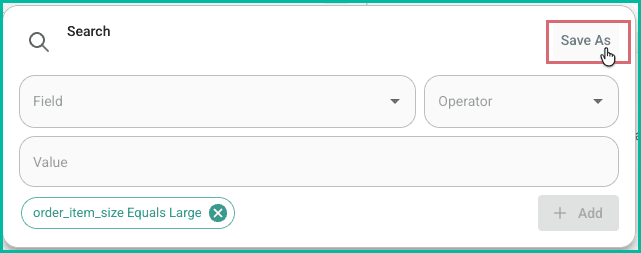
Click Save As to save your search as a Filter.
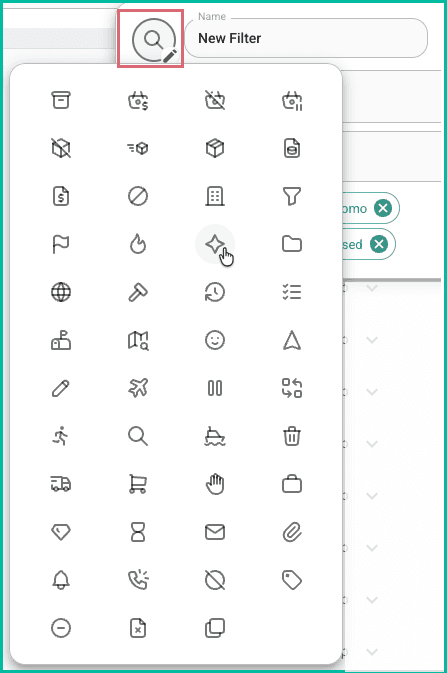
Click the magnifying glass icon and select an icon for this Filter. The icon will be displayed next to the Filter in the Orders Menu.
Enter a name for the filter into the name field. Then, click Save.
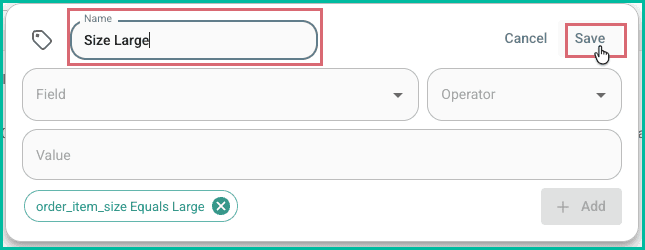
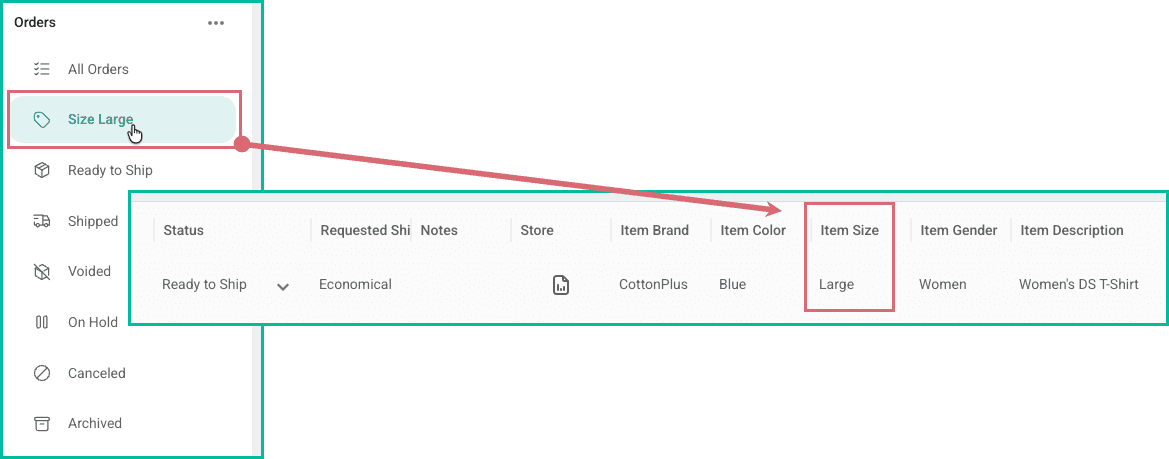
Your search is now saved as a Filter. Select the Filter any time you wish to quickly search for orders that contain items with the Size: Large attribute.
Still have a question? Ask a person.
Write to support@postsale.com or send us a message. We reply the same business day, Monday to Friday, 8 AM to 5 PM Central.