Import and API
Webhooks: orders in and events out, as they happen.
Send orders into Postsale from any system as they happen. Postsale can also notify your own systems the moment a shipment is processed, tracking changes or an order comes in.
14-day free trial No card to start Cancel anytime Human support from day one
Orders in
Send orders into Postsale in three steps.
Post a JSON order to your own Postsale webhook URL whenever your system creates one. Secure it with one of four methods and map every field of the order, address, items and shipment.
Step 1
Add a Webhook Store
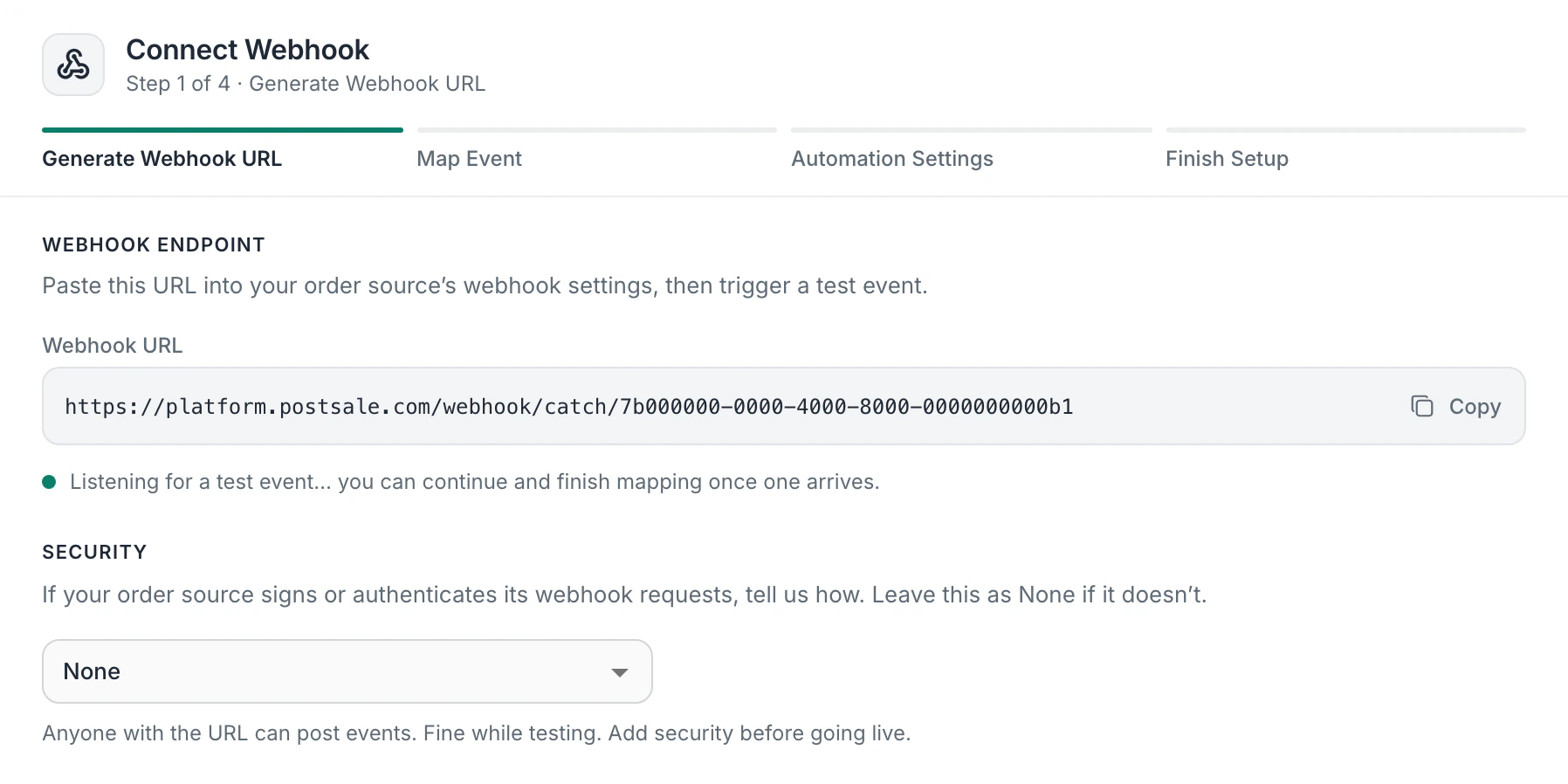
Go to Stores > Add Store > Webhook in Postsale. You'll get a unique endpoint URL to receive order data.
Step 2
Choose a Security Method
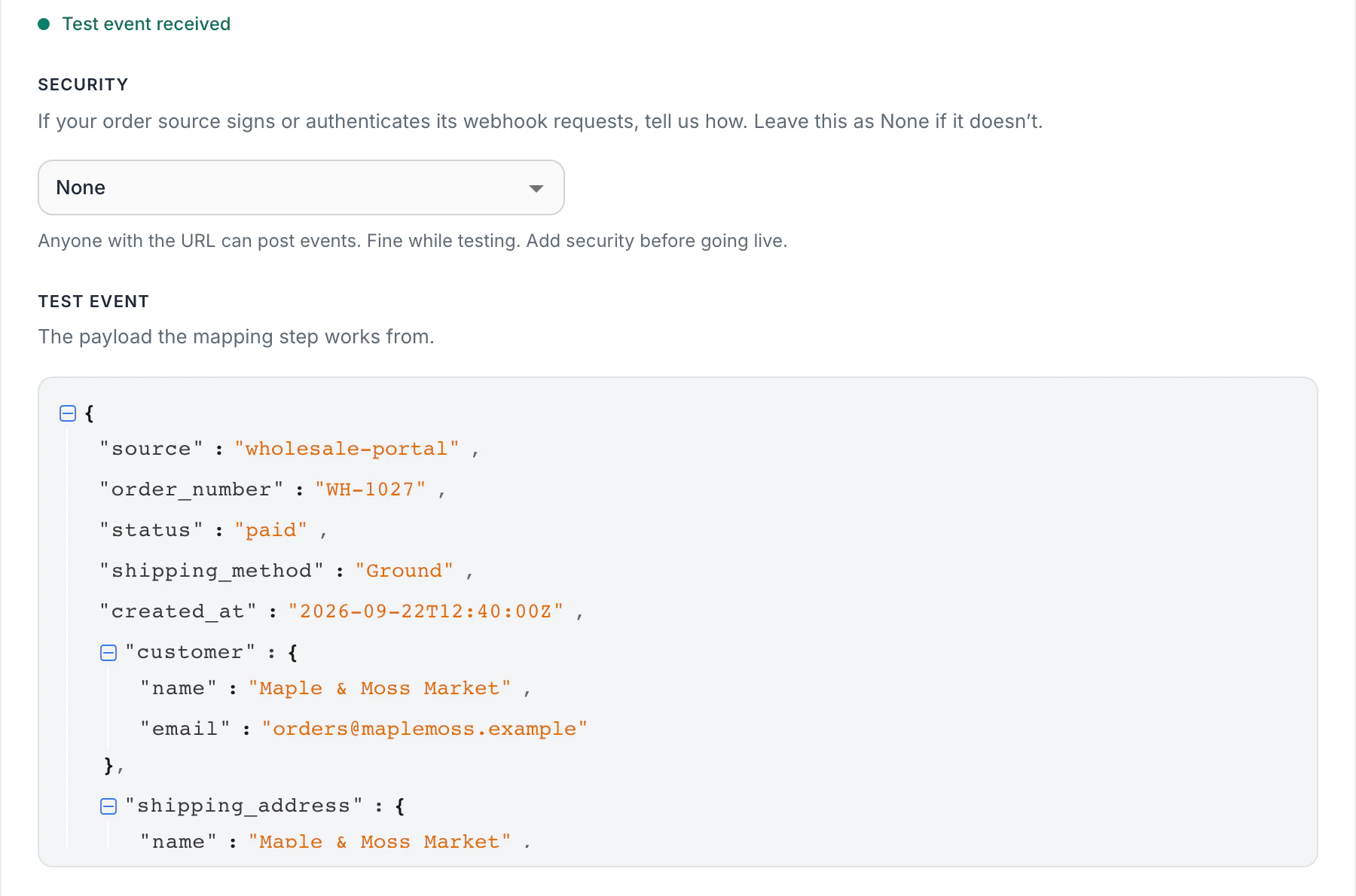
Choose from four security options: Basic Auth, Header Value, HMAC signature verification or IP Whitelist. This ensures only authorized requests reach your endpoint.
Step 3
Send Your First Order
Post a JSON payload to your endpoint with order, address, item and shipment data. Use Source + Order Number together for unique order identification.
Orders in
See it in Postsale.
Orders in
Orders come in from any system.
Orders arrive when you send them
Each order reaches Postsale when your system sends it, with no scheduled import to wait for.
Four ways to secure it
Choose the security method that fits your stack: Basic Auth, Header Value verification, HMAC signature validation or IP Whitelist.
Mapped from a test order
Send a test order and Postsale maps it for you: recipient address, line items with quantities and prices, charges, notes, payment info and shipment details. Check the matches and change any you like.
No duplicate orders
Use Source and Order Number together to uniquely identify each order. This prevents duplicates even when multiple systems push to the same endpoint.
Standard JSON
Send standard JSON that any system can produce, with no special format to learn.
Orders that arrive ready to print
Include carrier, service and package type in your webhook payload so orders arrive in Postsale ready to print.
Events out
Send events to your systems in three steps.
Postsale sends a request to your URL the moment something happens, so your other tools stay in step without checking. A developer on your side sets up the URL that receives them.
Step 1
Open Webhooks in Settings
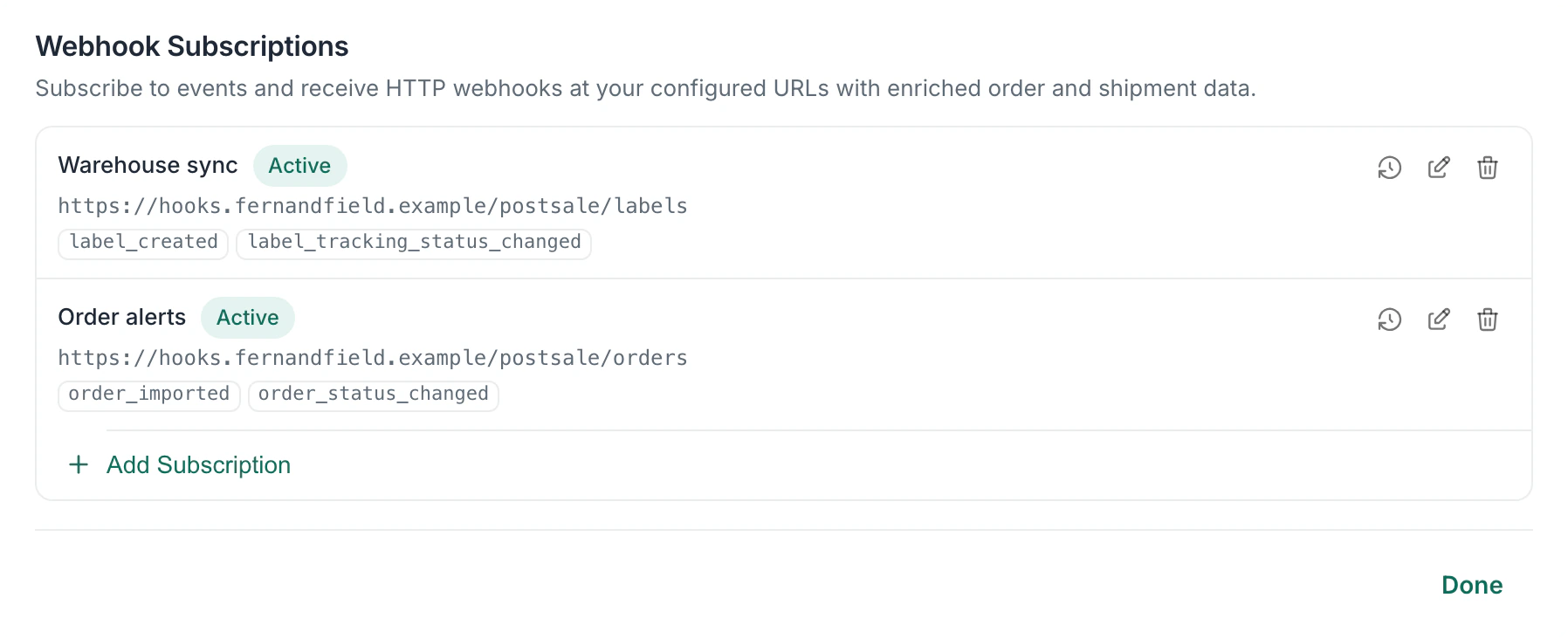
Go to Settings > Account Settings > Integrations > Webhooks.
Step 2
Add a Subscription
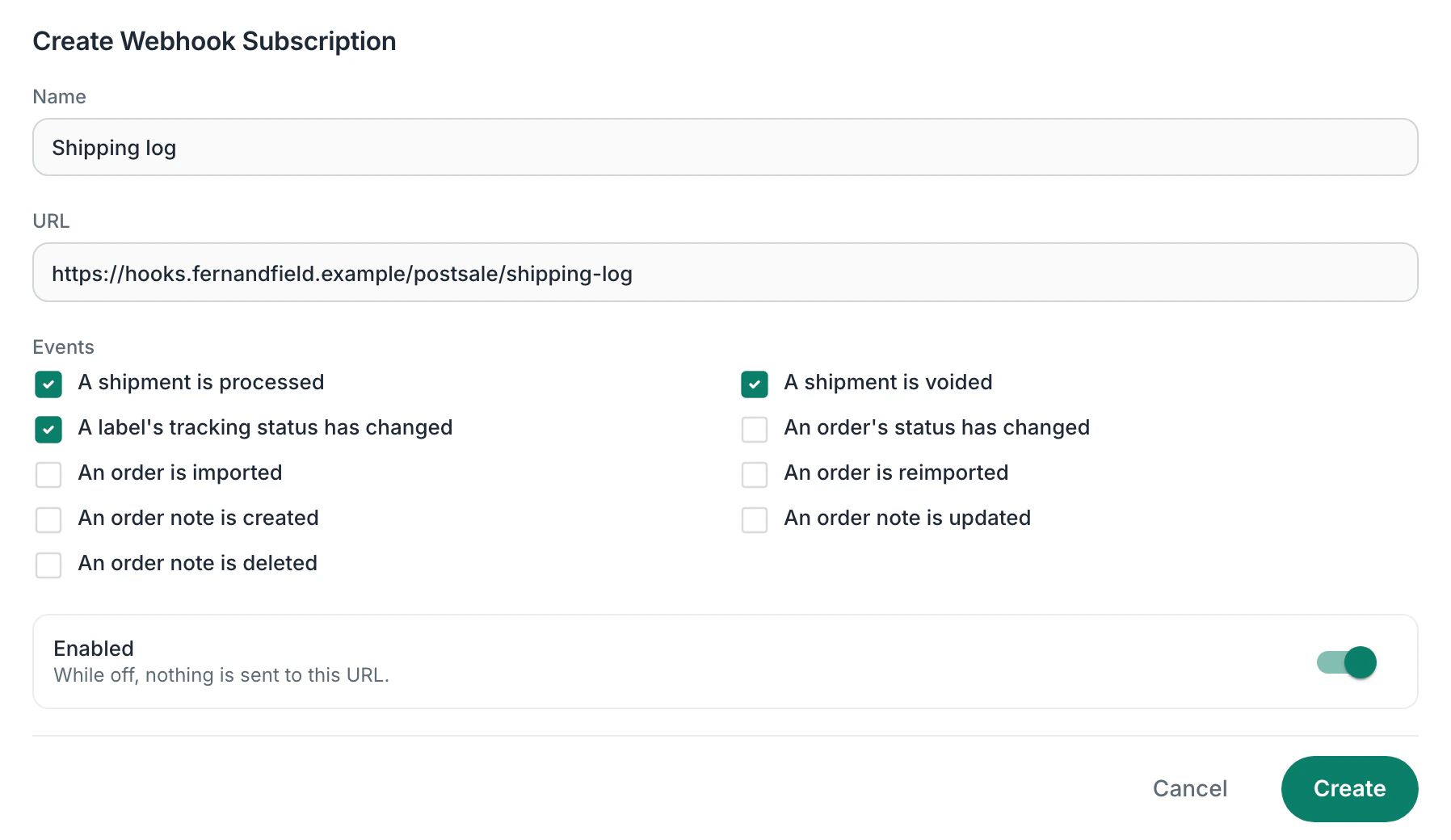
Give it a name, enter your URL and check the events you want to receive. Add more than one subscription when different systems need different events.
Step 3
Copy the Signing Secret
Postsale shows the subscription's signing secret once. If your system checks signatures, copy it right away and use it to confirm each request came from Postsale.
Events out
See it in Postsale.
Events out
Postsale tells your systems the moment something happens.
Nine events to choose from
Hear when a shipment is processed or voided and when a label's tracking status changes. Hear when an order is imported or reimported, when its status changes and when a note on it is created, updated or deleted.
A subscription for each system
Each subscription has its own name, URL and events, so every system gets only what it needs.
Signed requests
With a signing secret, each request carries an X-Webhook-Signature header made with HMAC-SHA256. Your system checks it to know the request came from Postsale.
A delivery log
See each delivery's event, whether it succeeded, the HTTP response code, the attempts and the date and time. Open one to see the response and the payload.
Questions
About Webhooks and Postsale.
Which plan do I need for webhooks?
Webhooks are on the Soar plan, for orders in and events out.
Which events can Postsale send to my systems?
Nine: a shipment is processed, a shipment is voided, a label's tracking status has changed, an order's status has changed, an order is imported, an order is reimported and an order note is created, updated or deleted. Each subscription picks the events it receives.
How does my system know an event came from Postsale?
When the subscription has a signing secret, each request carries an X-Webhook-Signature header made with HMAC-SHA256. Your system checks it against the secret, which Postsale shows once, so copy it when it appears.
Can I see what Postsale sent?
Yes. Each subscription has a delivery log with the event, whether it succeeded, the HTTP response code, the attempts and the date and time. Open a delivery to see the response and the payload.
How do I secure orders I send in?
Four options: Basic Auth (username/password), Header Value (custom header verification), HMAC (signature-based validation) and IP Whitelist (restrict by sender IP).
What format do orders I send in use?
Postsale webhooks accept standard JSON payloads. The documentation includes full field mapping for orders, addresses, items, charges, notes, payment and shipment data.
How are duplicate orders prevented?
Use the Source and Order Number fields together to uniquely identify each order. If Postsale receives a duplicate Source and Order Number combination, it prevents the order from being imported twice.
Try Postsale with webhooks.
Predictable pricing. No per-label software fees.
14-day free trial No card to start Cancel anytime Human support from day one