Carrier Declared Value Coverage
Learn about the shipment protection offered by shipping carriers
Most shipments arrive safely, but the occasional loss or damage can happen. By adding the carrier's shipment protection to your shipments, you can protect your packages and give yourself and your customers a little extra peace of mind.
Many shipping carriers offer their own shipment protection. Typically, this protection covers up to a certain value. You then have the option to purchase additional coverage when the value of the contents of the package is greater than the carrier's default coverage amount.
Shipment protection can be added to shipments for USPS, FedEx, and UPS in Postsale. This article will guide you through how to add shipment protection to your shipments.
To learn more about carrier shipment protection or to file a claim, please contact your carrier directly.
Before We Begin
This article assumes that you have orders in Postsale that are ready to ship, have connected at least one shipping carrier account, and that you are familiar with the process of creating shipping labels in Postsale.
Cover a Single Shipment
Let's take a look at how to add shipment protection to a single shipment. Check out our Automatically Add Shipment Protection help article to learn how to configure Postsale to automatically apply shipment protection to your shipments.
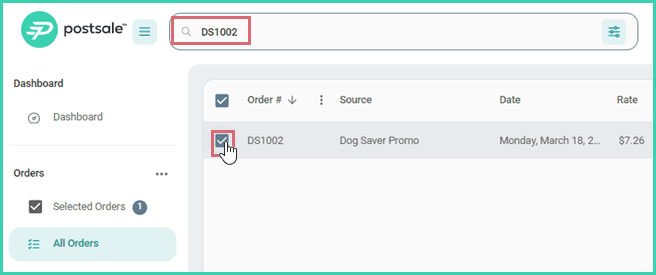
Search for and select the order in the Orders Grid.
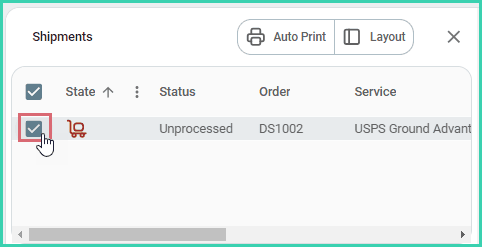
Verify that the shipment is selected in the Dock.
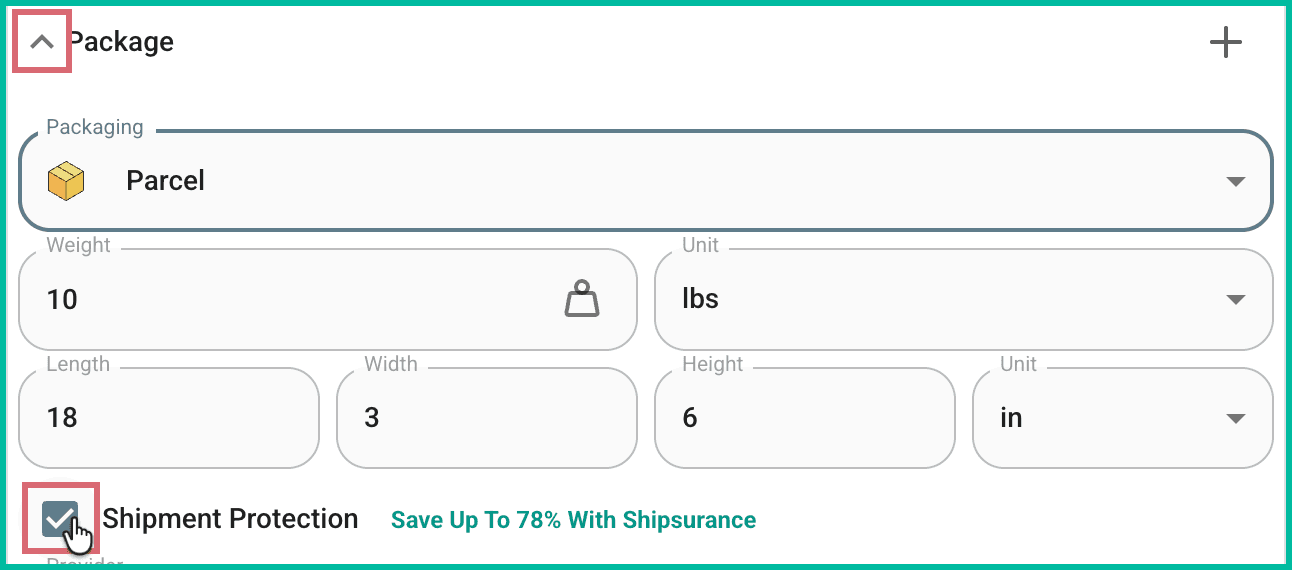
Expand the Package section. Then, check the Shipment Protection checkbox.
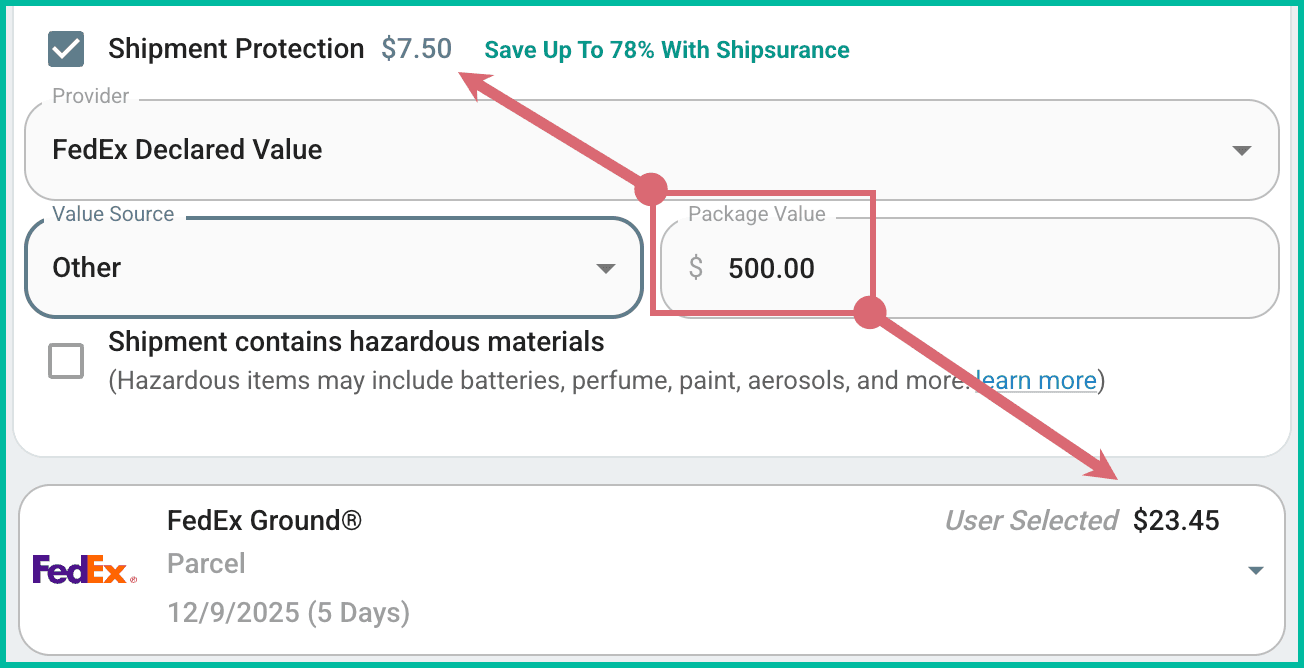
Verify that the carrier's shipment protection option is selected from the Provider drop-down menu. By default, the currently selected shipping carrier's shipment protection is applied as the Provider. In this example, since FedEx is selected as the carrier, FedEx Declared Value is applied.
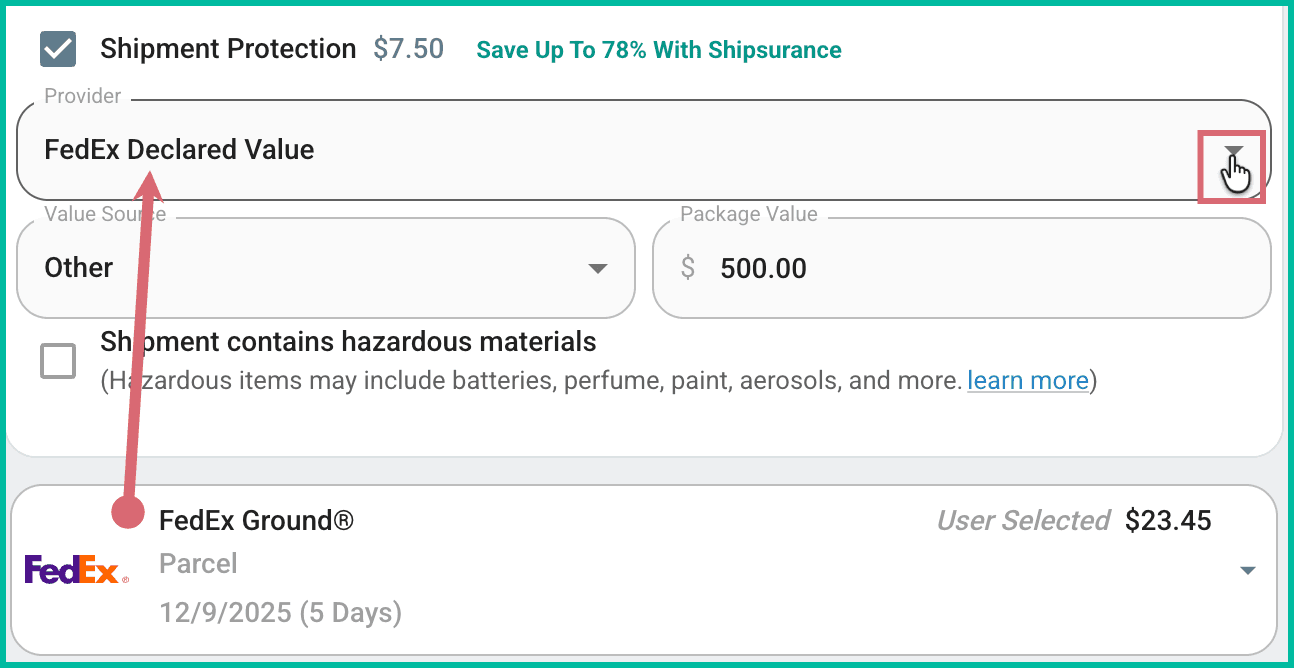
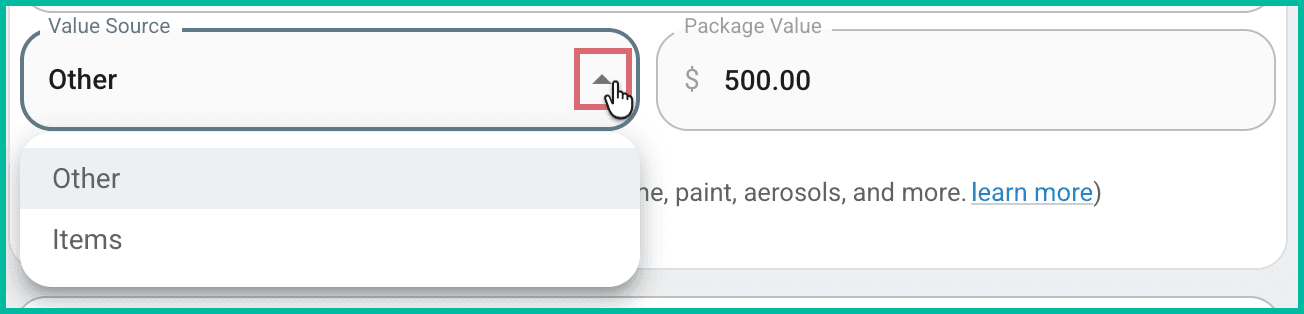
Select either Items or Other from the Value Source drop-down menu.
- Items: Specifies that you wish for the sum of the prices of all items on the order to be submitted as the coverage amount.
- Other: Allows you to manually enter the coverage amount. (Be sure to enter the correct amount of coverage into the Amount field.)
Based on the Package Value entered, the cost of the shipment protection will be displayed for you and will be reflected in the total rate displayed in the Rate Selector.
Add Shipment Protection to Multi-Package Shipments
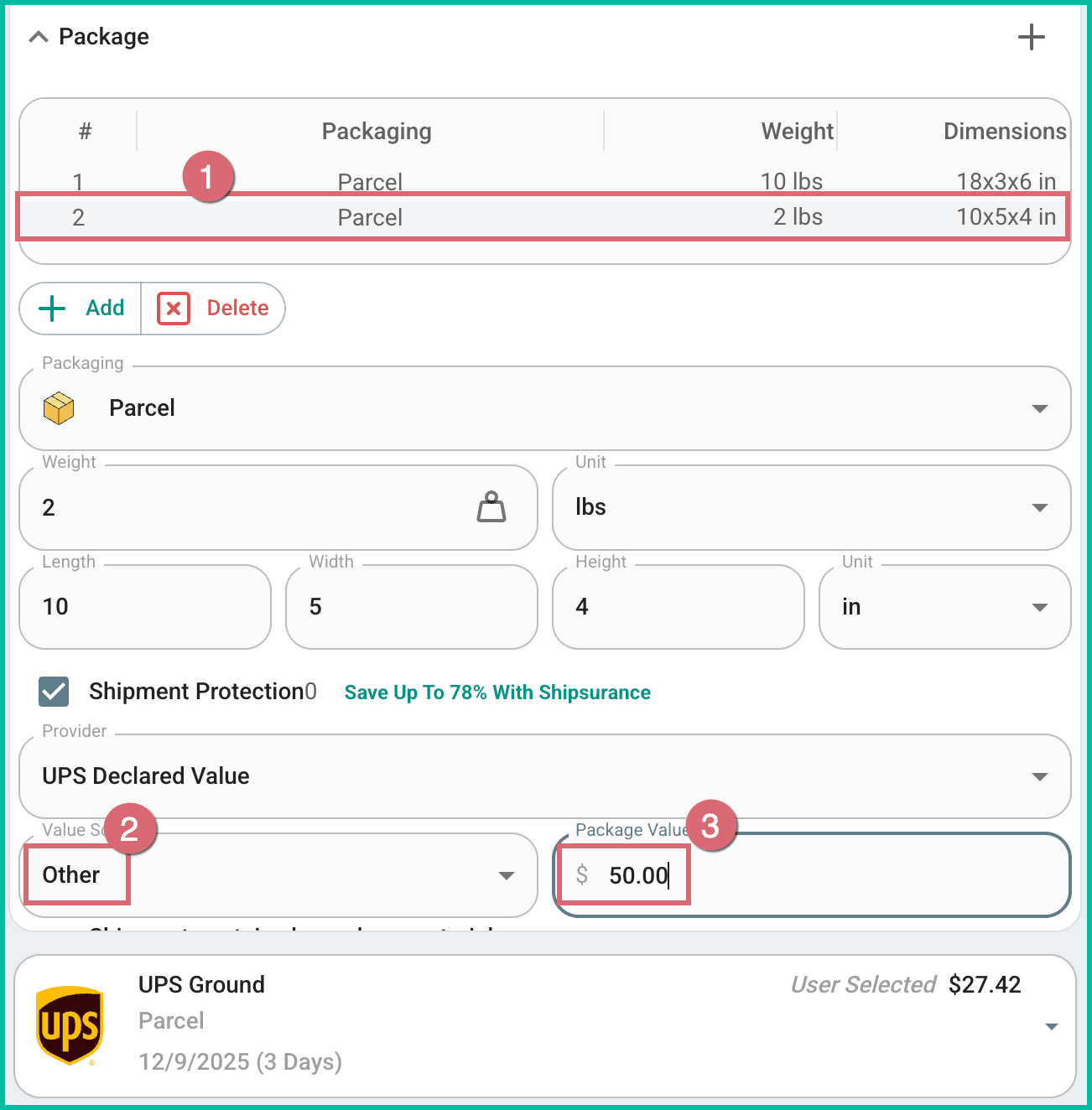
USPS does not support multi-package shipments. When a single UPS or FedEx shipment is configured with multiple packages:
- Shipment protection is added to all packages in the shipment.
- Each package's value can be entered individually:
- Select the package.
- Set Other as the Value Source.
- Enter the value of the package into the Package Value field.
The shipment protection you specified will now be added to the shipment when the shipping label is created.
On this page
Related