Automatically Add Shipment Protection
Set your shipping defaults to automatically add shipment protection to your shipments
Did you know that Postsale can automatically add shipment protection to every shipment for you? It can. It's a great option if you regularly ship high-value packages or when you want the peace of mind that every shipment is covered without having to spend the time to manually add coverage to every shipment.
Learn more about the types of shipment protection available in Postsale.
Set Shipment Protection as the Default
Enable shipment protection as your default shipping setting when you wish for shipment protection to be added to all shipments. Here's how:
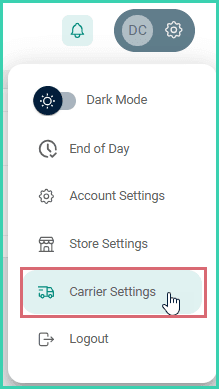
Go to Settings.

Select Carrier Settings.
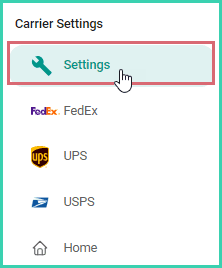
Select Settings.
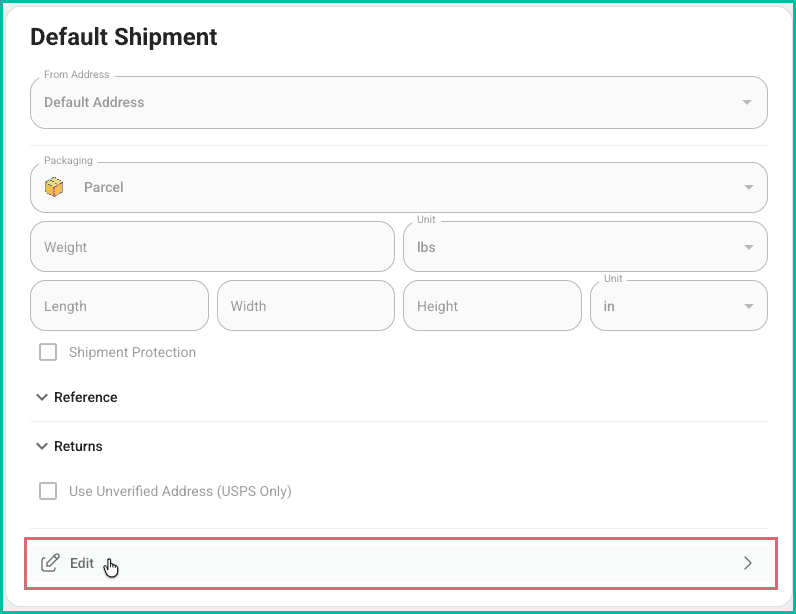
Click Edit.
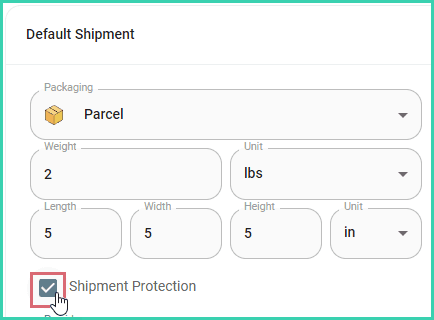
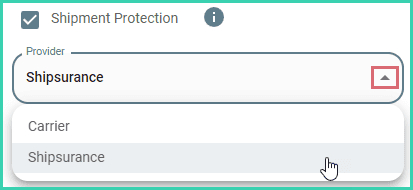
Check the Shipment Protection checkbox.
Select whether you wish to use carrier declared value coverage or Shipsurance parcel insurance.
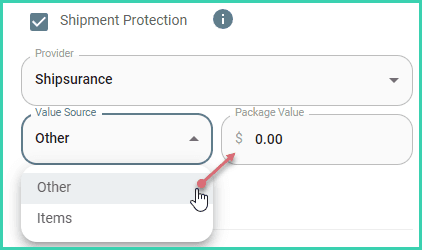
Select either Items or Other from the Value Source drop-down menu.
- Items: Specifies that you wish for the sum of the prices of all items on the order to be submitted as the coverage amount.
- Other: Allows you to manually enter the coverage amount. (Be sure to enter the correct amount of coverage into the Package Value field.)
Click Save.
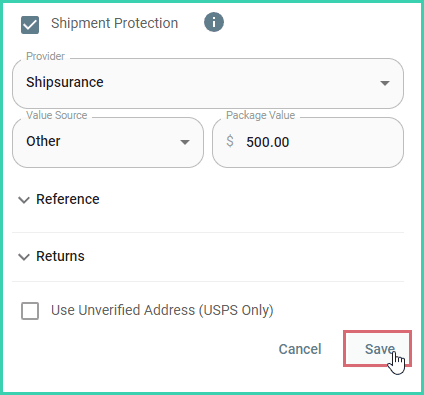
New shipments will now have shipment protection added by default.
New Shipments Will Have Shipment Protection Applied
Please note that any shipments created prior to enabling this default setting will not have shipment protection applied. Only new shipment created after configuring this default setting will have shipment protection automatically enabled.
On this page
Related