Store
Ship your QuickBooks Desktop orders from one list.
Connect QuickBooks Desktop with Intuit's free Web Connector. Your open sales orders and unpaid invoices come into Postsale, and when you print the label, the tracking goes back to the sales order or invoice it came from.
For QuickBooks Desktop Enterprise, Premier or Pro on a Windows PC.
14-day free trial No card to start Cancel anytime Human support from day one
Setup
Set up QuickBooks Desktop in four steps.
Step 1
Check What You Need
QuickBooks Desktop on a Windows PC, the QuickBooks admin login for your company file and the QuickBooks Web Connector, a free download from Intuit.
Step 2
Choose What to Import
Import sales orders, invoices or both. QuickBooks Pro has no sales orders, so import invoices.
Step 3
Add Postsale to the Web Connector
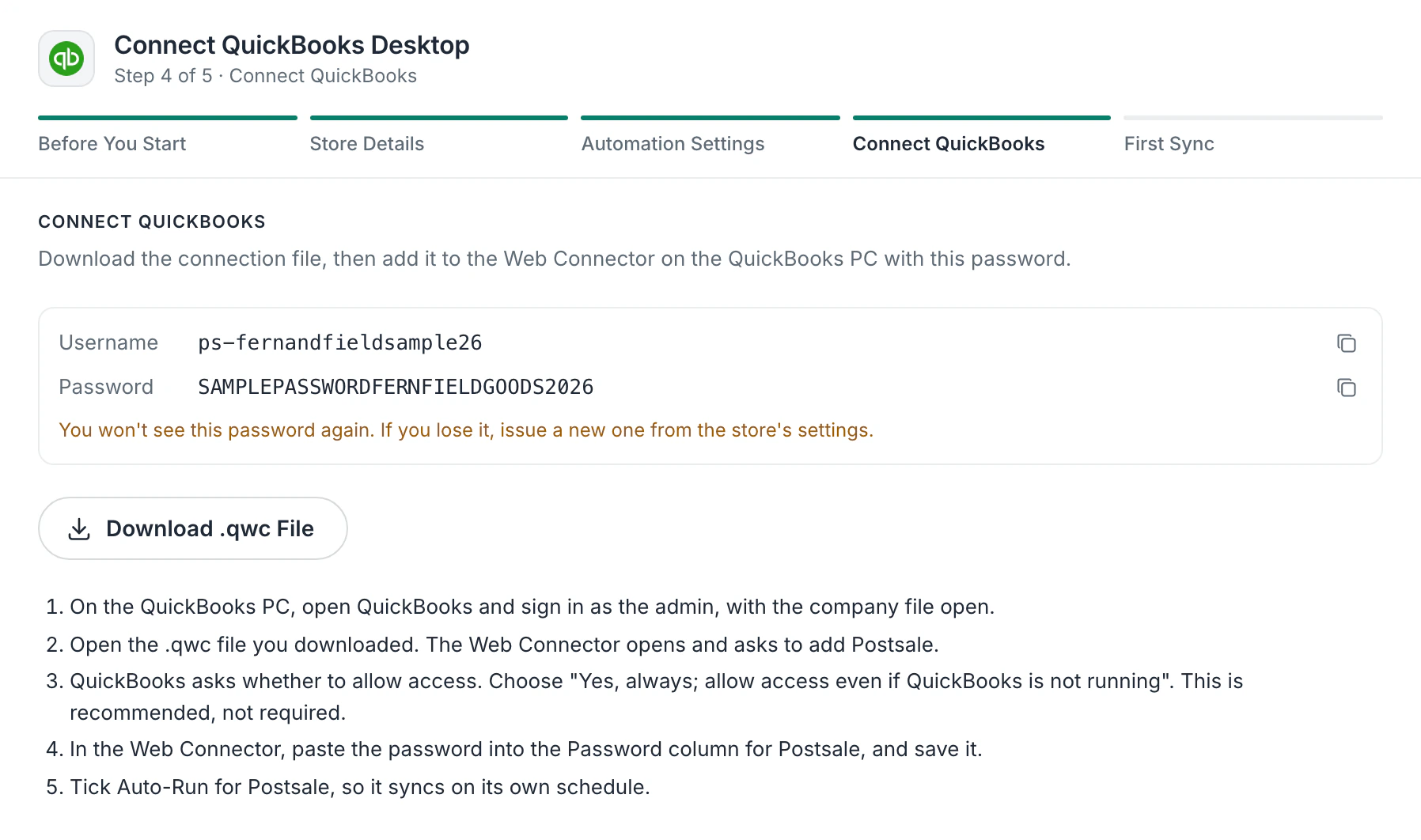
Download the connection file Postsale makes for your store and open it on the QuickBooks PC. Then paste in the password Postsale shows you.
Step 4
Let the First Sync Run
Postsale brings in every open sales order and unpaid invoice, however old. After that, new ones come in each time the Web Connector runs.
In the app
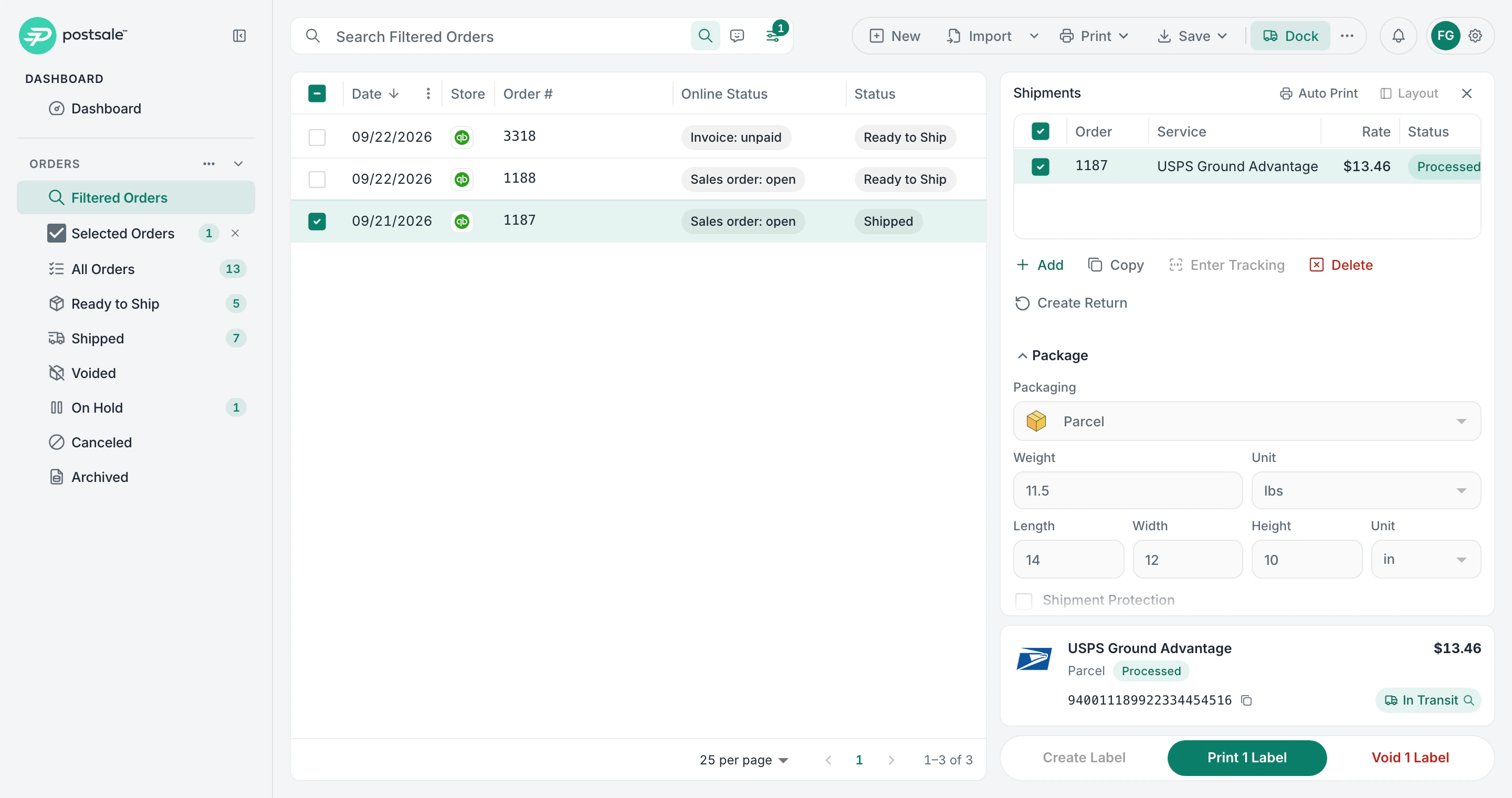
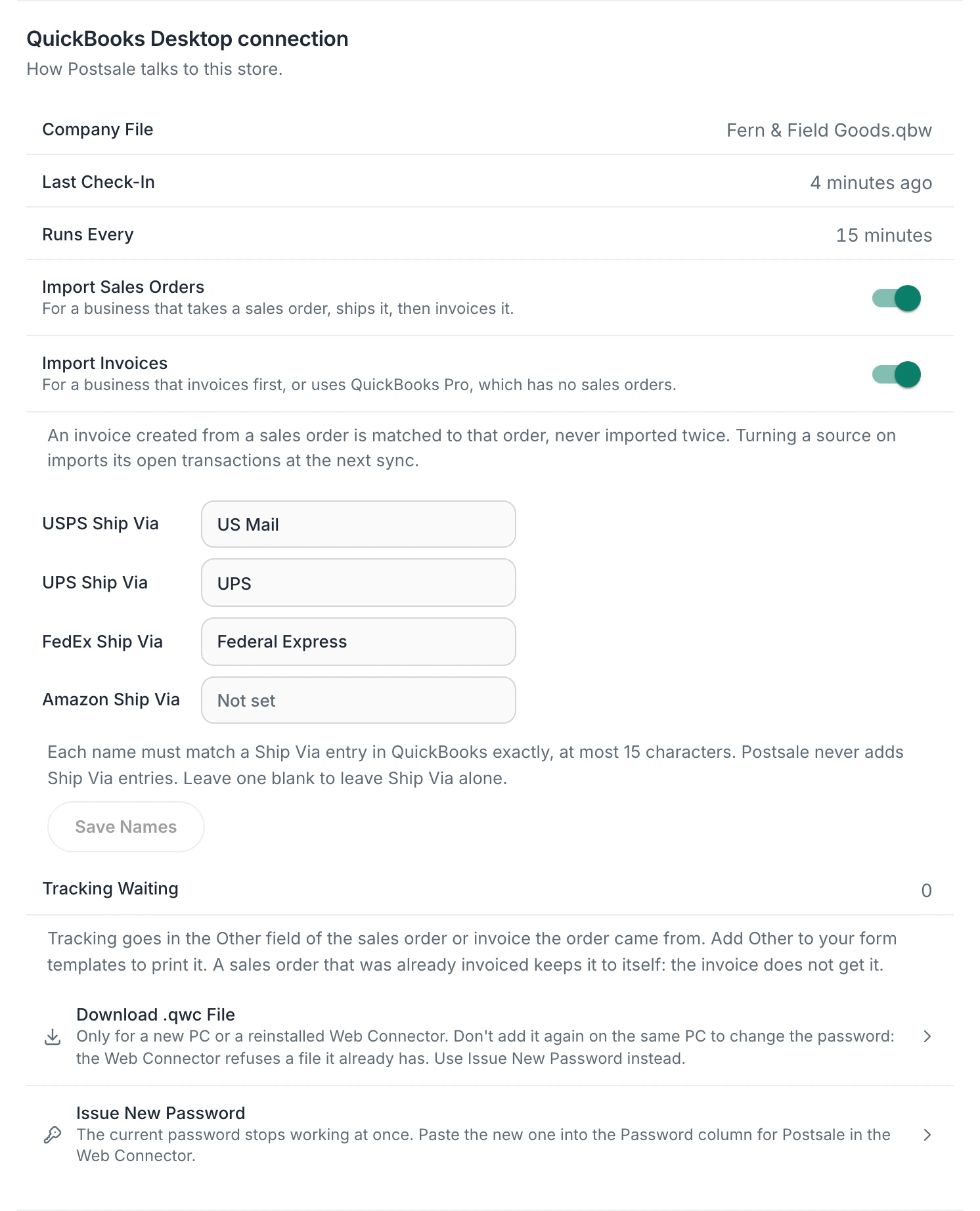
See it in Postsale.
Features
What you get with QuickBooks Desktop.
Sales orders, invoices or both
Choose what becomes an order in Postsale, and change it later in the store's settings.
Every open order on the first sync
Business orders can stay open for weeks, so the first sync brings in every open sales order and unpaid invoice, not just the last few days.
No double orders
When you invoice a sales order that's already in Postsale, the invoice updates that order instead of adding a second one.
Only what's left to ship
A partly invoiced sales order comes in with the quantities still to ship. Service lines stay out, so the order lists the goods in the box.
Tracking goes back to QuickBooks
The tracking number goes in the Other field with the ship date and your Ship Via name. Add Other to your form templates and it prints on them.
Your books stay yours
Postsale writes the tracking and ship date only. It doesn't close sales orders, create invoices or change your inventory.
Questions
About QuickBooks Desktop and Postsale.
Which versions of QuickBooks work?
QuickBooks Desktop Enterprise, Premier and Pro on a Windows PC. Pro has no sales orders, so a Pro store imports invoices.
Does my PC need to be on?
Yes. Orders sync only while the QuickBooks PC is on and the Web Connector is running. By default it runs every 15 minutes, and the store's settings show when it last checked in.
What comes in with each order?
The ship-to address, the items still to ship, the PO number and the Ship Via as the requested shipping. The memo comes in as a note. If there's no ship-to address, Postsale uses the bill-to address and adds a note saying so.
Where does the tracking show up in QuickBooks?
In the Other field of the sales order or invoice the order came from, with the ship date. A sales order that was already invoiced keeps the tracking itself, and the invoice doesn't get it.
What does Ship Via do?
Enter your QuickBooks Ship Via name for each carrier in the store's settings, and Postsale fills it in when it writes the tracking back. Each name must match QuickBooks exactly. Postsale never adds Ship Via entries.
What if I lose the Web Connector password?
Issue a new one from the store's settings and paste it into the Web Connector. The old password stops working at once.
Intuit and QuickBooks are trademarks of their respective owners. Postsale is not affiliated with or endorsed by these companies.
Try it on your own QuickBooks Desktop orders.
Predictable pricing. No per-label software fees.
14-day free trial No card to start Cancel anytime Human support from day one