Store
Ship your Shopify orders from one list.
New Shopify orders come into Postsale on their own, and when you create the label, the tracking number goes back to Shopify, so the order shows its tracking. You connect by installing Postsale from the Shopify App Store.
14-day free trial No card to start Cancel anytime Human support from day one
Setup
Set up Shopify in three steps.
Step 1
Install Postsale from the Shopify App Store
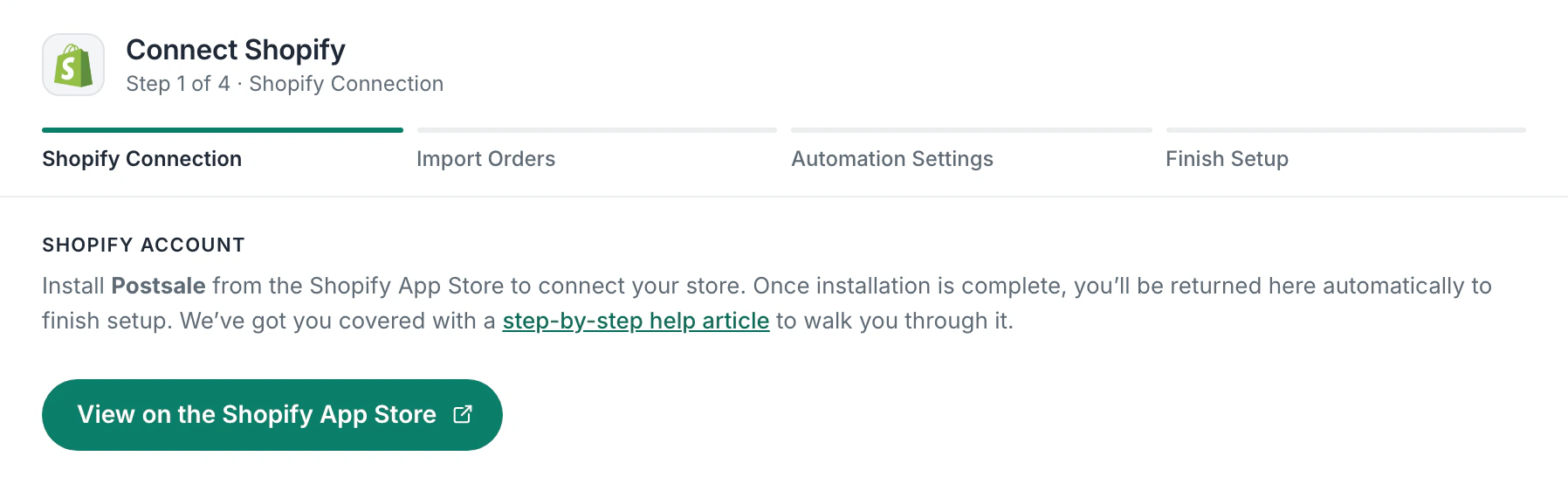
In Postsale, add a store, choose Shopify and click View on the Shopify App Store. Install Postsale, and Shopify brings you back to Postsale to finish setup.
Step 2
Import Your Orders
When you connect, choose how many days back to bring in, from the past day up to 7 days. New orders come in on their own after that.
Step 3
Ship and Send Tracking Back
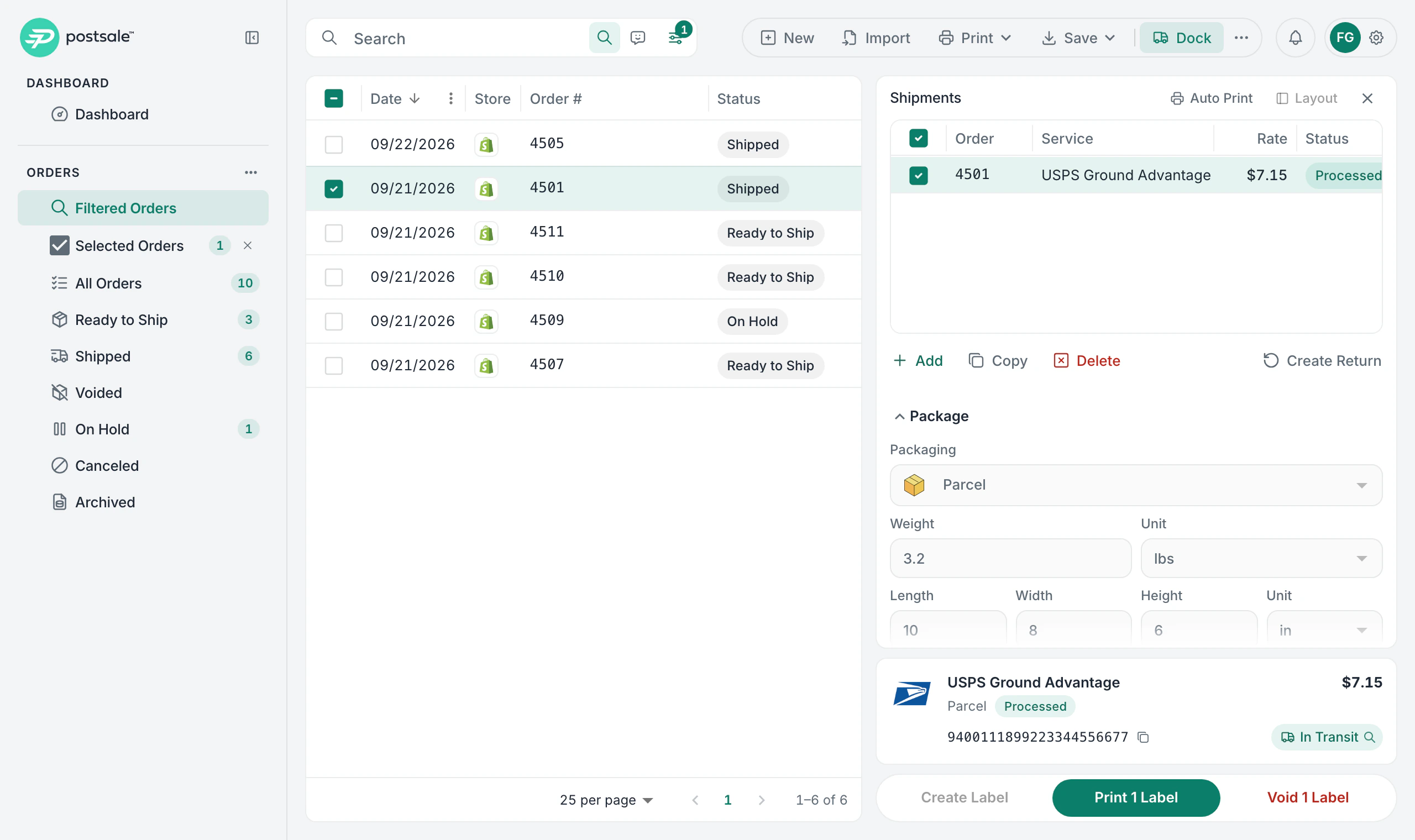
Print labels in Postsale and the order is marked Shipped, with the tracking sent back to Shopify, so the order shows its tracking.
In the app
See it in Postsale.
Features
What you get with Shopify.
New orders come in on their own
New Shopify orders come into Postsale on their own. When you first connect, you choose how many days of existing orders to bring in, up to 7.
Tracking goes back to your store
Tracking and shipment details go to Shopify when you create the label in Postsale.
Tags, notes and status in one place
Fulfillment status, order tags, notes and PO numbers stay in step between Shopify and Postsale, so the whole order is in one place.
See what has been paid
Payment status shows on every order in Postsale, so you don't switch back to Shopify to check.
Your store's name on every box
Use your Shopify store name, logo and return address on labels and packing slips.
Every store in one list
Connect more than one Shopify store to a single Postsale account and ship them all from one list.
Questions
About Shopify and Postsale.
How do I connect my Shopify store?
Install Postsale from the Shopify App Store. In Postsale, go to Store Settings, add a store, choose Shopify and click View on the Shopify App Store. After you install, Shopify brings you back to Postsale, where you choose which orders to bring in, review the automation settings and name your store. Click Finish, choose your plan and approve the charge in Shopify. Then you're back in Postsale and your store is connected.
How is my Postsale plan billed?
Your Postsale plan is billed through Shopify, on your store's Shopify invoice. If you're on a free trial, the days you have left carry over, so there's no charge until they run out. Labels, postage and insurance are billed by Postsale as usual.
How far back does the initial order import go?
You choose. When you first connect, pick how many days back to bring in, from the past day up to 7 days. After that, new orders come in on their own.
Does Postsale update Shopify fulfillment status?
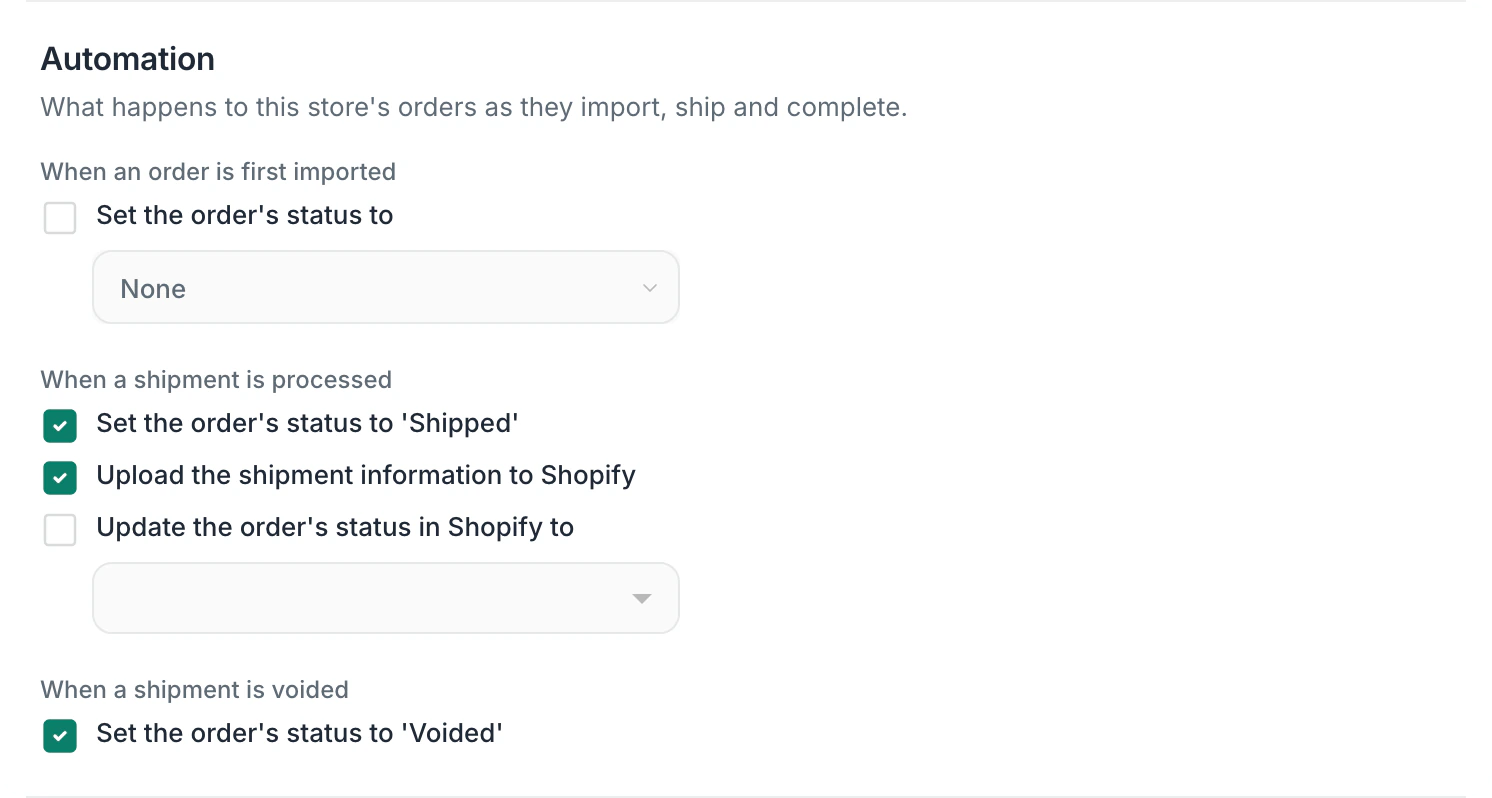
Yes. By default, when you create a label, Postsale sets the order to Shipped and uploads the shipment information to Shopify, so the order shows its tracking. Void the label and the order is set to Voided. You can change these in the store's automation settings.
Can I connect more than one Shopify store?
Yes. You can connect more than one Shopify store to a single Postsale account. Each store's orders are labeled with the store and can be filtered on their own.
Try it on your own Shopify orders.
Predictable pricing. No per-label software fees.
14-day free trial No card to start Cancel anytime Human support from day one