USPS: Add to Postsale
Add your USPS account to Postsale
As an official partner of the USPS, Postsale gives you the ability to directly leverage the domestic and international services offered by the USPS. Connect to USPS via a USPS Business account to:
- Receive discounted USPS postage rates
- Automatically apply cubic pricing when it is identified as the cheapest rate
- Ship Hazardous Materials (HAZMAT)
- Print SCAN forms
- Schedule USPS pickups
- Manage your postage account directly with the USPS
This article will guide you through connecting Postsale to the USPS. We will also point you to additional help articles where you can learn more about the available USPS features in Postsale and how to perform common tasks when shipping using the USPS.
Before We Begin
You Will Need
In order to connect your USPS account to Postsale, you will need:
- A postage account with the USPS
- Your USPS account username and password
Good to Know
- USPS postage, USPS insurance, additional USPS service charges, and post-shipment adjustments are billed directly to the payment method on file with your USPS account.
- Are you getting errors when shipping with an existing USPS account? Please see our USPS: Reconnect Your Account help article.
Add Your USPS Account
Add Your Account to Postsale
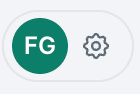
Go to Settings.
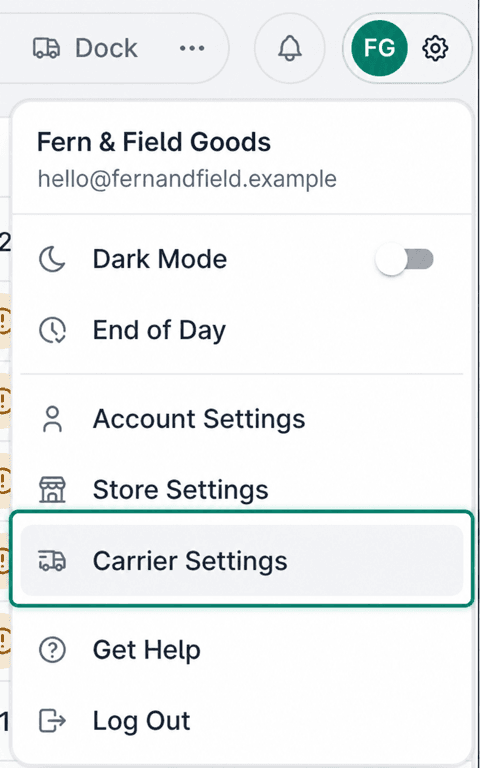
Select Carrier Settings.
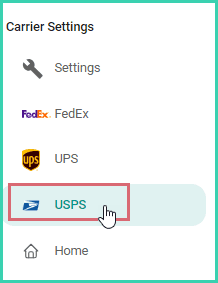
Select USPS from the list of available carriers.
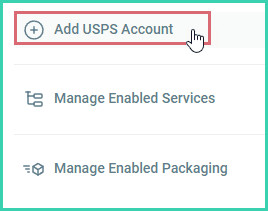
Click the Add button.
Click the Login button.
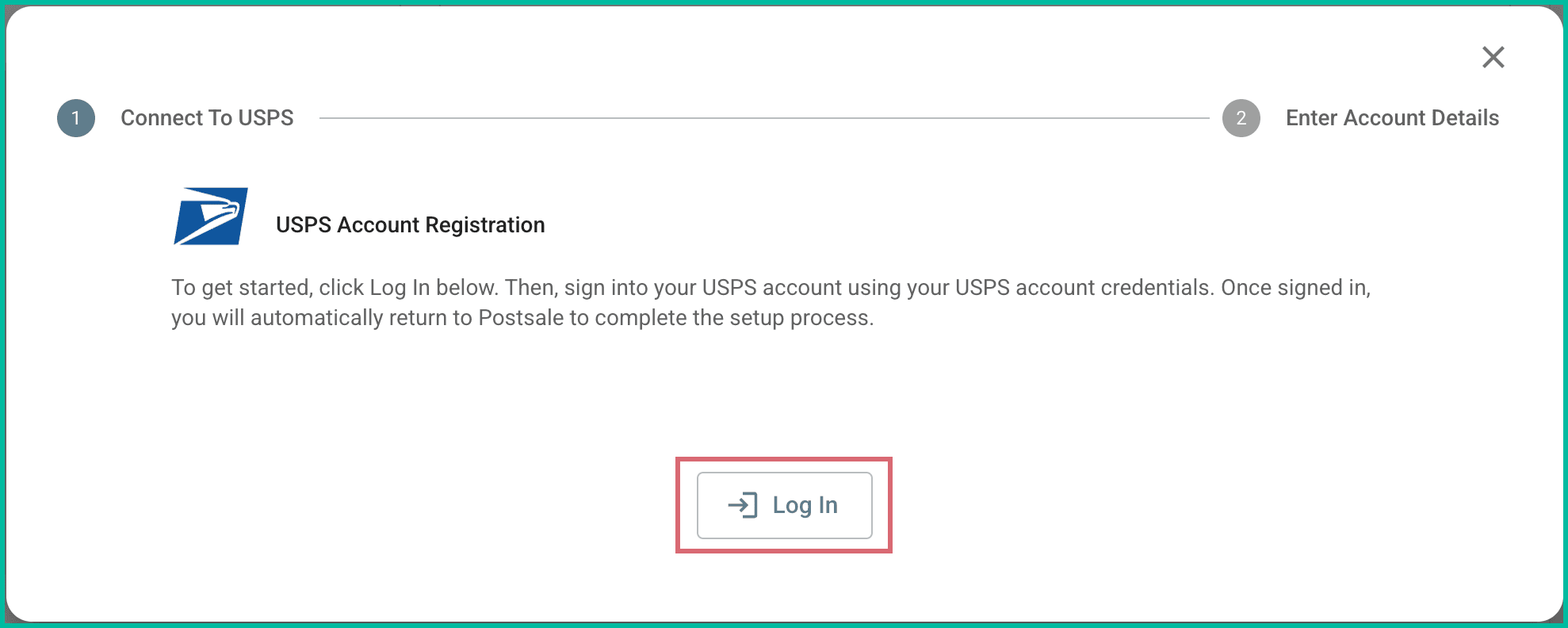
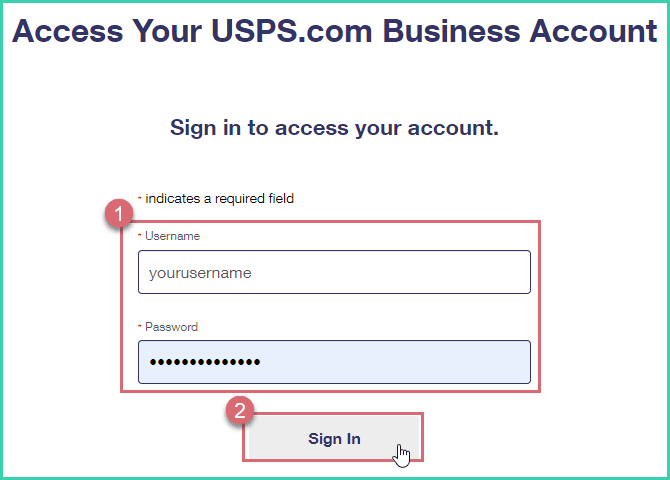
You will be redirected to the USPS Business Account login page.
Enter your USPS account Username and Password. Then, click Sign In. The username and password are case sensitive.
Check the box to agree to the USPS Terms and Conditions. Then, click the Authorize & Continue button.
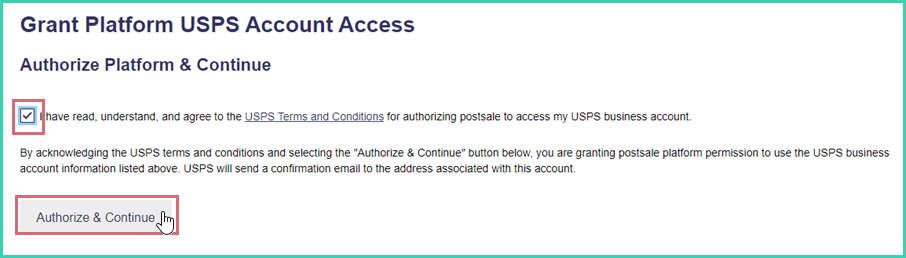
A confirmation page is displayed. You will then be redirected automatically back to Postsale.
Click the link in the Connect To USPS window to open a new tab with your USPS account information.
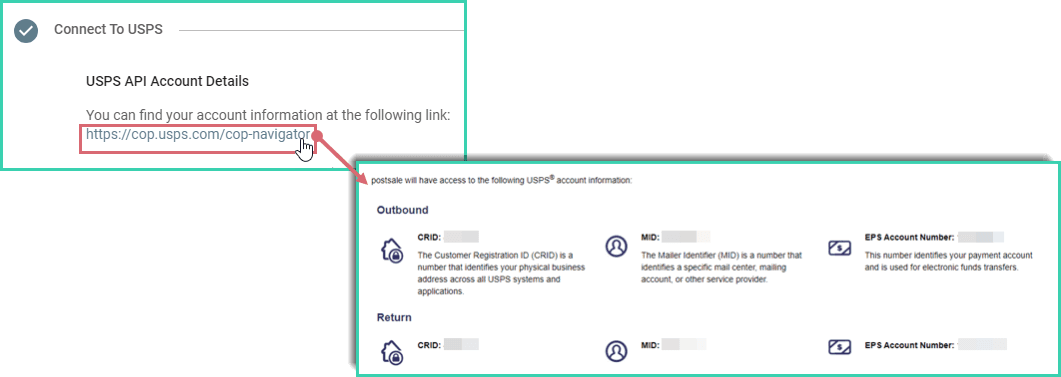
Postsale will autofill some of the information for you. Verify that your USPS account outbound Customer Registration ID (CRID), Mailer ID (MID), and EPS Account Number are correct. Then, click Next. Verify your account information at https://cop.usps.com/cop-navigator.
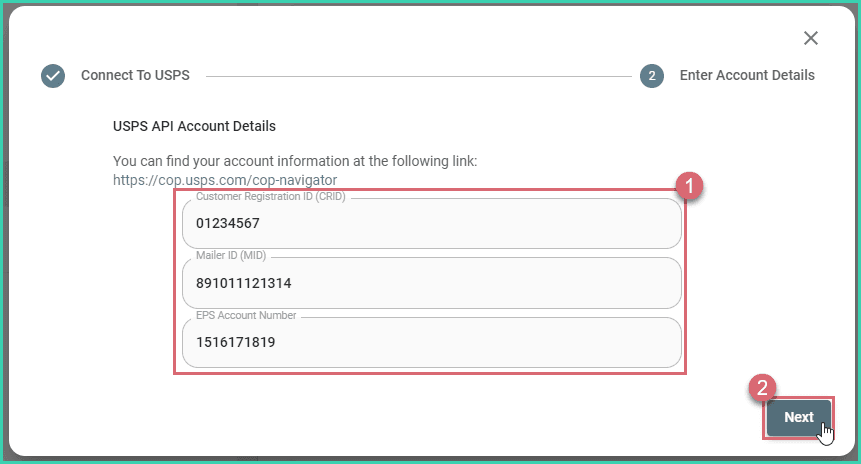
Enter the following information. Then, click Save.
a. Nickname: Used to identify this USPS account in Postsale.
b. Address: Enter the address you wish to use as the Ship From address when creating labels.
c. Email
d. Phone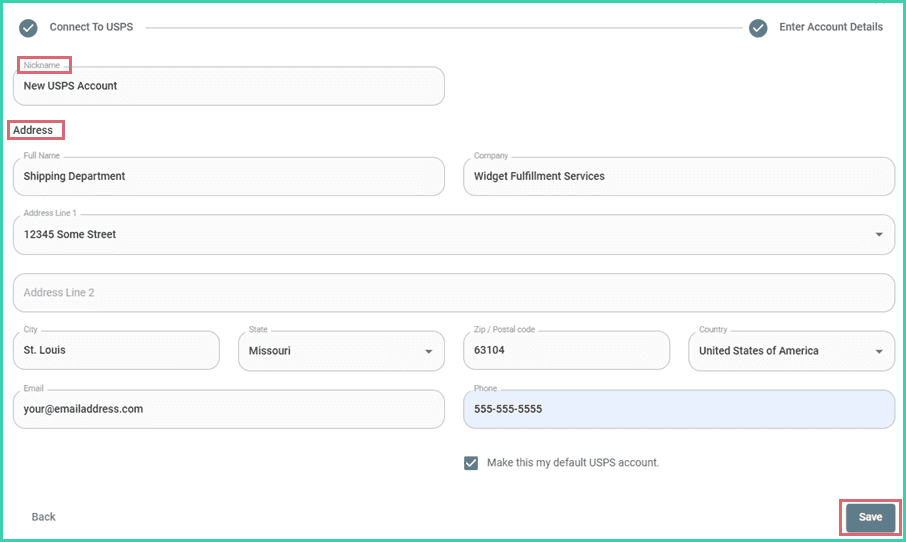
The account is added to Postsale and is displayed in the USPS Settings screen.
Enabled Services & Packaging
Enable or Disable USPS Services & Package Types
Postsale allows you to manage the USPS services and package types available when configuring your shipments or selecting rates in the Rate Calculator. This is useful when you wish to configure Postsale so that only the services and package types you use are visible.
For example: You may wish to hide all of the international services if you do not ship internationally with USPS.
Go to Settings.
Select Carrier Settings.
Select USPS from the list of available carriers.
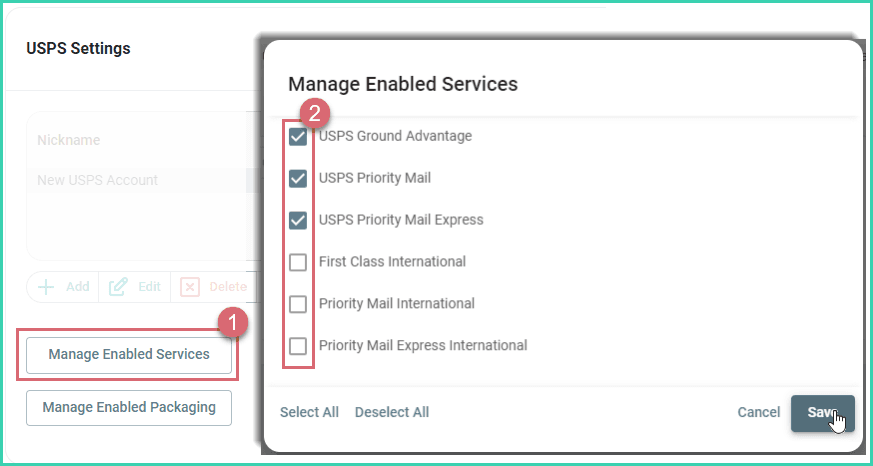
Click the Manage Enabled Services button. Make sure that only the services you wish to be available to you in Postsale are checked. Then, click Save.
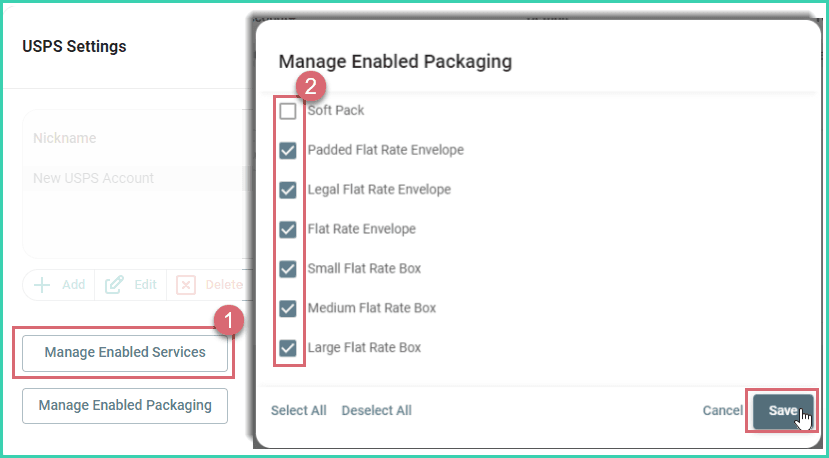
Repeat the process to Manage Enabled Packaging.
May We Suggest
We suggest the following help articles to assist you with shipping your orders with USPS.
Still have a question? Ask a person.
Write to support@postsale.com or send us a message. We reply the same business day, Monday to Friday, 8 AM to 5 PM Central.