Update Your Postsale Profile
Update your Postsale general settings
Follow the steps in this article to update your general profile settings or your Postsale password.
Update Your General Profile Settings
Update Your Profile Email Address
Need to update your profile email address? Please contact Postsale support so that we can assist you with updating the email address associated with your Postsale account.
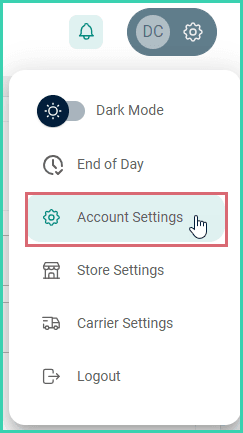
Go to Settings.

Select Account Settings.
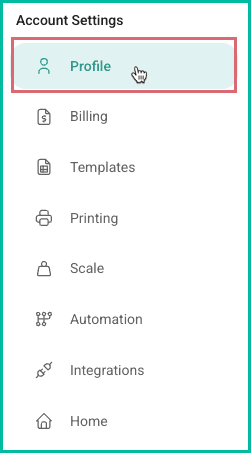
Select Profile.
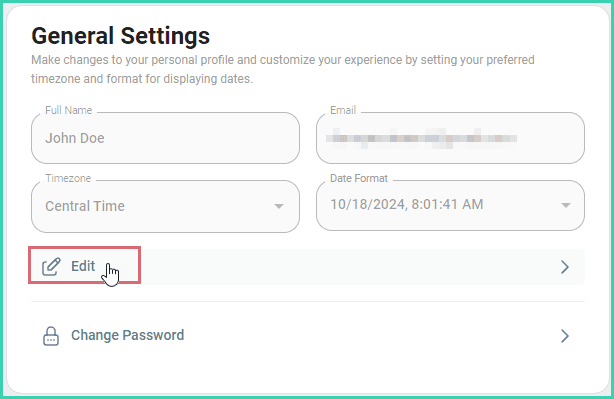
Select Edit in the General Settings section.
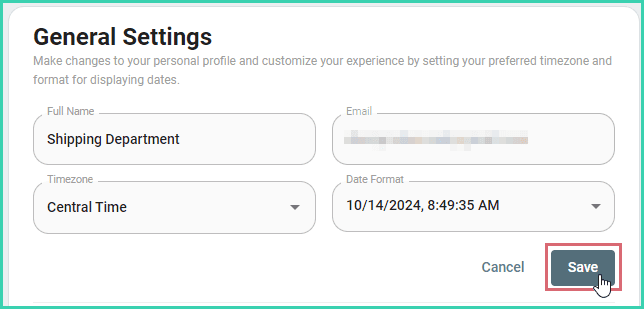
Update the following information.
- Full Name
- Timezone
- Date Format
Click the Save button to save changes to the Full Name field. The profile will auto-save when you select a Timezone or Date Format.
Change Your Postsale Password
Go to Settings.
Select Account Settings.
Select Profile.
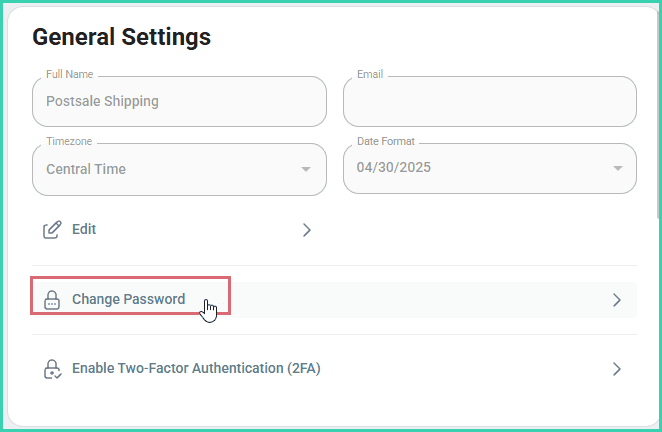
Select Change Password in the General Settings section.
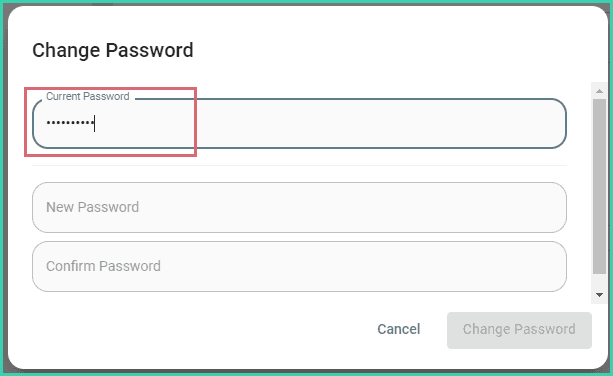
Enter your current password into the Current Password field.
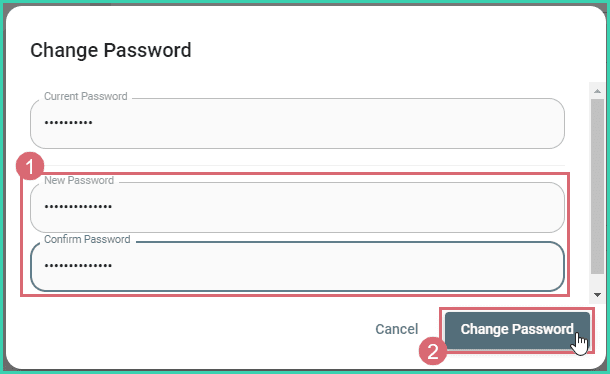
Enter your new password into the New Password and Confirm Password fields. Then, click the Change Password button. To help keep your account secure, the password must:
- Contain at least 8 characters
- Contain at least one uppercase and one lowercase letter
- Contain at least one special character ( !@#$%^&* )
You are notified that the password was updated successfully.
On this page
Related