Manage Enabled Services & Package Types
Manage the services and package types that are available when shipping with Your Carriers
Postsale allows you to manage the services and package types that are available to select from when configuring your shipments or selecting rates from the Rate Calculator. This is useful when you wish to configure Postsale so that only the services and package types you use are visible.
For example, you may wish to hide all of the international services for each carrier if you do not ship internationally.
Before We Begin
This article uses USPS as an example. However, the process is the same for each carrier.
Manage Services & Packaging
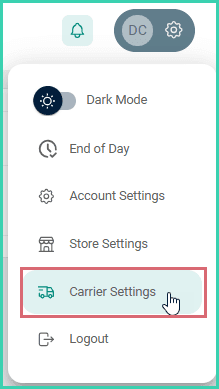
Go to Settings.

Select Carrier Settings.
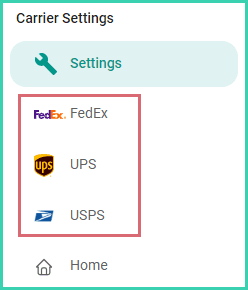
Select the carrier you wish to update.
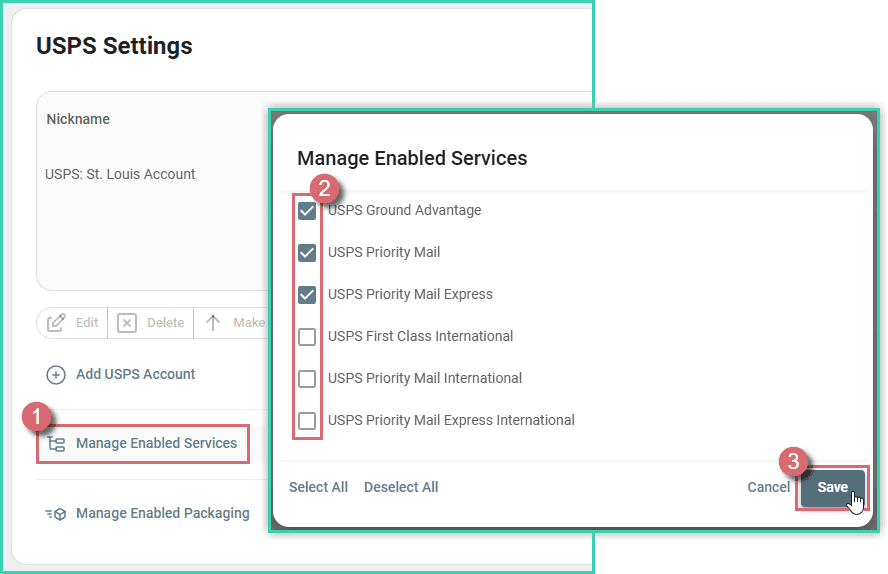
Click the Manage Enabled Services button. Make sure that only the services you wish to be available to you in Postsale are checked. Then, click Save.
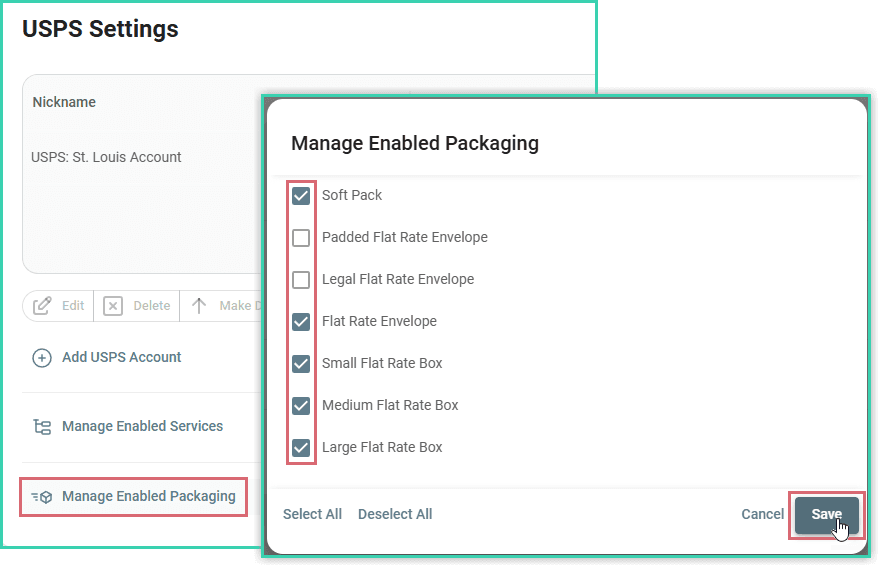
Repeat the process to Manage Enabled Packaging.
Now, only the services and package types you have enabled will be available to you previewing rates or configuring shipments.
Good to Know
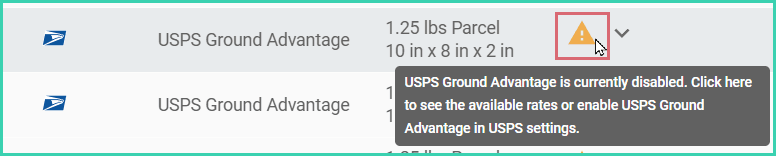
- Unprocessed shipments that were configured with a disabled service or package type will display an error. To create a label for the shipment, either:
- Select an available service or package type
- Enable the service or package type in the carrier's settings
On this page
Related