Manage Default Carrier Accounts
More than one account with a carrier? Set the default account.
When you have more than one account with a single carrier added to Postsale, you need to set the default account. The default carrier account is the account that Postsale uses to calculate and display rates and to create shipping labels.
This article will show you how to set a carrier account as the default account.
Real World Example
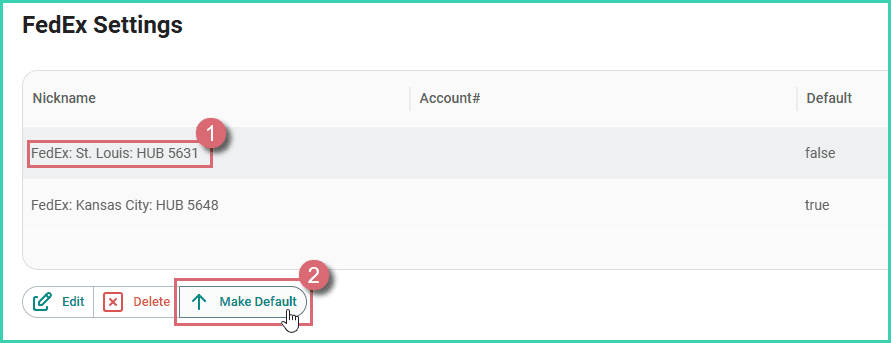
We ship from two locations and have an individual USPS account (one for each location) added to Postsale. We need to set the St. Louis account as the default account.
Set the Default Account
This article uses USPS as an example. However, the process is the same for all carriers.
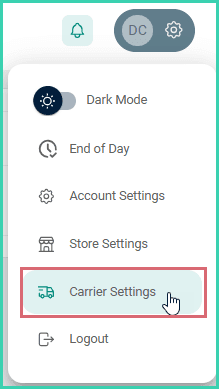
Go to Settings.

Select Carrier Settings.
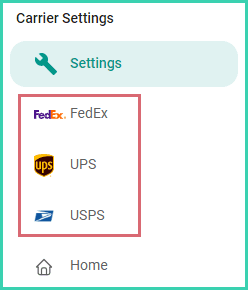
Select the carrier.
Select the account you wish to set as the default. Then, click the Make Default button.
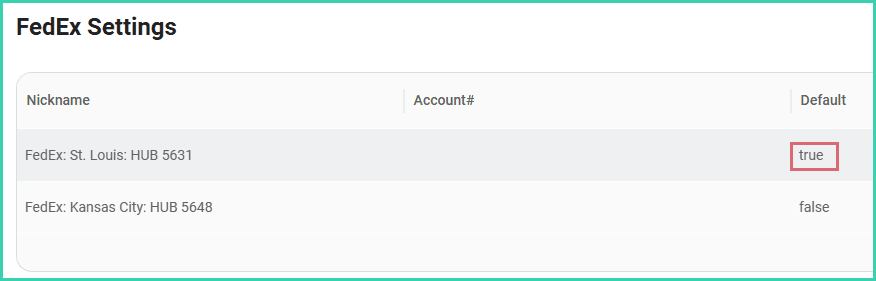
The account is updated to show that it is now the default account.
On this page
Related