USPS: View Account Adjustments
View your USPS Automated Package Verification (APV) account adjustments in Postsale.
About USPS APV Adjustments
USPS Automated Package Verification (APV) adjustments occur when USPS applies additional charges or credits to a shipment after the shipping label has been created. These adjustments typically result from postage verification processes, such as weight, dimension, packaging, or service-level discrepancies that USPS identifies during transit.
In this article, we'll briefly explain what USPS adjustments are and why they happen. We'll also walk you through viewing your USPS account adjustments directly in Postsale, including how to filter by what changed and by status to quickly find the information you need.
What Are USPS APV Adjustments?
USPS APV account adjustments are additional charges or credits applied to your USPS postage account after a shipping label has already been created. These adjustments occur when the USPS APV program reviews a shipment and determines that the original postage paid does not match the shipment's actual characteristics or service usage.
In most cases, USPS APV adjustments reflect differences between the information entered when the label was created and the measurements or conditions USPS identifies while processing the package.
Adjustments can result in:
- Additional postage charges
- Refunds or credits
Why Do USPS APV Adjustments Happen?
When a shipping label is created, USPS calculates postage based on the shipment details provided at that time, such as:
- Package weight
- Dimensions
- Mail class
- Packaging type
- Destination
- Extra services selected
As packages move through USPS processing facilities, automated equipment scans and verifies the shipment details. If USPS detects differences between the label information and the actual package, it may apply an adjustment. The calculation takes discounted rates, such as Commercial Pricing and Cubic Pricing, into account.
Here's a simplified overview of the adjustment process:
- A shipping label is created in Postsale.
- USPS accepts and processes the package.
- USPS scans and verifies the shipment details using automated systems.
- If USPS identifies a discrepancy, it calculates the corrected postage amount.
- USPS applies either:
- An additional charge, or
- A refund or credit
- The adjustment is then reflected in your USPS postage account, and you can view it in that USPS account's settings in Postsale. In some cases, it may take several days to weeks for USPS APV adjustments to be posted to your USPS postage account.
View Your USPS APV Adjustments
Because Postsale connects directly to your USPS account, you can view your USPS APV account adjustments directly in Postsale. There's no need to log in to USPS separately. Here's how:
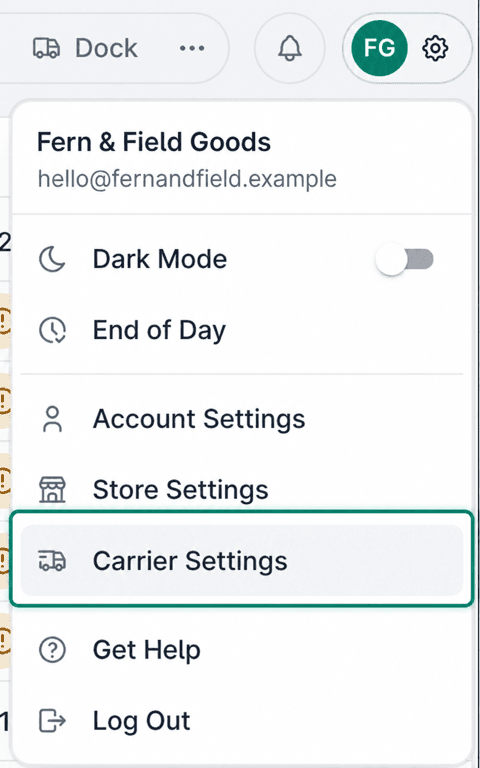
Select the gear icon to open Settings.

Choose Carrier Settings.
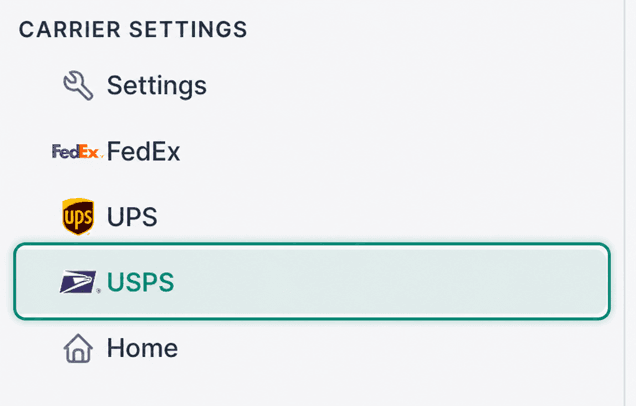
Select USPS.
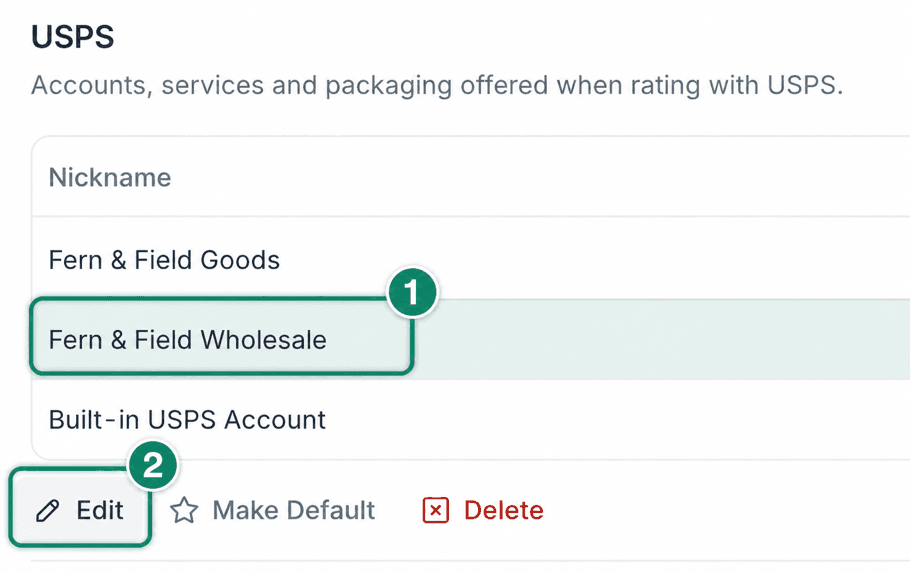
Select the USPS account for which you wish to view account adjustments. Then, click Edit.
Adjustments are listed in the Account Adjustments section.

Filter USPS APV Adjustments
Use the two filters above the list, All Changes and All Statuses, to narrow the list and quickly find the adjustments you want to review.
Here's a list of the available filter options.
What Changed
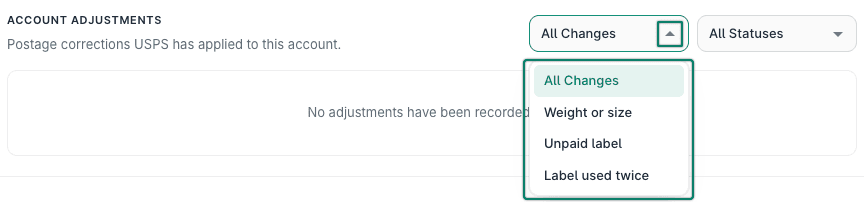
- All Changes: The list shows every adjustment, whatever changed.
- Weight or size: USPS measured the package and found that its weight or dimensions differed from the values used to purchase the label. If the difference changes the postage price, USPS charges or credits the difference.
- Unpaid label: USPS processed a package but found no record of a postage payment for its label. The adjustment covers the postage due for that package.
- Label used twice: USPS identified the same shipping label on more than one package. The original postage covers one package, so USPS charges postage for the additional package.
Status
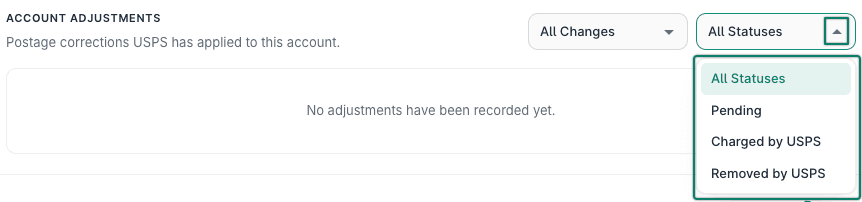
- All Statuses: The list shows every adjustment, whatever its status.
- Pending: USPS has identified the adjustment but has not yet finalized or applied it.
- Charged by USPS: The adjustment has been finalized, and the charge or credit has been applied to the USPS account.
- Removed by USPS: USPS canceled or reversed the adjustment, and it will not be applied to the account.
Still have a question? Ask a person.
Write to support@postsale.com or send us a message. We reply the same business day, Monday to Friday, 8 AM to 5 PM Central.