Search for Customers & Create Filters
Search for your customers using standard, natural language, and filtered searches. Save your searches as Filters for quick access.
Use Postsale's search functionality to find customers with a Standard Search, a Natural Language Search, or a Filters Search when you need to drill down on groups of customers that match specific search criteria. Then, save your search as a Filter in the Customers Menu.
In this article, we will search for a specific customer using the Standard Search option, use natural, plain language to build a search, and create a Filters Search by defining specific search criteria. We will also save searches as Filters so we can run them at any time with a single mouse click.
Before We Begin
If you haven't already, you may want to familiarize yourself with Customer Records in Postsale.
To view and manage customer records and see the orders that belong to a customer, you must be logged in to Postsale as:
- The Postsale account owner or
- A user with the Manager role assigned or
- A user with these permissions assigned:
- Read Customers: allows the user to view customer records
- Read Orders: allows the user to view the orders that belong to a customer
- Manage Customers: allows the user to add, edit, and delete customer notes and to save customer Filters
- Read Reports: allows the user to view the customer's Dashboard tab
Perform a Standard Search
Postsale's Search Bar lets you quickly find a customer within the currently selected Filter. Notice that when you select a Filter in the Customers Menu, the Search Bar description updates to show it will search within the selected Filter.
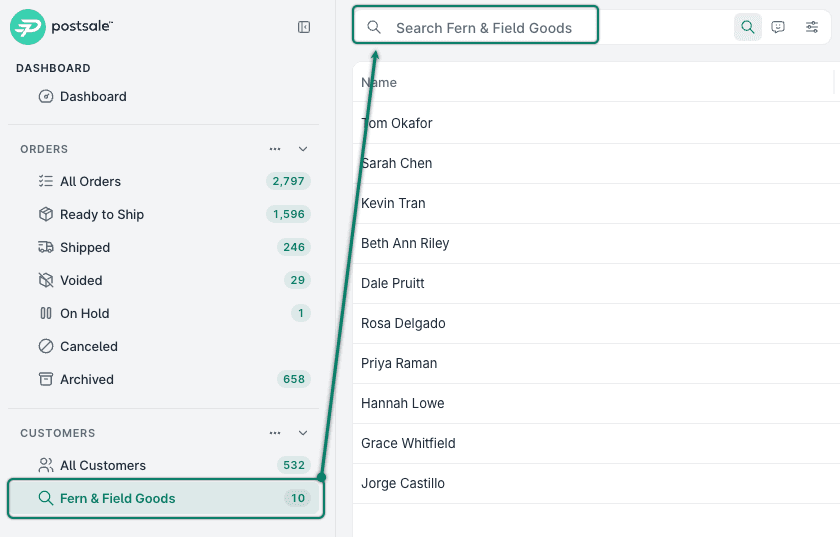
You can perform a Quick Search to locate customers with matching information in the following fields:
- Order Number
- Ship To First, Last, and Full Name
- Bill To First, Last, and Full Name
- Tracking Number
- Email Address
- Phone Number
Here's how:
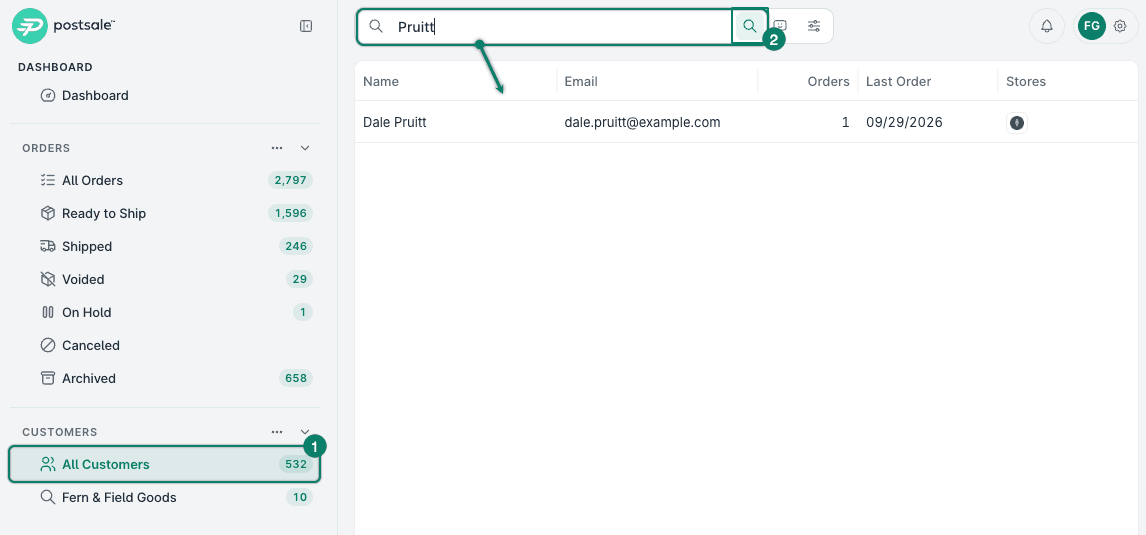
Select the Filter to search in from the Customers Menu. For this example, we selected the All Customers filter to search all customers in Postsale.
Make sure that Standard Search is selected. Then, enter your search term in the Search Bar. The search results are displayed in the Customers Grid.
Perform a Natural Language Search
Natural Language Search allows you to enter what you are looking for in plain language directly into the Search Bar. Postsale then uses AI to automatically build a Filters Search based on your input.
This is especially helpful when:
- You're not sure which field in Postsale contains the data you need.
- Your search needs to include multiple criteria, such as the number of orders, the total spent, or the date of a customer's first or last order, but you're not sure how to configure a Filters Search.
- You want to save time by simply typing what you are searching for.
Perform the Search
REAL-WORLD EXAMPLE
We are trying to find all of our customers that have placed 5 or more orders in 2026.
Let's look at how to use the Natural Language Search to quickly find these customers:
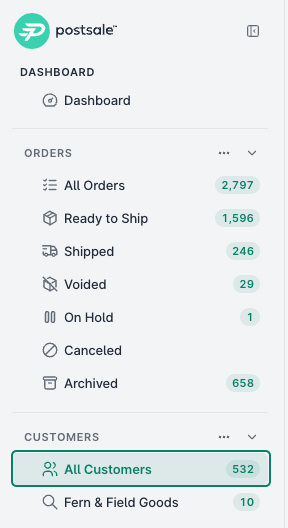
Select the All Customers filter. This ensures all customers are included in the search.
Select the Natural Language Search option in the Search Bar.

Using plain language, type what you are searching for into the Search Bar. For our example, we typed:
Placed 5 or more orders in 2026

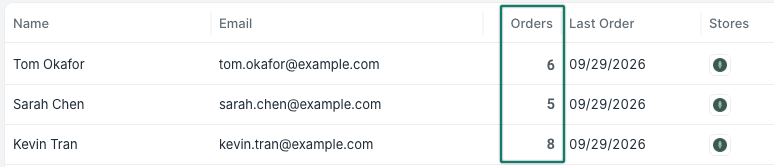
The results are shown in the Customers Grid.
Perform a Filters Search
Use a Filters Search anytime you need to be more specific, use criteria not available in Standard Search, or when you want full control over how your search is designed.
REAL-WORLD EXAMPLE
We use a customer note to identify which sales rep the customer belongs to. We want to find customers assigned to a specific sales rep who have spent $150 or more.
Of course, your search requirements may differ. However, walking through this example together should give you the knowledge to set up searches tailored to your workflow.
First, let's search for the customer note that identifies the sales rep:
Select the All Customers filter. This ensures all customers are included in the search.
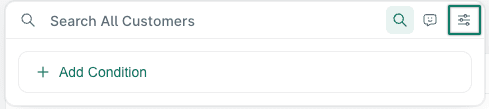
Select Filters in the Search Bar. A + Add Condition option will appear.
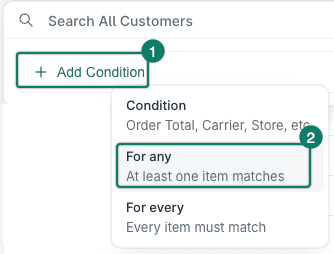
Click + Add Condition and select For any.
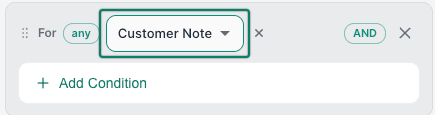
Select Customer Note from the drop-down menu.
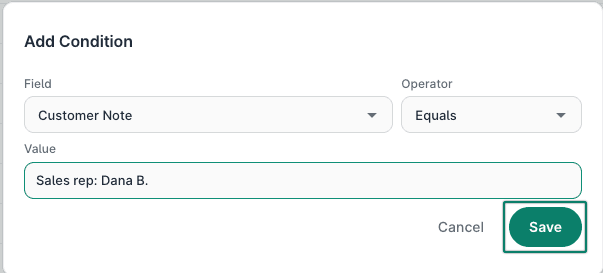
Click + Add Condition under Customer Note. Then, configure the condition so that:
a. Field: Customer Note
b. Operator: Equals
c. Value: Enter the customer note that identifies the sales rep. In our case, we entered Sales rep: Dana B.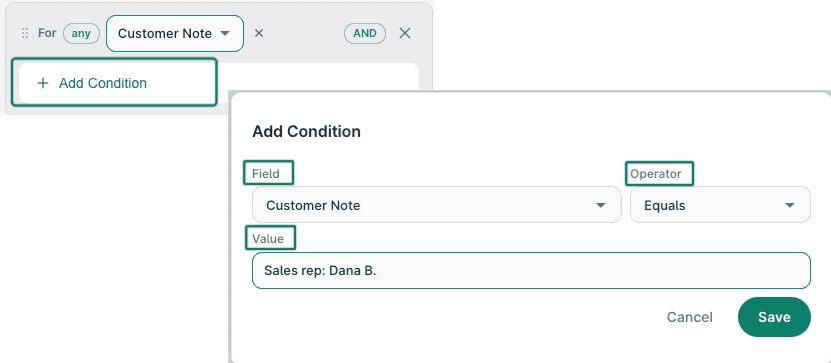
Click Save to add the condition to the search.
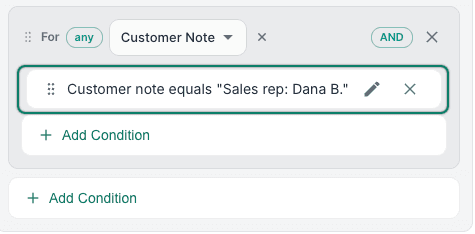
The condition is shown in the search.
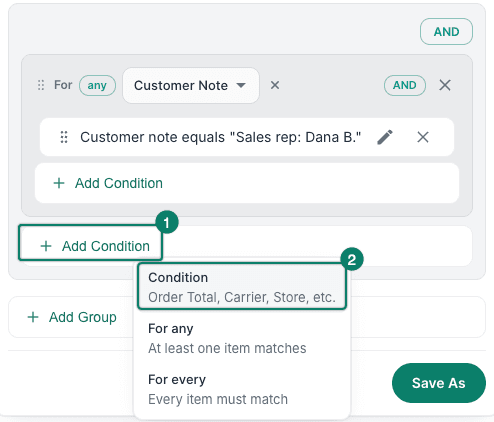
Next, we will add a condition to find customers who spent $150 or more.
Select + Add Condition. Be sure to select the Add Condition option under the For any group you just created.
Configure the condition to match these settings. Then, click Save to add the condition to the search.
a. Field: Customer Total Spent
b. Operator: Greater than or equals
c. Value: 150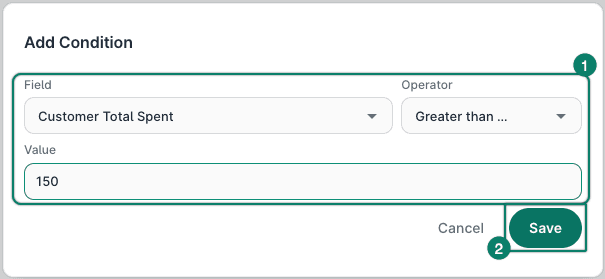
The condition is added to the search.
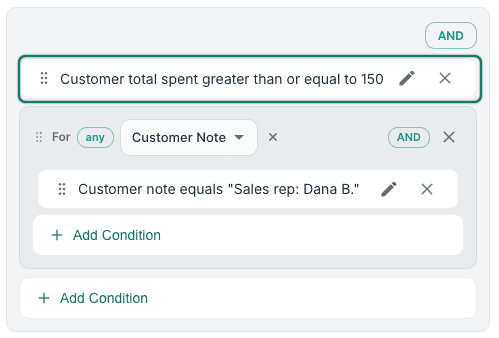
The search results are shown in the Customers Grid. In the image, the green number 2 indicates we have added two criteria to the search, and one customer was returned.

Save a Search as a Filter
Save your Natural Language or Filters Search as Filters that appear in the Customers Menu so that you can repeat the search any time, just by selecting the Filter. Here's how:
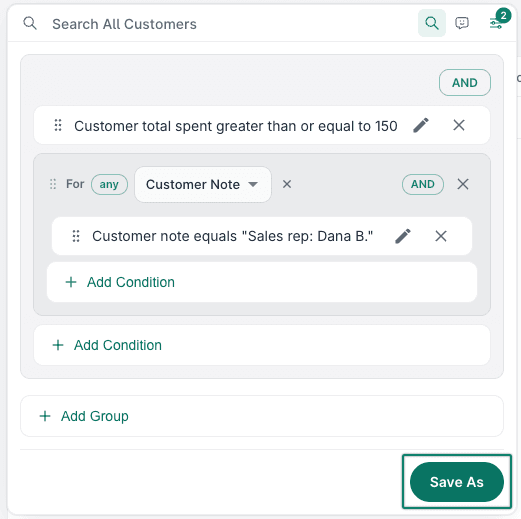
Click Save As.
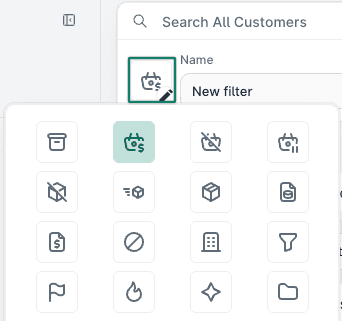
(Optional) Select an icon for the filter.
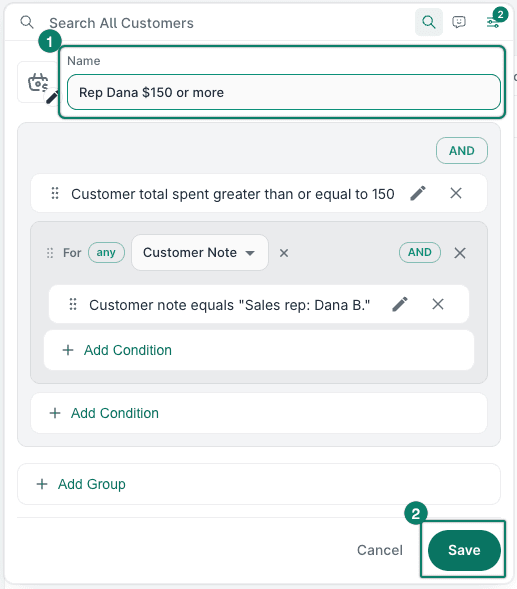
Enter a Name for the filter. Then, click Save.
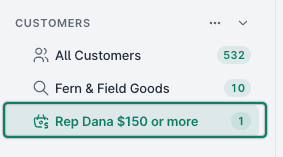
The filter is added to the list of customer filters. Click it at any time to view the search results.
Still have a question? Ask a person.
Write to support@postsale.com or send us a message. We reply the same business day, Monday to Friday, 8 AM to 5 PM Central.