Set the Default Shipment Settings
Configure the default settings for your shipments
Set the default shipment settings so Postsale knows how new shipments should be configured automatically. Setting the default shipment settings offers a few great advantages:
- When new orders are imported or a new shipment is created for existing orders, a shipment is created using the packaging, weight, dimensions, and additional settings you define as the defaults. This saves you a lot of time since you won't have to configure shipments for every order.
- The default packaging, weight, and dimensions will be used to automatically apply the most economical shipping carrier and service to new shipments.
Origin Addresses
Looking to enter origin addresses or to set an origin address as the default Ship From address? Check out our Origin Addresses help article for a step-by-step guide.
Configure the Default Shipment Settings
Real-World Example
Most of our products can be shipped in packages with the same weight and dimensions. We want to set up default shipment settings so that when new orders come in or when a new shipment is created, Postsale automatically creates shipments with the correct weight, dimensions, and additional default settings.
Go to Settings.

Select Carrier Settings.
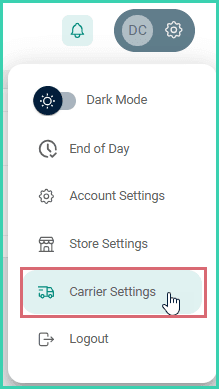
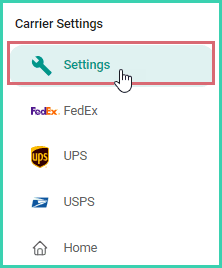
Select Settings.
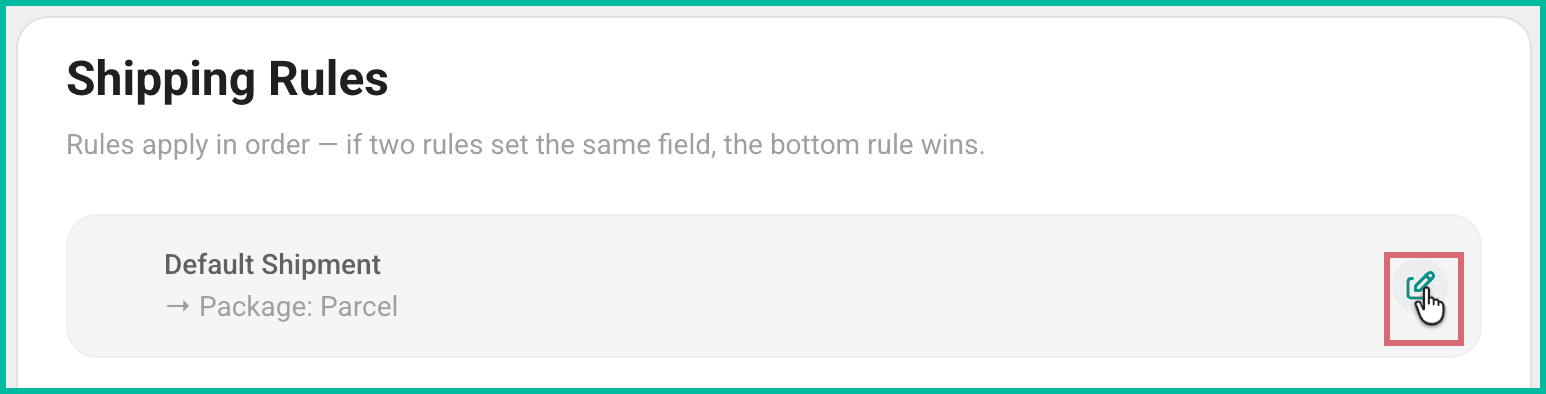
Click the Edit icon for the Default Shipment settings in the Shipping Rules section.
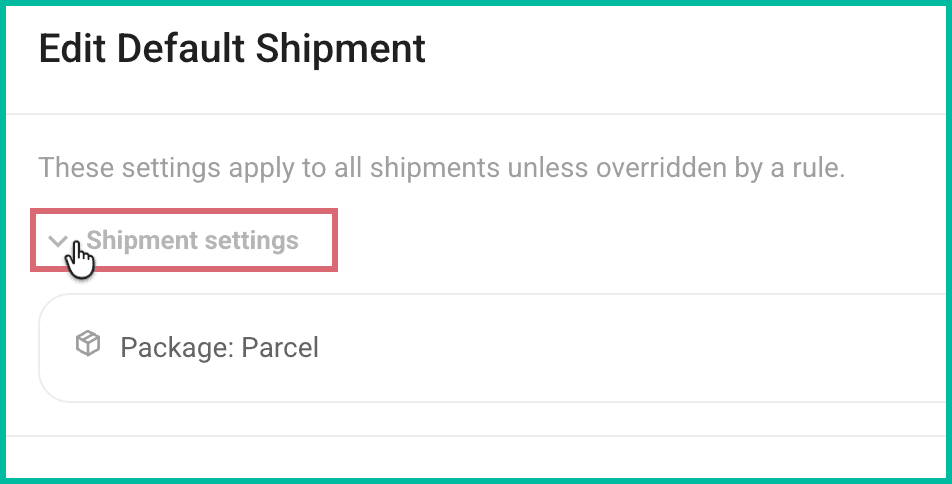
Expand Shipment Settings.
Configure the default shipment settings. Then, click Save.
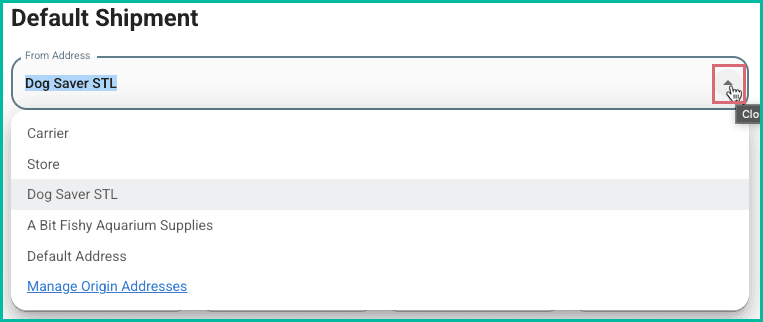
a. From Address: Tells Postsale which origin address to apply as the Ship From address to newly created shipments.
About From Addresses
The From Address drop-down menu allows you to select the origin address associated with your shipping carrier accounts, associated with your stores, or from a manually entered list of origin addresses.
b. Packaging: For this example, Parcel is selected to define the package's dimensions and weight. You also have the option to select carrier-specific packaging.
c. Weight and Unit: Enter the package weight and select the unit of measure.
d. Dimensions and Unit: Enter the length, width, and height of the package. Select the unit of measure for the dimensions.
e. Shipment Protection: Specify if you wish for shipment protection to be applied to every shipment.
f. Reference: Expand the Reference section to add label references to your shipping labels.
g. Returns: Expand the Returns section to configure default return label settings.
h. Use Unverified Address (USPS Only): Learn more about using unverified addresses here.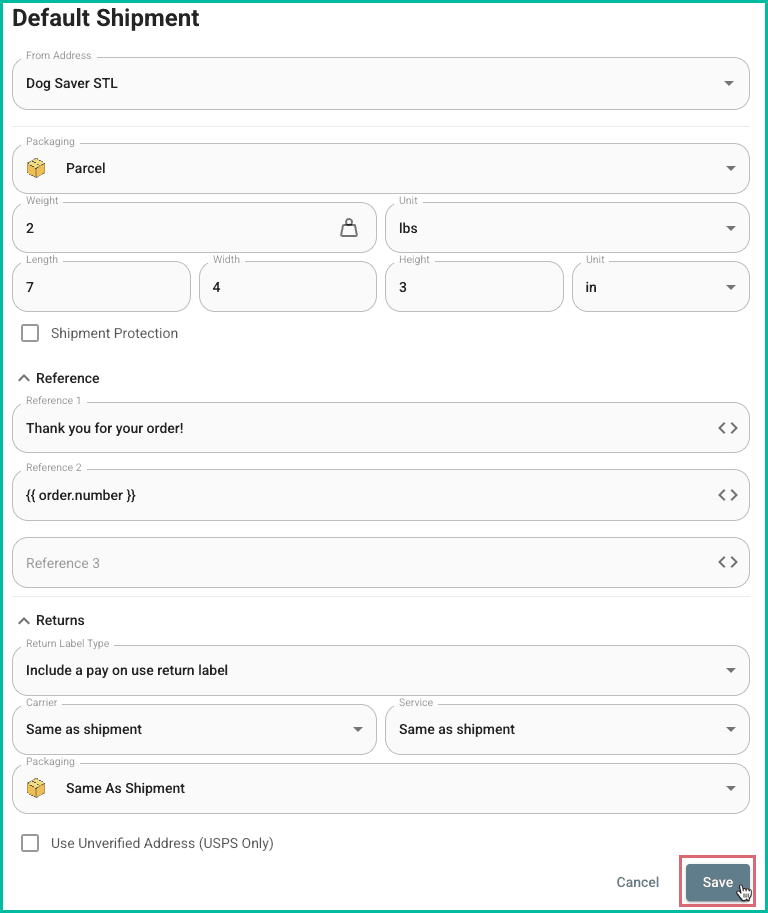
That's it. Your default shipment settings are configured.
Good to Know
- Default shipment settings will be applied:
- To shipments that are created automatically when new orders are imported into Postsale
- To new shipments added to existing orders in Postsale
- Default settings are not applied:
- To shipments that were created prior to configuring the default shipment settings
- To orders imported from a CSV file or webhook with mapped values for shipment settings. Values imported from a CSV file or webhook take priority over the default shipment settings.
- When additional Shipping Rules are configured in Postsale, the Default Shipment settings are applied first. Then, any additional Shipping Rules are applied in the order they appear in the Shipping Rules list. If multiple rules apply to the same order, each rule is applied sequentially—meaning the settings from the last applicable rule will override earlier ones.
On this page
Related