Miva
Connect Miva to Postsale | Import Orders | Manage Post-purchase Tasks
Handle your Miva post-purchase tasks like shipping, customer communication, and order management with Postsale’s direct Miva integration.
Real-World Example
We have a Miva storefront and would like to connect Postsale so that we can import orders and manage our shipping and post-purchase tasks. We would like to import orders that have already been placed and have newly placed orders automatically import into Postsale.
You can do that! In addition, when you create a shipping label in Postsale the shipment information is sent back to Miva and the order's status is automatically updated for you.
This article will walk you through connecting your Miva store to Postsale.
Before We Begin
To connect your Miva store, you'll need to complete a few steps in Miva. This help article will walk you through:
- Locating your Miva Store Code
- Creating an API Token in Miva
- Enabling Miva permissions so that order information can be sent to Postsale
- Creating a workflow and webhook that sends order information from Miva to Postsale
- Finishing the store setup in Postsale
Connect Postsale to Miva
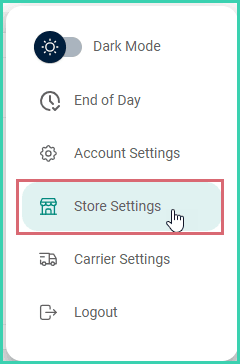
Go to Settings.

Select Store Settings.
Select Miva.
The Miva setup screen will open.
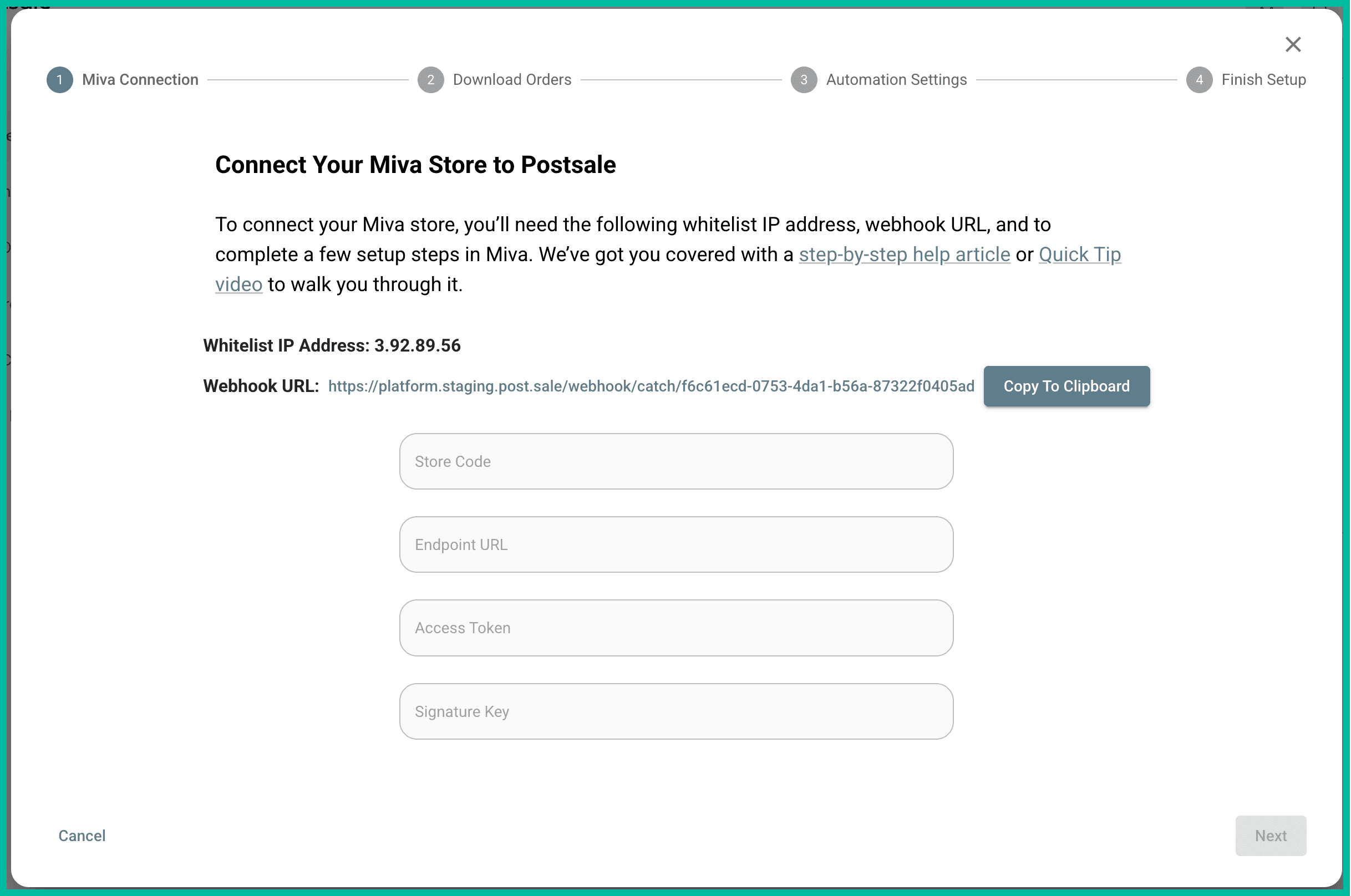
1 - Locate the Miva Store Code
You'll need to locate your Miva Store Code and enter it into Postsale. Here's how:
Open a new web browser window and log into your Miva store admin.
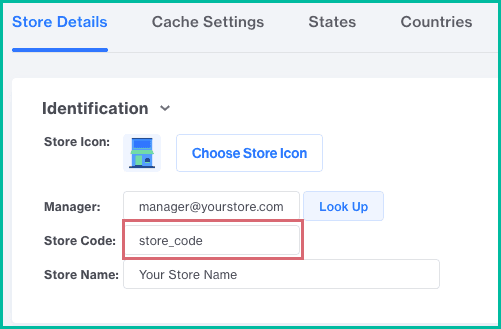
Go to Settings > Store Settings > Store Details.
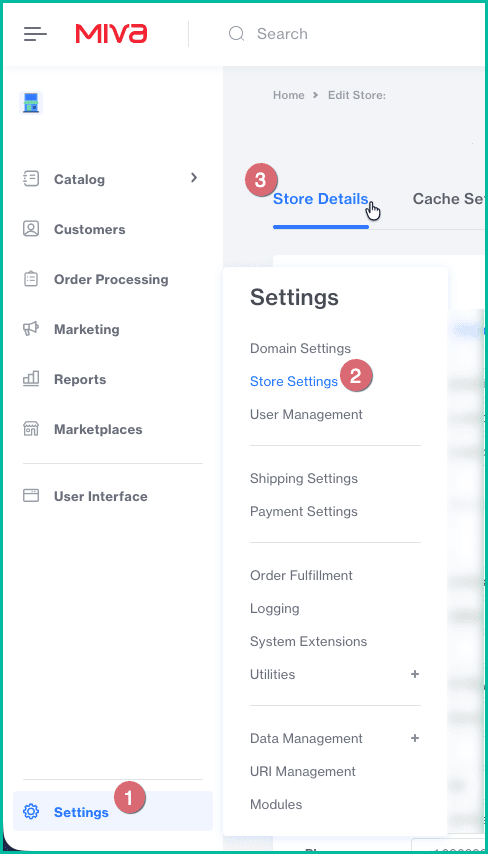
Select and copy the Store Code from the Identification section of the Store Details screen.
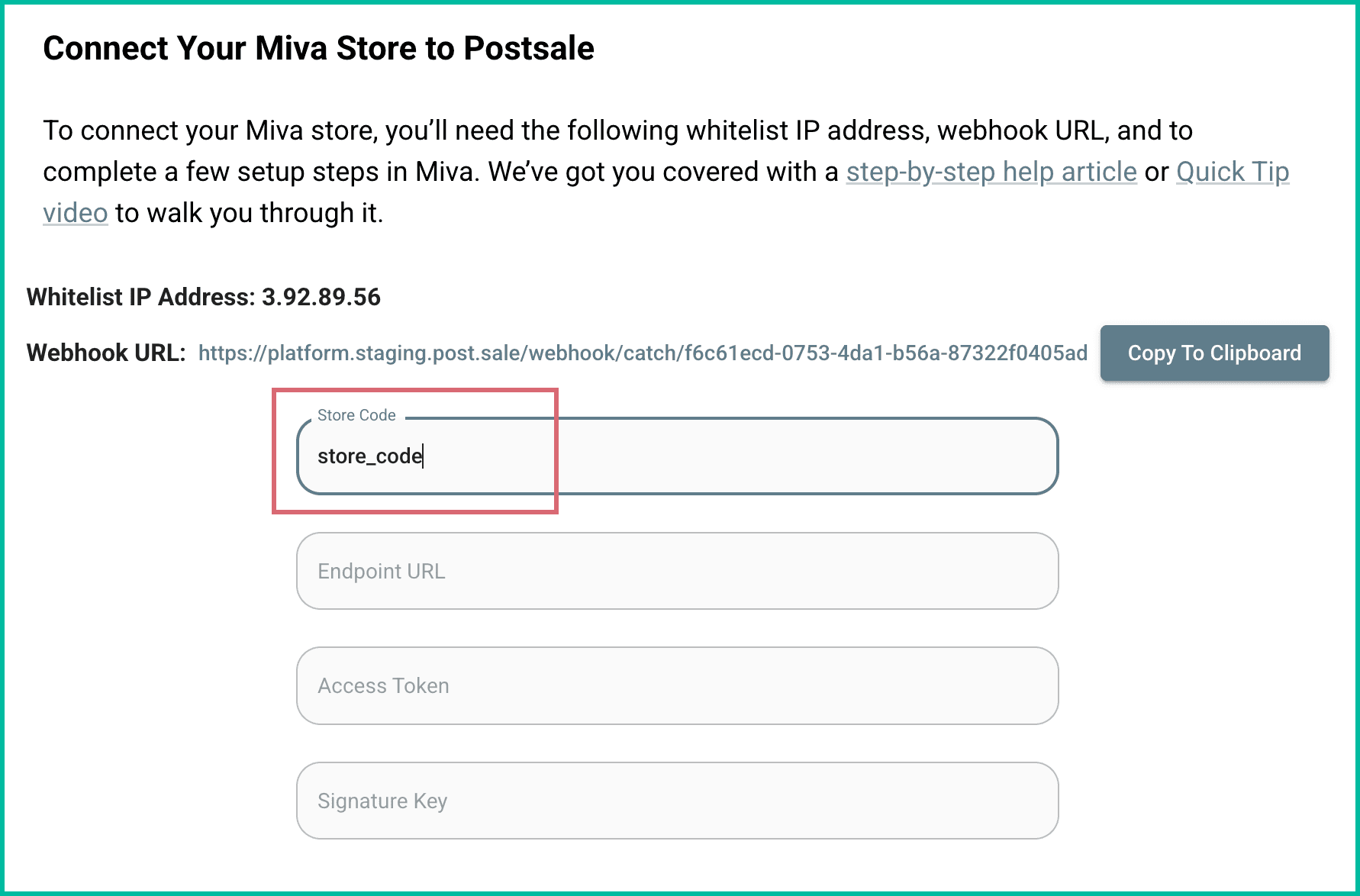
Switch back to Postsale. Paste or enter the Store Code from your Miva store into the Store Code field in Postsale.
Continue with step 2 - Create the Miva API Token.
2 - Create the Miva API Token
Next, you'll create an API Token in Miva. Once created, the API Token will include the Endpoint URL, Access Token, and Signature Key which you will enter into Postsale. You will also enter the Postsale Whitelist IP Address into Miva. Here's how to create the API Token:
Switch back to your Miva store admin.
Go to Settings > User Management > API Tokens.
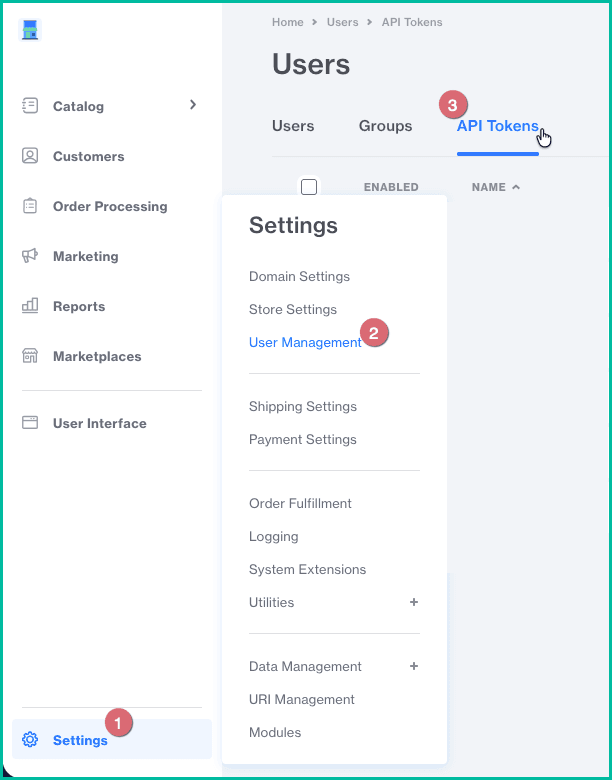
Click Add API Token.

The Add API Token screen opens.
Enter a name for your API Token into the Name field. The name can be anything you wish. You may wish to name it something like ‘Postsale API’ so that it is easy to identify.
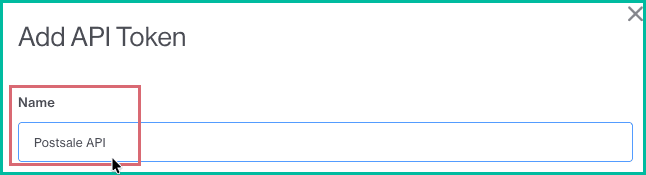
Perform the following actions to ensure the correct information is entered into Postsale and Miva:
a. Copy the Endpoint URL from Miva to the Endpoint URL field in Postsale.
b. Copy the Access Token from Miva into the Access Token field in Postsale.
c. Copy the signature key from the Signature field in Miva into the Signature Key field in Postsale.
d. Enter the Whitelist IP Address shown in Postsale into the Allowed IP Address(es) field in Miva.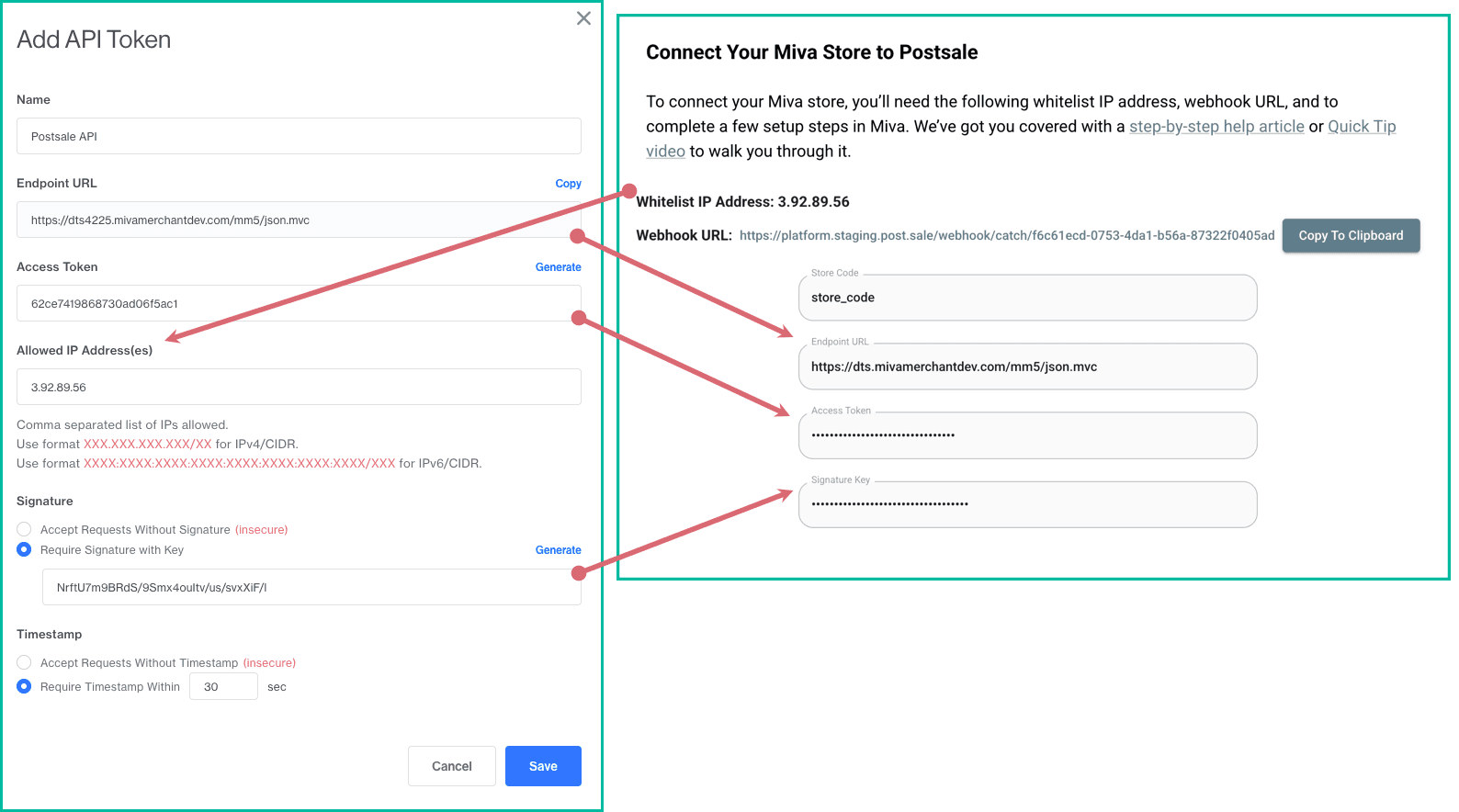
Click Save in Miva to save your API Token. The API Token will be displayed in the list of tokens.

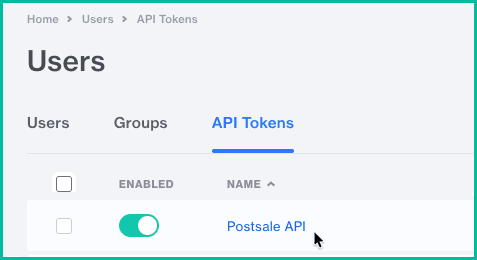
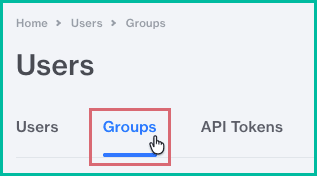
Select Groups at the top of the Miva Users screen.
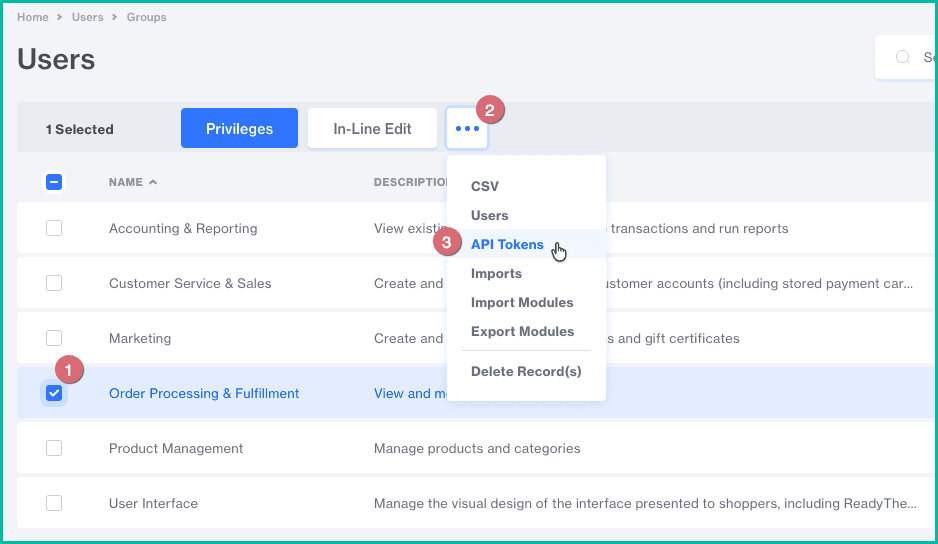
Check the box to the left of Order Processing & Fulfillment to select it. Then, click the kebab menu and select API Tokens.
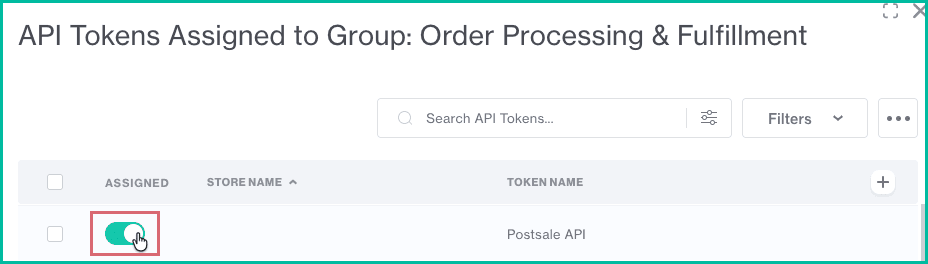
Locate the API Token you just created. Set the toggle switch in the Assigned column to the on position. Then, click Close.
Continue with step 3 - Create the Miva Workflow & Webhook.
3 - Create the Miva Workflow & Webhook
Now, you'll create a webhook so that Miva knows how to send order information to Postsale. Here's how:
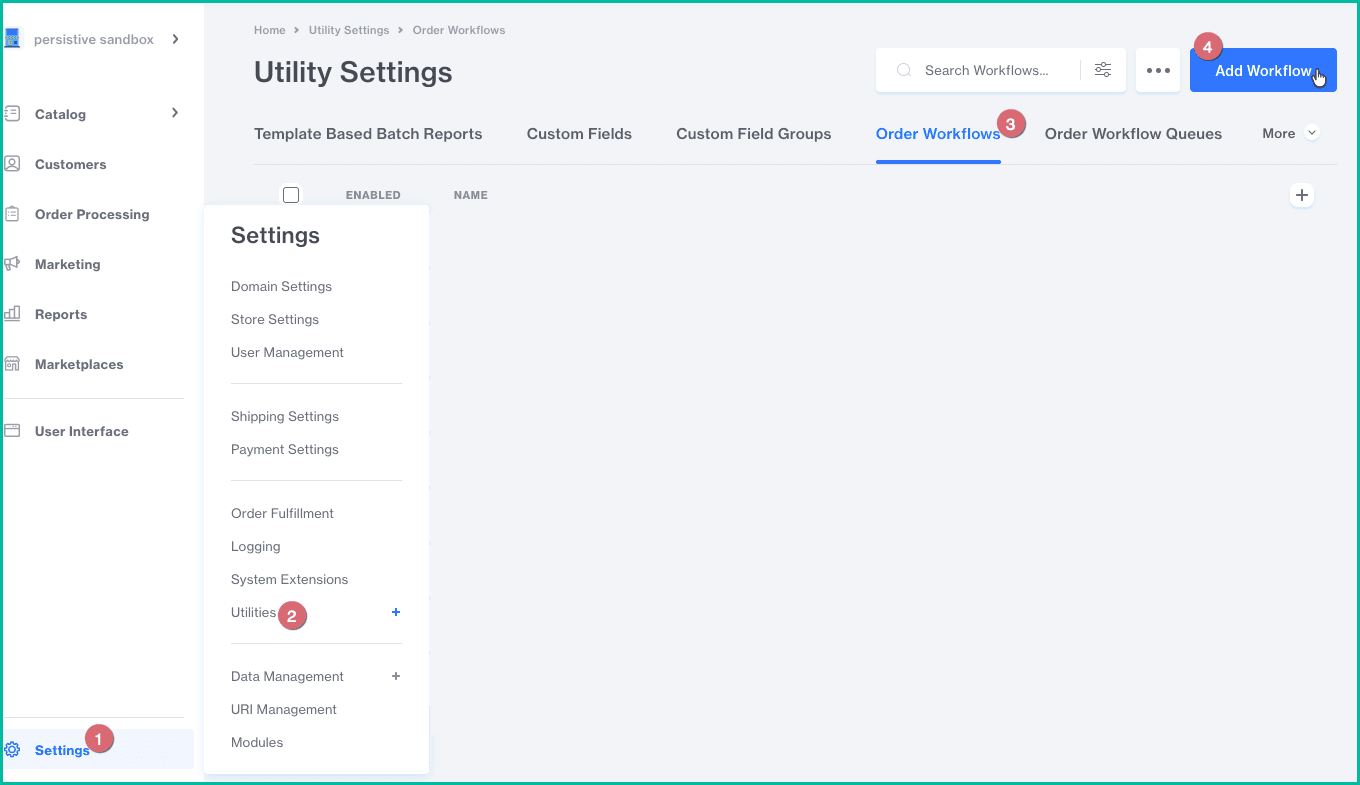
In your Miva admin, go to Settings > Utilities > Order Workflows. Then, click Add Workflow.
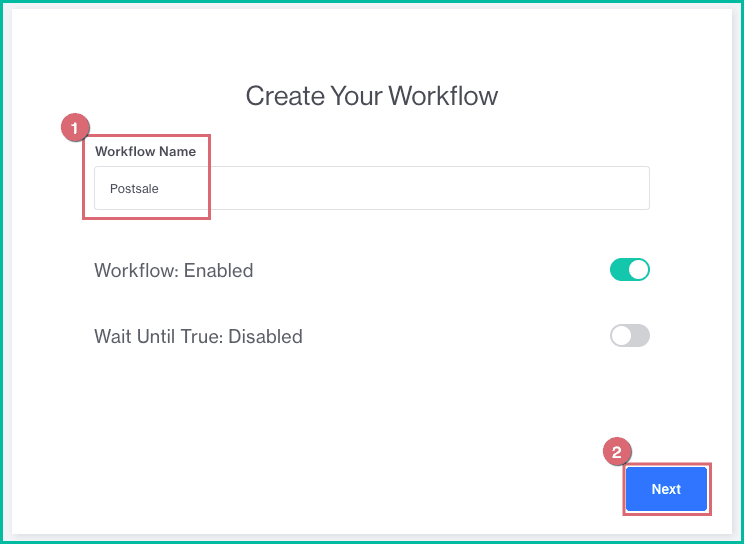
Enter a name for your Workflow into the Workflow Name field. Leave Workflow enabled and Wait Until True as disabled. Click Next.
Select all of the triggers on the Triggers screen by clicking on them. Then, click Next.
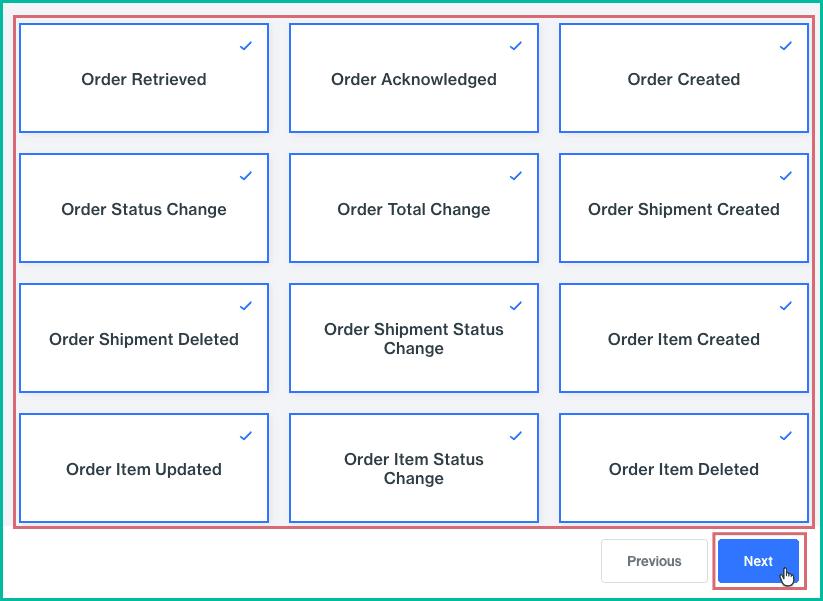
No conditions are needed. Click Next to skip the Conditions screen.

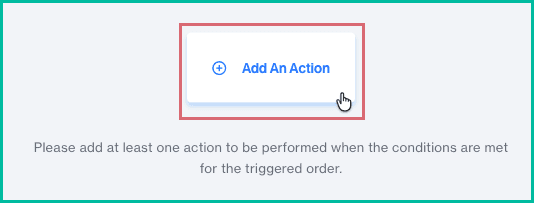
Click Add An Action.
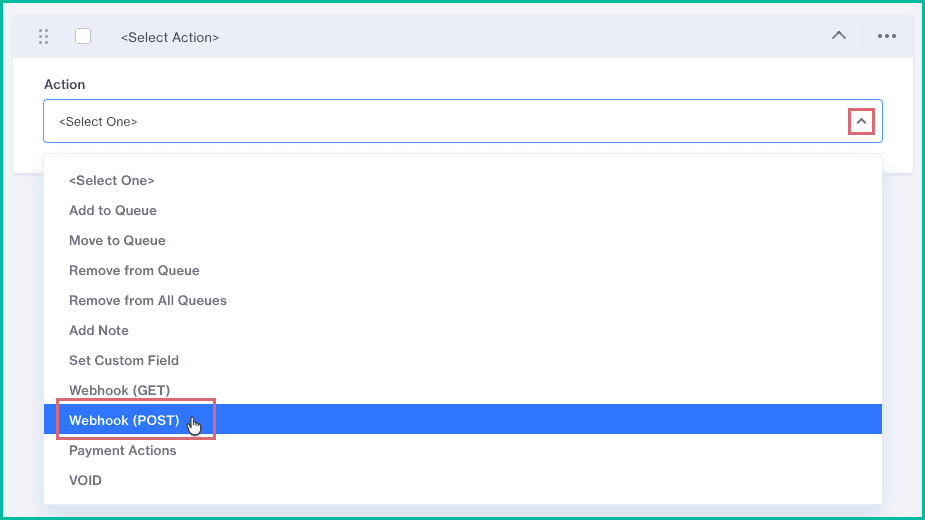
Select Webhook (POST) from the Action drop-down menu.
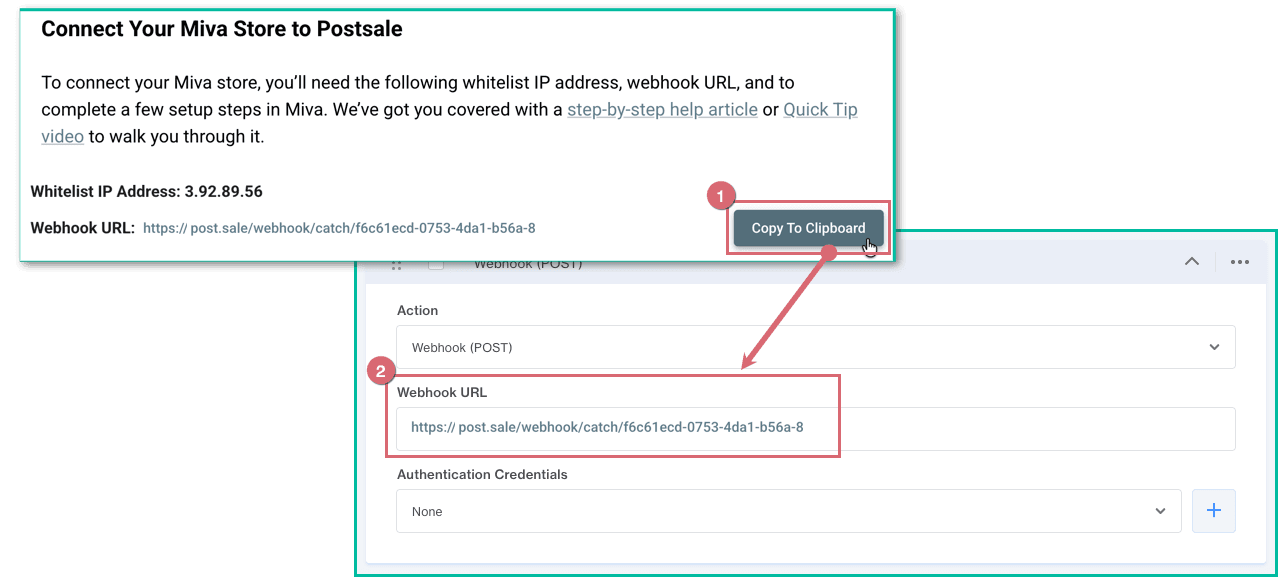
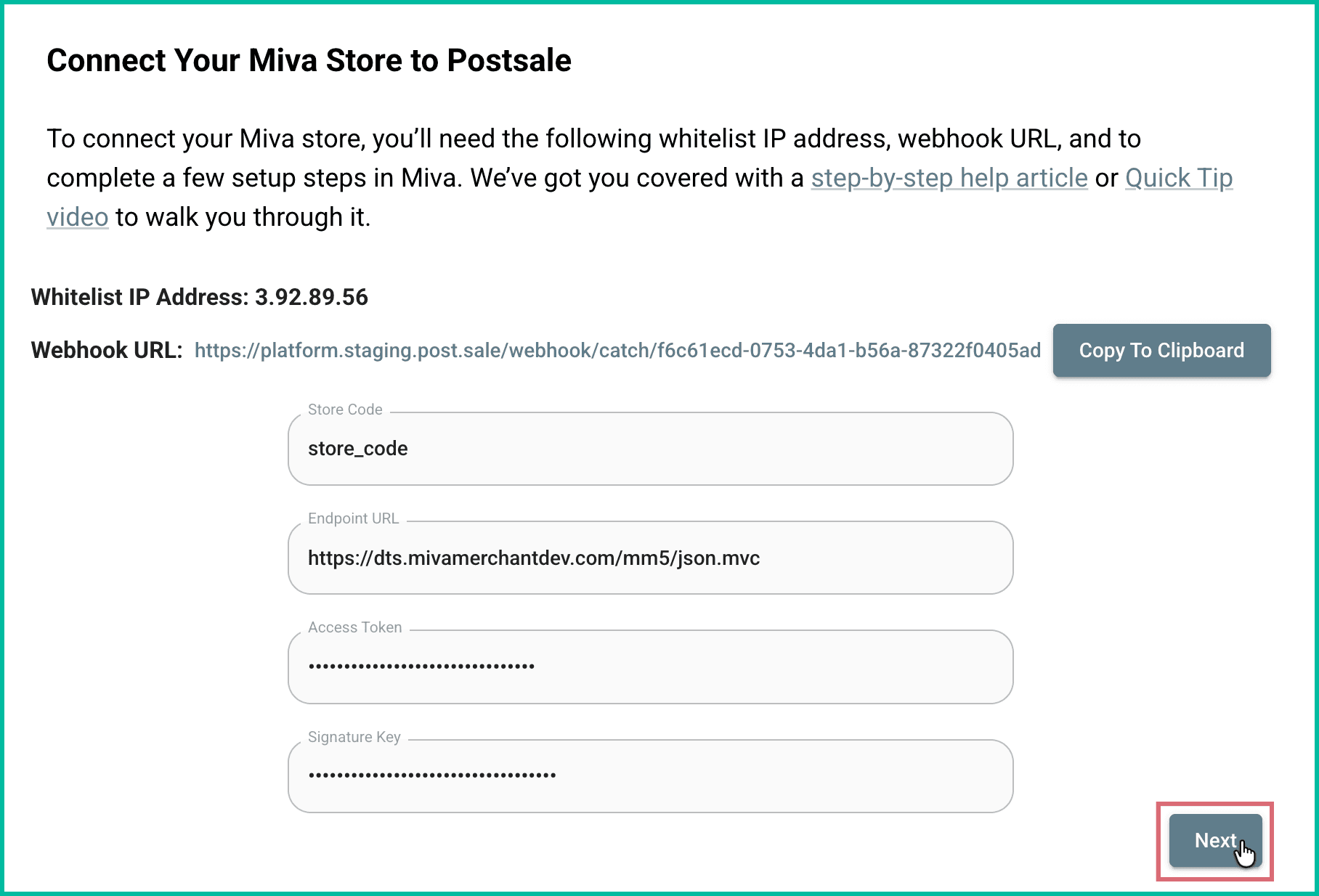
Switch back to Postsale. Click the Copy To Clipboard button to copy the Webhook URL. Then, switch back to Miva and paste the URL into the Webhook URL field. Click Next.
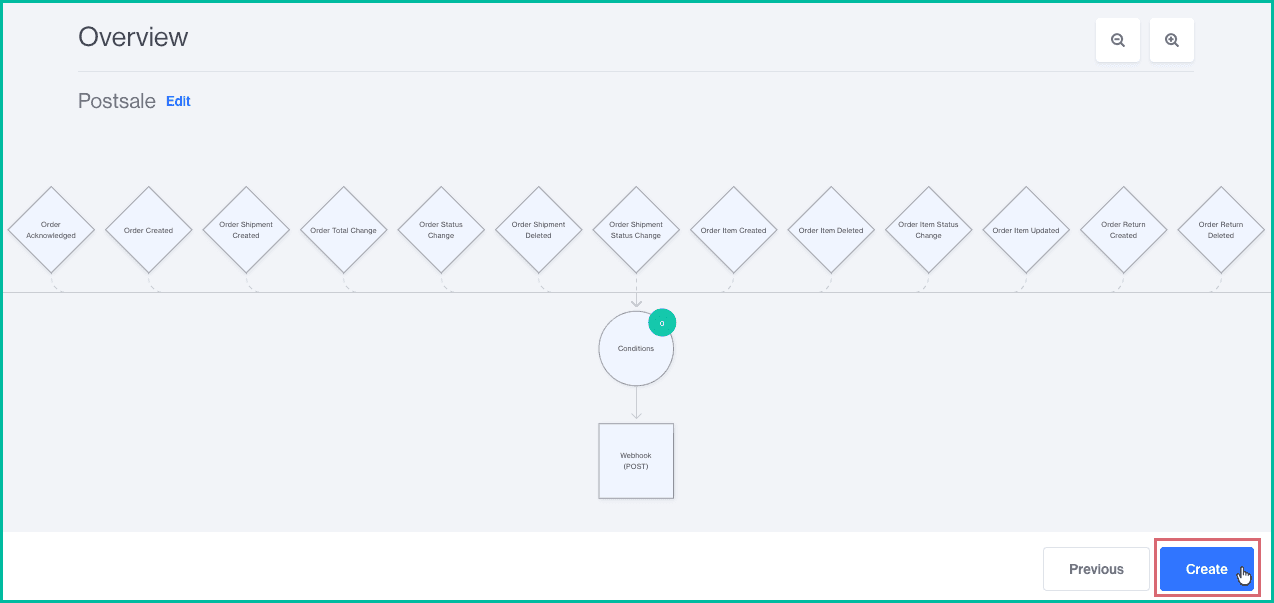
Click Create on the Overview screen. You may be prompted that there are no conditions. If so, click Save.
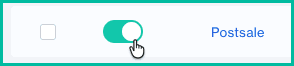
Locate the Order Workflow you just created and ensure that it is enabled.
You are now ready to switch back to Postsale and complete the store setup.
Continue with step 4 - Complete the Postsale Store Setup.
4 - Complete the Postsale Store Setup
Switch back to Postsale and click Next in the Connect Your Miva Store to Postsale screen.
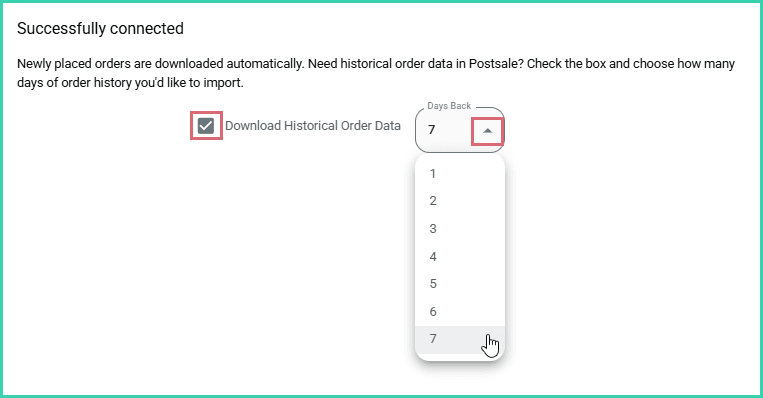
Select the number of days (1 - 7) of order history to import into Postsale from the Days Back drop-down menu. Then, click Next.
Uncheck the Download Historical Order Data checkbox if you do not wish to import any order history.
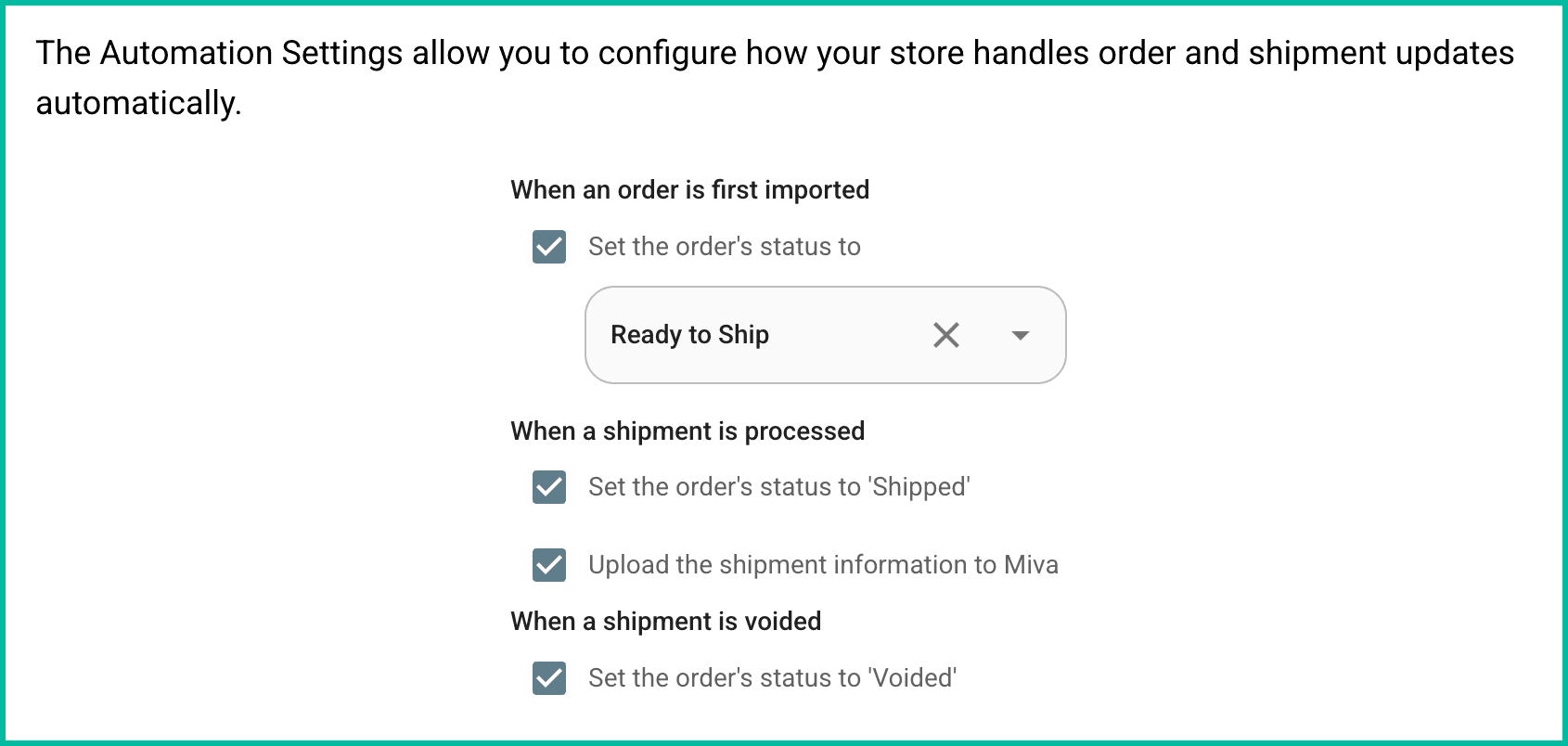
Verify that you wish for Postsale to perform the following actions automatically. Then, click Next.
- When an order is first imported
- Set the order's status to [select the status from the drop-down menu]
- Enable this option to specify what the local status of the order should be set to when orders are imported for the first time. With this option disabled, the order's local status will be blank when imported.
- When a shipment is processed
- Set the order's status to ‘Shipped’
- Upload the shipment information to Miva
- When a shipment is voided
- Set the order's status to ‘Voided’
- When an order is first imported
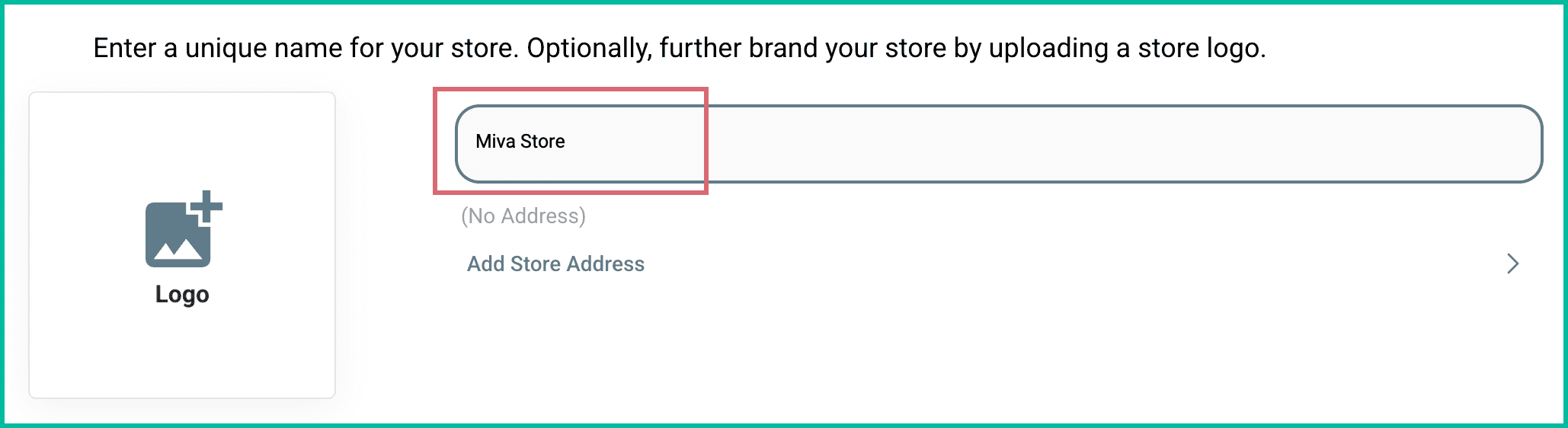
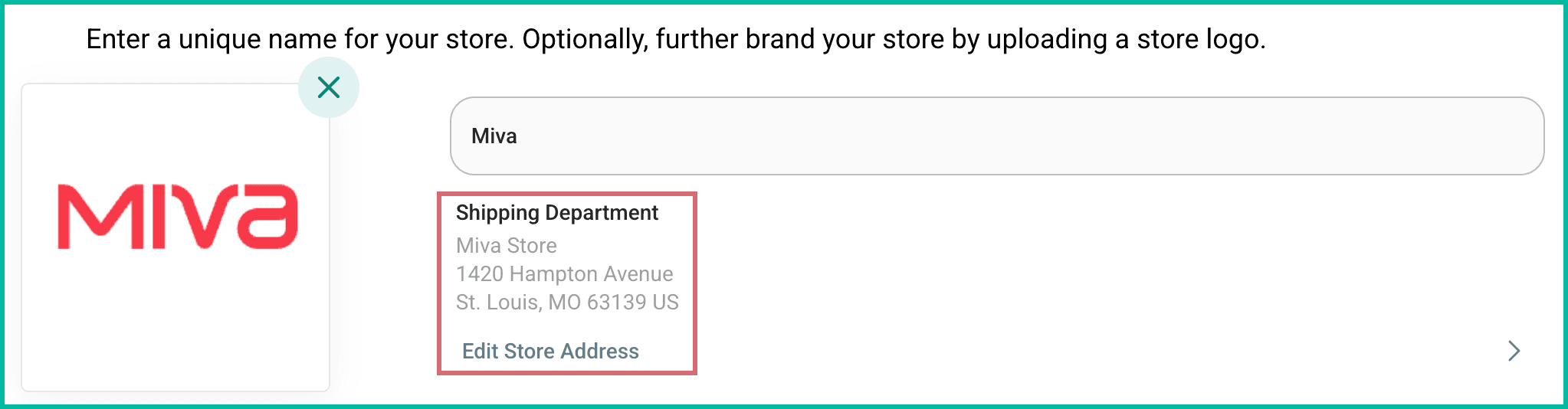
Enter a name for the store into the Store Name field.
- The store name you enter will be considered the Order Source in Postsale
- The store name will be displayed in the Source column on the Orders Grid
- Use the store name as the Order Source when creating Advanced Searches for orders associated with this store
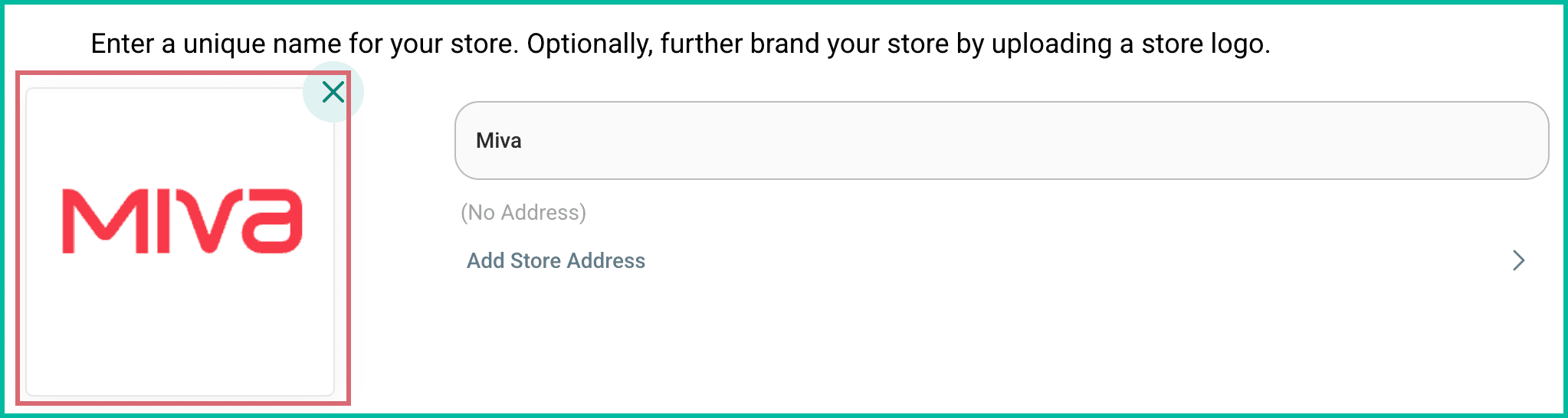
(Optional) Click the Logo tile. Then, select an image file (png or jpg) from your computer.
- Postsale supports JPEG and PNG files with a recommended size of 3 MB or less.
- Larger image files will be reduced to the maximum file size of 3 megabytes when uploaded.
- The image will be uploaded and become the logo for this store.
- The logo will automatically display in Postsale templates that include a logo, such as the Invoice with Logo template.
- Learn about editing an image in Postsale
(Optional) Click Add Store Address to add a unique Ship From address from this store. Learn how to configure your Default Shipment settings so that the Store Address is automatically selected as the Ship From address for your shipments.
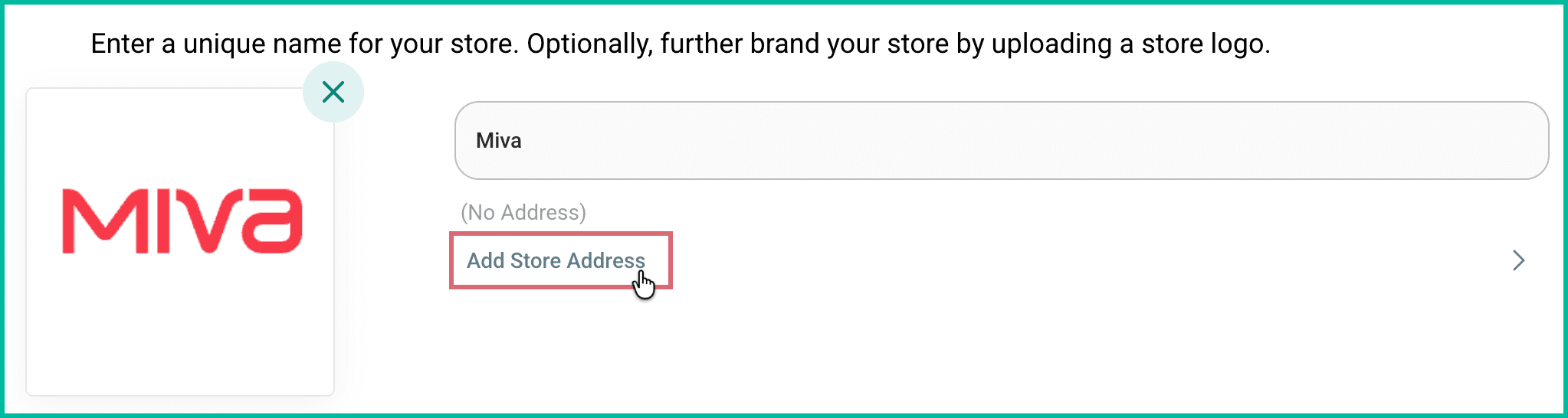
Once entered, the address is displayed.
Click Finish.
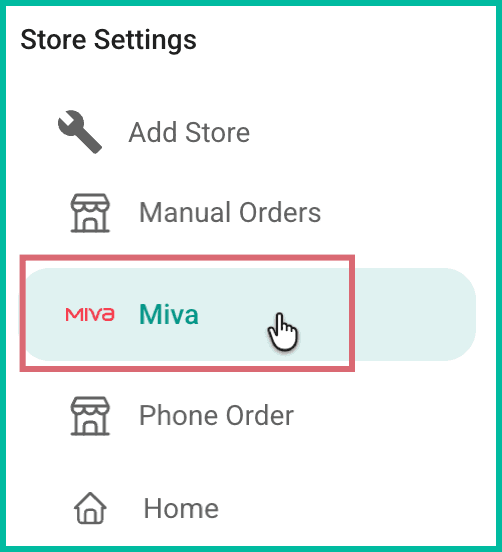
Your store is added and is displayed in the list of stores. Historical orders will be automatically imported into Postsale based on the number of days you selected.
Good To Know
- Only orders that have been paid for will be imported into Postsale.
Still have a question? Ask a person.
Write to support@postsale.com or send us a message. We reply the same business day, Monday to Friday, 8 AM to 5 PM Central.