Item Attributes
Using item attributes is a great way to describe the specific details of the products you sell. They assist your customers by describing specific details abo...
Using item attributes is a great way to describe the specific details of the products you sell. They assist your customers by describing specific details about the products they are purchasing, like the brand, size, and color of a product.
In Postsale, item attributes can be used to improve fulfillment accuracy by helping to ensure that you pick, pack, and ship the correct items to your customers.
This article will show you how to view the item attributes on orders imported into Postsale and how to add, edit, and remove item attributes. We will also explore how to view item attributes in the Orders Grid and how to search for orders that contain items with specific attributes.
Real World Example
We sell clothing and apparel that require our customers to select specific attributes, such as the size, color, brand, and gender of the items they purchase. We need to be able to quickly view the attributes associated with items on our orders.
We may also need to, from time to time, edit the item attributes or add new attributes to items directly in Postsale to make it easier for us to ensure the correct items are picked and packed.
Sure, you can do all of that in Postsale!
Before We Begin
Before we look at how to view, add, edit, or remove attributes let's take a look at the default attributes that are available in Postsale and at how attributes associated to items on your orders get imported from your online store.
The Default Attributes in Postsale
Postsale has several default attributes. Think of the default attributes as placeholders for attributes associated with the items on your orders.
For example, you might sell a T-Shirt to a customer. Your customer specifies that they would like a Size: Large and Color: Black T-shirt. When the order is imported into Postsale, Postsale populates the default item attributes, Size and Color, with the correct values, Large and Black.
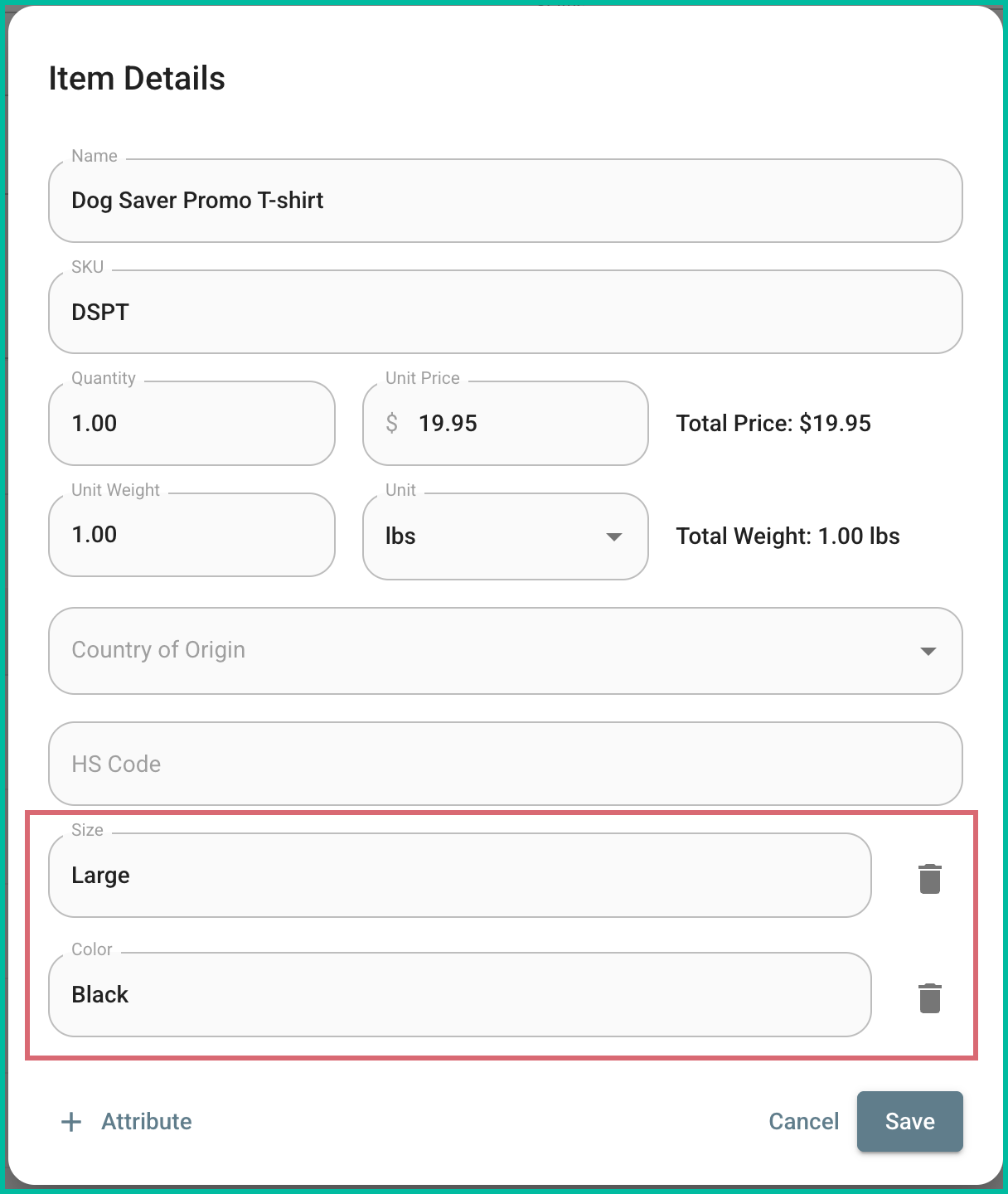
Here are the default attributes in Postsale:
- UPC
- ISBN
- Description
- Brand
- Manufacturer
- Model Number
- Color
- Size
- Category
- Serial Number
- Barcode
- Image URL
Other Attributes
That's great, but what about when an order is imported that has an item attribute that isn't already in Postsale?
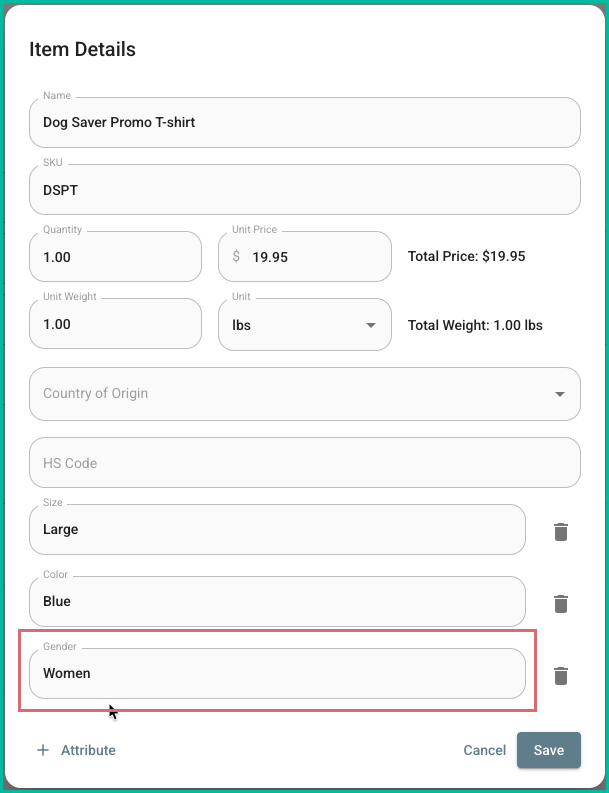
Postsale will create a new attribute for you and populate it with the value specified by your customer. Let's use the same example as above, only this time in addition to the Size and Color, your customer also specifies Gender: Women.
In this case, when the order is imported into Postsale, a new attribute of Gender is created and populated with the value Women.
Work With Attributes
On this page
Related