Switching shipping software
Switching shipping software? Start here.
Connect your stores and your own carrier accounts, and keep the rates you already have. A real person helps you set up. Plans from $9.99 a month, with no per-label software fees.
14-day free trial No card to start Cancel anytime Human support from day one
The move
Switch in four steps, then set up your rules.
Step 1
Start Your Trial
Sign up with your name and email. No card to start.
Step 2
Connect Your Stores
Connect each store once. New orders come in on their own, and you choose up to 7 days of existing orders.
Step 3
Add Your Carriers
Connect your own FedEx and UPS accounts, and print USPS on the built-in option or your own account.
Step 4
Print a First Batch
Pick rates for a few real orders and click Create to make the labels.
Get help moving over.
Ask for a call and a real person phones you back the same business day, Monday to Friday, 8 AM to 5 PM Central. Or email support@postsale.com.
Step 2
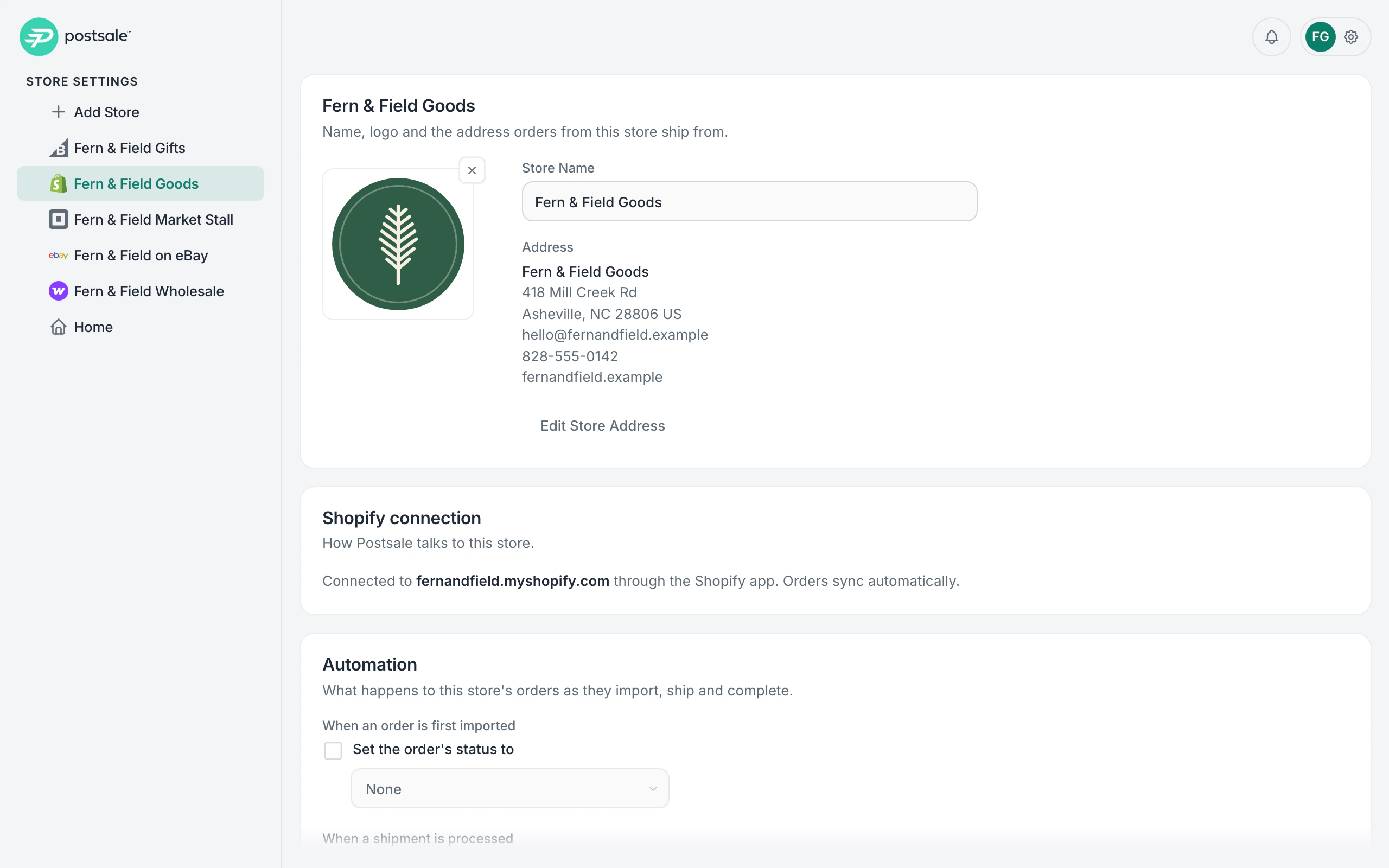
Connect each store once.
Connect Amazon, BigCommerce, eBay, Miva, Shopify, Square and WooCommerce from Postsale, and new orders come in on their own with items and address filled in.
- Choose how many days of existing orders to bring in, up to 7.
- Tracking goes back to the store when you print the label.
- Every account also starts with a Manual Orders store.
Step 3
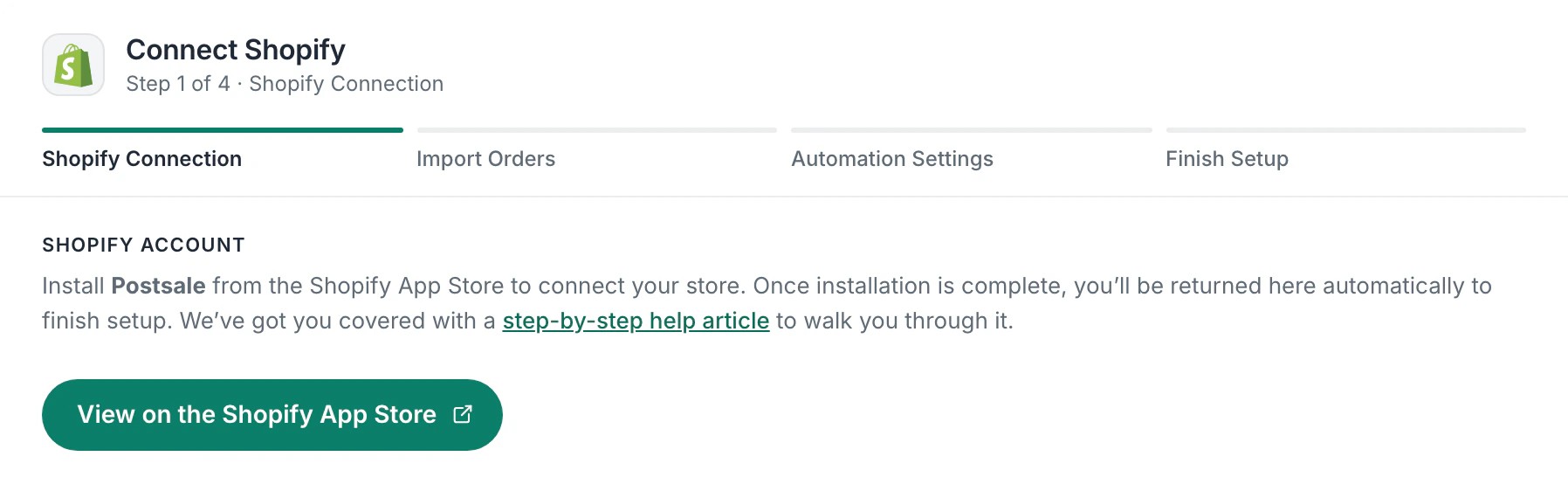
Bring your carrier accounts and rates.
Connect your own FedEx and UPS accounts and every rate comes from your negotiated pricing.
- Print USPS on the built-in option or your own USPS account.
- Every UPS service and packaging type, ready to use.
- Compare every carrier’s rate for the same box.
Older orders
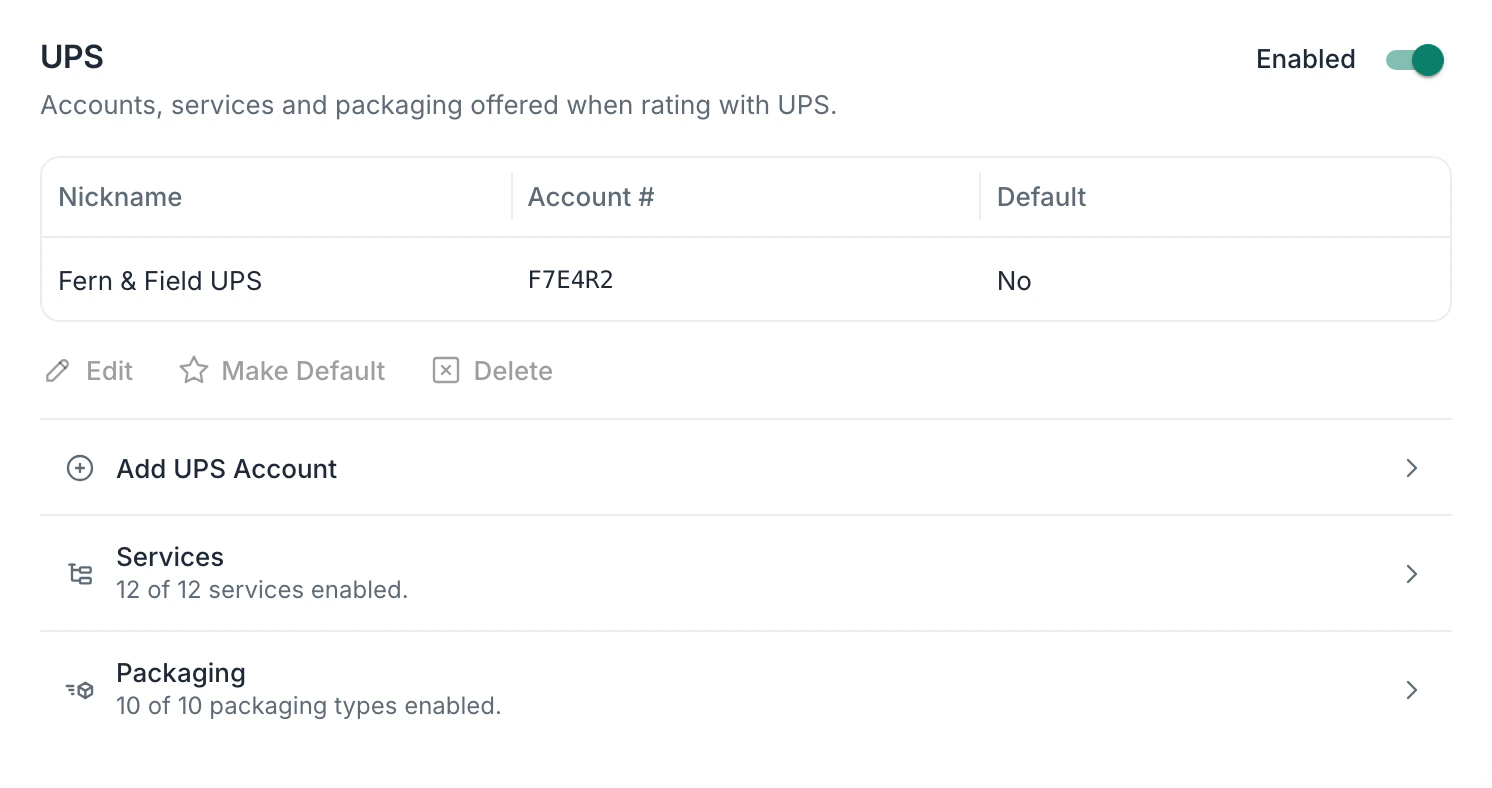
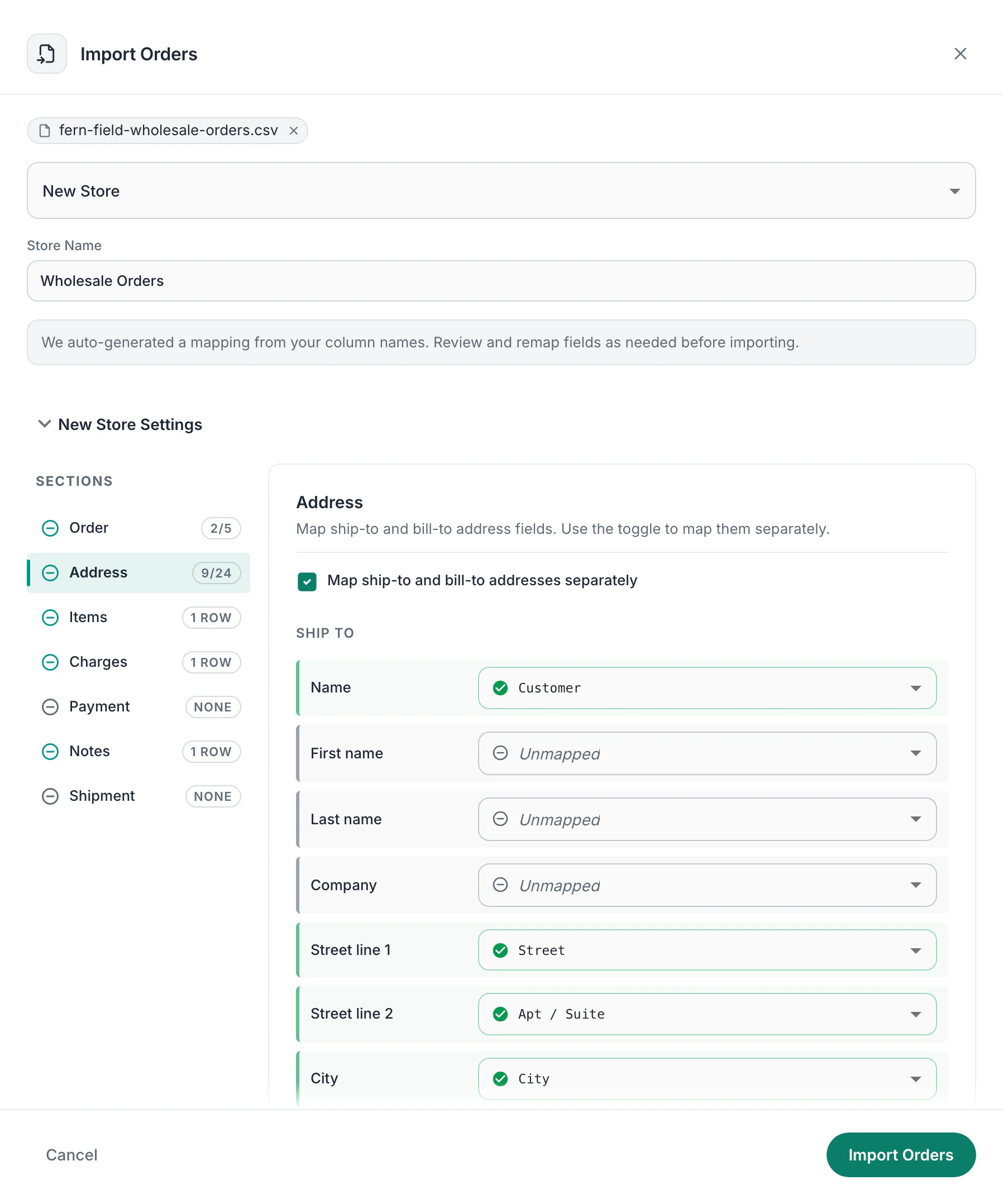
Older orders? Upload a spreadsheet.
Drop in a CSV file and Postsale matches its columns for you, then remembers them for next time.
- CSV import is on every plan.
- Use it for open orders older than 7 days.
- Or for a store Postsale doesn’t connect.
Step 4
Print your first batch.
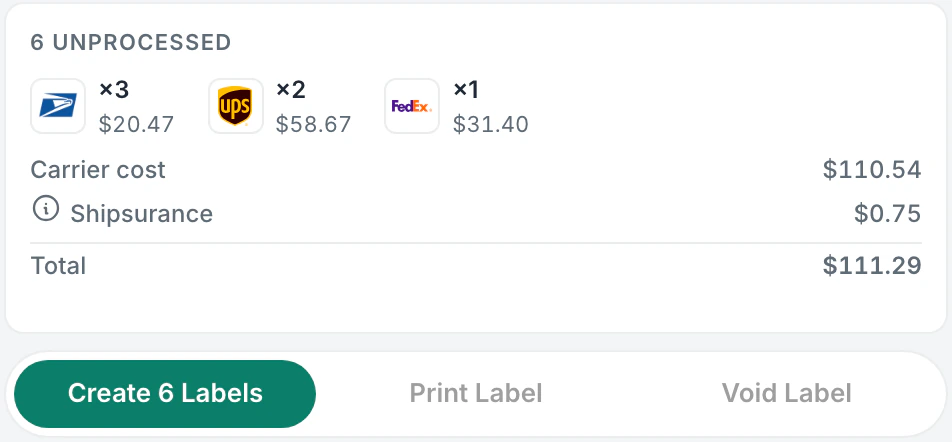
Pick rates for a few real orders, then click Create to make every label in one go, whatever the carrier.
- Economical picks the lowest rate for each order.
- Packing slips print with the labels.
- A 4×6 thermal printer or the inkjet or laser printer you have.
Then
Then set up your rules.
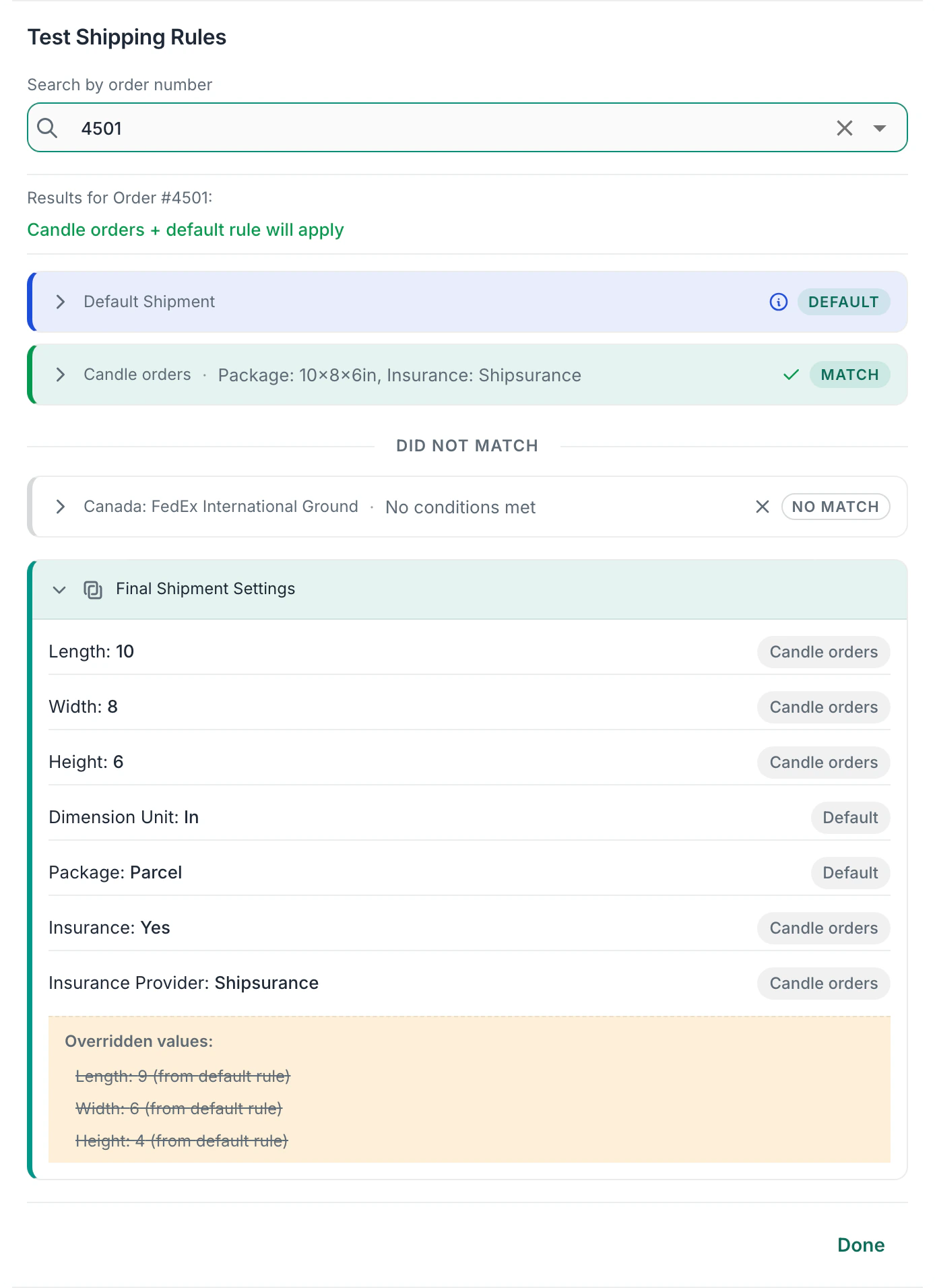
Set your Default Shipment once: box, weight and ship-from address. Then add Shipping Rules for the orders that differ.
- Build a rule yourself, copy one you already have, or describe it in plain words with Configure with AI.
- Test Rules shows what your rules would do to a real order before anything changes.
- Rules come with every plan.
What moves
What comes with you, and what you set up again.
Your carrier rates
Connect your FedEx and UPS accounts and your negotiated rates apply to every label.
Your stores
Connect each store once and new orders come in on their own.
Older open orders
Bring them in from a CSV file. Postsale matches the columns for you.
Your brand
Add your logo once for packing slips, emails and the tracking page.
Your defaults and rules
Set them up again in Postsale. There’s no import from another app, so note them before you switch. Rules come with every plan.
Your team
Grow lets up to 5 people sign in, and each gets their own role.
Customer story
“I don’t think we would have met our deadlines without the customer support we’ve received.”

Other apps couldn’t take AirBaton’s spreadsheet. Postsale mapped it. The team printed 250 labels with one click on the way to 5,000 prizes.
Predictable pricing. No per‑label software fees.
One monthly price for the plan that fits how much you ship. Postage is separate, at your discounted USPS rates or your own FedEx and UPS rates.
- Launch200 shipments a month
- $9.99/mo
- Grow1,000 shipments a month
- $29.99/mo
- Expand2,500 shipments a month
- $59.99/mo
- Thrive5,000 shipments a month
- $99.99/mo
- SoarUnlimited shipments
- $169.99/mo
Every plan includes FedEx, UPS and USPS, Shipsurance, returns and branded templates.
14-day free trial No card to start Cancel anytime Human support from day one
Switching shipping software FAQ.
How do I bring my orders over?
Connect each store from Amazon, BigCommerce, eBay, Miva, Shopify, Square and WooCommerce and new orders come in on their own. When you connect, you choose how many days of existing orders to bring in, up to 7. Older open orders come in from a CSV file, on every plan.
Do I keep my FedEx and UPS rates?
Yes. Connect your own FedEx and UPS accounts and Postsale rates every shipment at your negotiated rates.
Do I need my own USPS account?
No. Print discounted USPS labels right away with Postsale’s built-in USPS option, or connect your own USPS account if you have one. FedEx and UPS use your own accounts and negotiated rates.
What about a store Postsale doesn’t connect?
Upload its orders from a CSV file, and Postsale matches the columns for you and remembers them for next time. Or ship from your screen with Postsale Anywhere, the Chrome extension or the desktop app for Mac and Windows.
Will my customers notice the change?
They’ll see your store. When the selling channel allows it, shipment emails carry your logo and open a tracking page with your store’s name, on every plan.
Who helps me set up?
A real person. Ask for a call from the contact page and a real person phones you back the same business day, Monday to Friday, 8 AM to 5 PM Central. Or email support@postsale.com.
What should I export from my current app?
Export your open orders as a CSV file, and note your package sizes and the shipping rules you use so you can set them up again in Postsale. Stores and carrier accounts connect directly, so there is nothing to export for those.
Can I try it on a few orders first?
Yes. Connect a store and a carrier account during your trial and ship a few real orders in Postsale before you move everything over.
Does it cost anything to try?
No. Your 14-day free trial starts with your name and email, and it includes every feature. No card to start. Cancel anytime.
Tomorrow, someone clicks Buy.
Be ready for them. Bring your own orders into Postsale and try it free for 14 days.
14-day free trial No card to start Cancel anytime Human support from day one