FedEx: Ship with Ground® Economy
Enable and ship using FedEx Ground® Economy
FedEx Ground® Economy (formerly known as SmartPost) is a cost-efficient shipping option for small and medium-sized businesses. In this article, we will cover how to configure and ship with FedEx Ground Economy in Postsale.
Before We Begin
FedEx Ground® Economy
FedEx Ground Economy is a contracted service. Please reach out to your FedEx account executive to learn more about the service and to discuss whether it is a good fit for your business needs.
- You will need to know the 4-digit FedEx Hub ID code assigned to your FedEx account when it was configured for FedEx Ground Economy. Please reach out to your FedEx account executive if you are unsure which Hub ID to use.
- For your convenience, we have listed the available FedEx Hubs at the end of this help article.
- Only one Hub ID can be added per FedEx account in Postsale. If you need to use more than one Hub ID, add your FedEx account to Postsale multiple times and associate one Hub ID with each account instance.
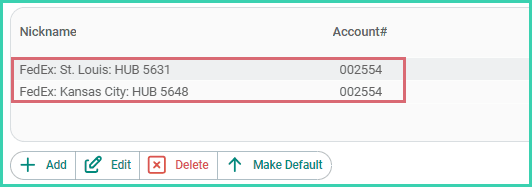
- This article assumes that you have already added your FedEx account to Postsale.
Enable FedEx Ground Economy
Enable Ground Economy by adding your Hub ID to your FedEx account in Postsale. Here's how:
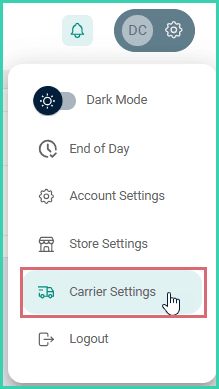
Go to Settings.

Select Carrier Settings.
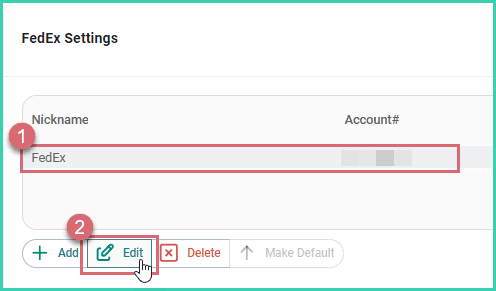
Select your FedEx account. Then, click the Edit button.
Click Edit in the Account Details section.
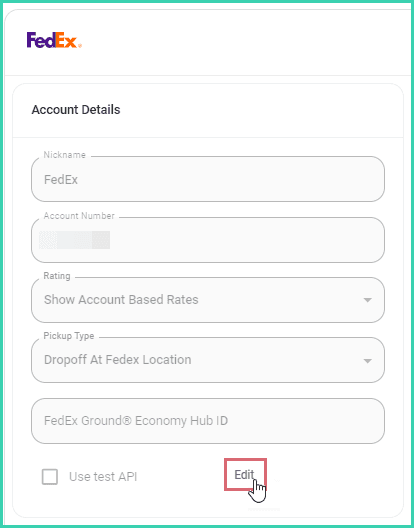
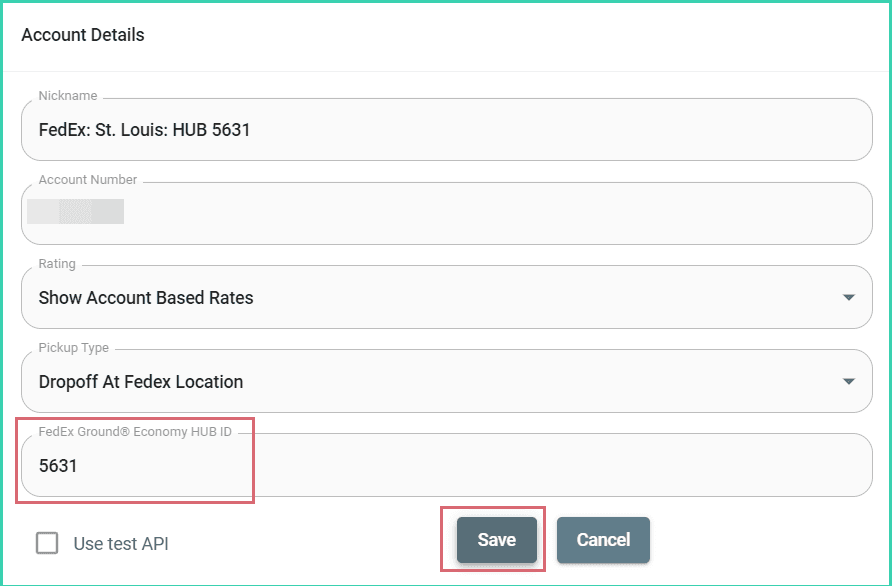
Enter the 4-digit code associated with your Hub ID into the FedEx Ground® Economy Hub ID field. Then, click Save.
Ship with FedEx Ground® Economy
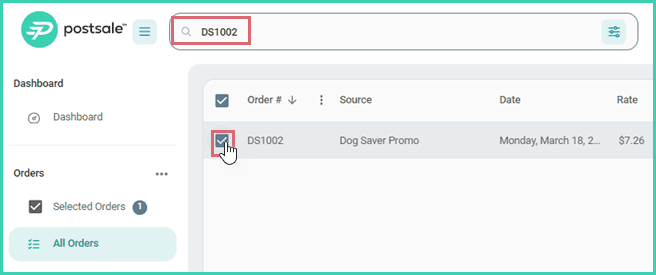
Search for and select the order in the Orders Grid.
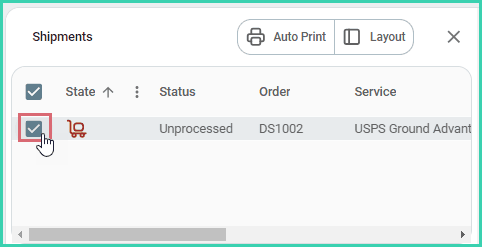
Verify that the shipment is selected in the Dock.
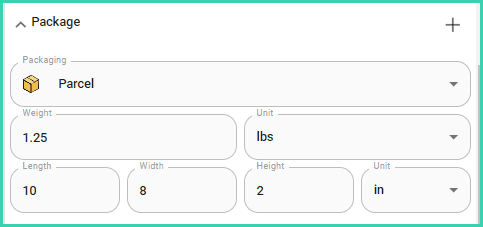
Expand the Package section and ensure that the Package, Weight, and Dimensions are correct.
Expand Additional Details and select FedEx as the carrier. Then, select the Ground Economy service you wish to use from the Service drop-down menu.
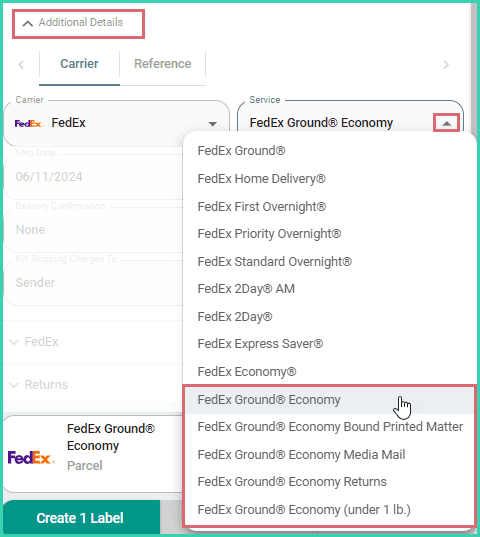
Verify that all other shipment details are correct. Then, create your shipping label.

Additional FedEx Ground® Economy Information
- Learn how to perform a FedEx End of Day and print a manifest for your FedEx Ground® Economy shipments.
- Expand the FedEx Hub IDs section for a list of available hubs and their associated 4-digit codes.
On this page
Related