FedEx: ShipAlert®
Have FedEx notify you with ship, delivery, and exception alerts
Enable FedEx ShipAlert® to have FedEx send shipment, delivery and/or exception notifications to you, your recipient, and/or an additional email address.
Before We Begin
FedEx ShipAlert®
FedEx ShipAlert® may need to be enabled for your account. Please reach out to your FedEx account executive to learn more about the service and to discuss whether it is a good fit for your business needs.
This article assumes that:
- You have a FedEx account added to Postsale
- You have at least one order ready to be shipped
Add ShipAlert® to Your FedEx Shipments
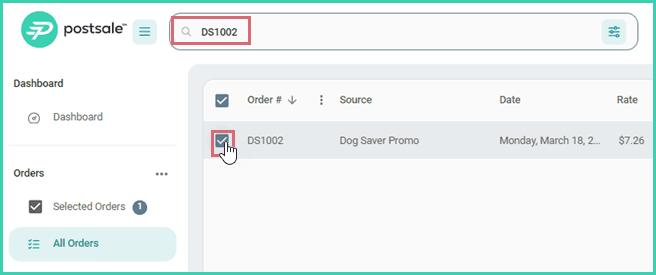
Search for and select the order in the Orders Grid.
Verify that the shipment is selected in the Dock.
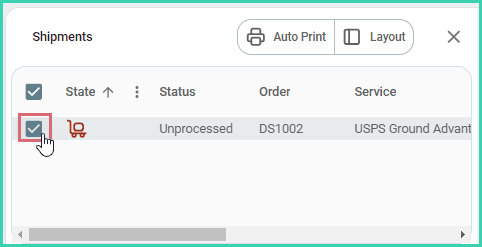
Configure the shipment details for FedEx shipment.
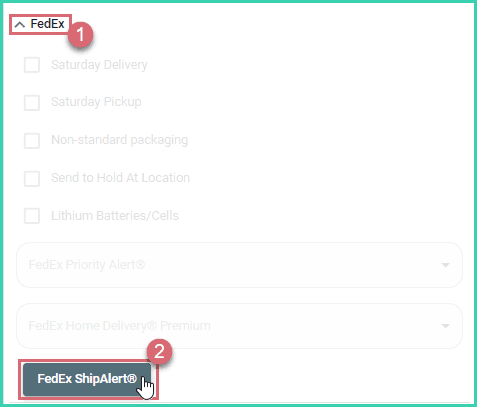
Expand the FedEx section of the Dock. Then, click the FedEx ShipAlert® button.
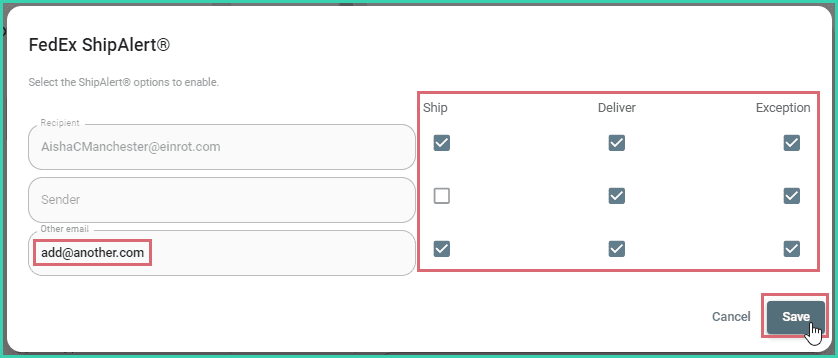
Check the box for each alert you would like FedEx to send. Then, click Save.
a. (optional) Add an additional email address to the Other email field if you would like to send alerts to someone other than the recipient or sender.
Ensure that all other shipment details are correct. Then, create the label.

On this page
Related