Manage Custom Packaging
Add, edit and delete your own custom boxes and mailers
If you ship orders in your own boxes or mailers, you can save them in Postsale’s Custom Packaging and select them by name when you ship.
This article shows you how to:
- Add a custom package with a name you’ll recognize, its dimensions and the weight of the empty box or mailer
- Edit or delete a custom package
- Select your custom packages when you ship
Before We Begin
To add and manage Custom Packaging, you must be logged in to Postsale as one of these:
- The Postsale account owner
- A user with the Manager role
- A user granted the Manage Custom Packaging permission
Learn more about adding and managing users.
Add Custom Packaging
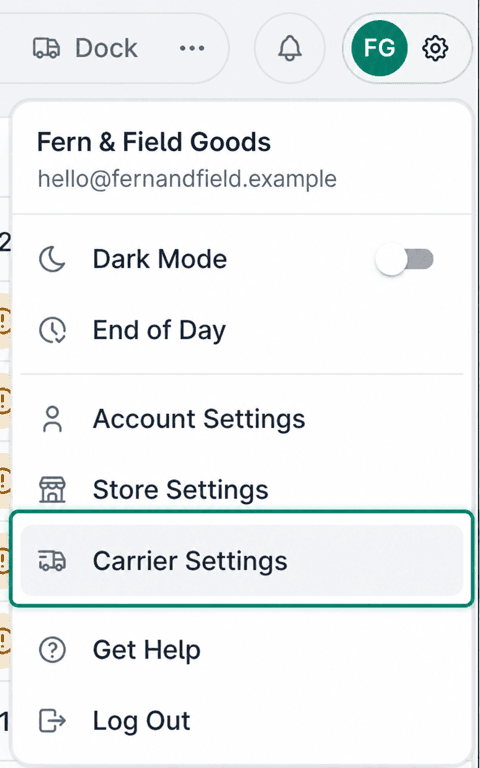
Select the gear icon to open Settings.

Choose Carrier Settings.
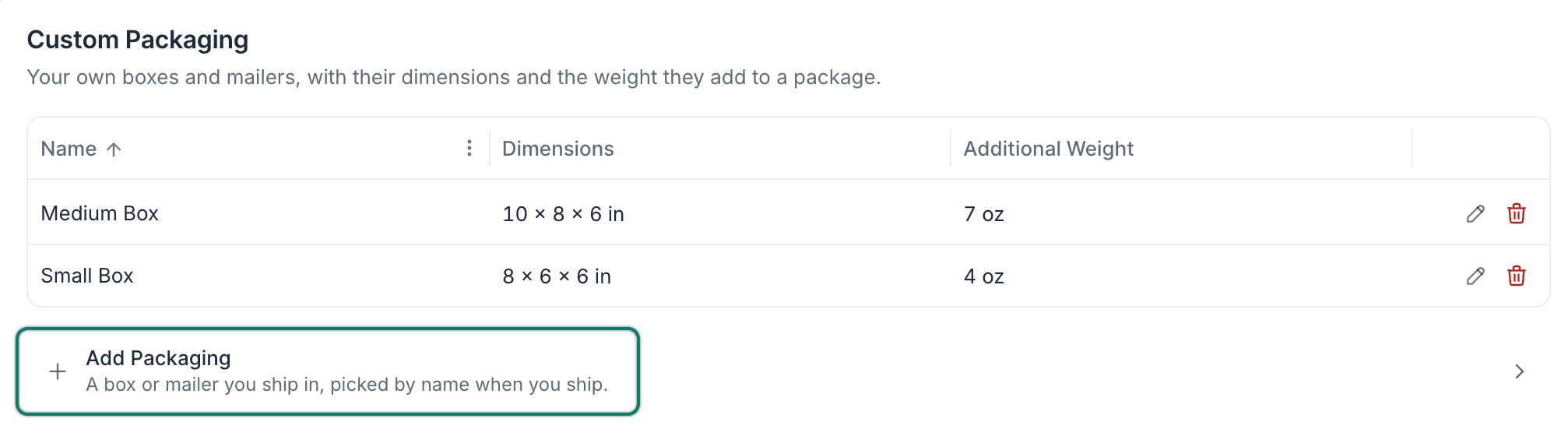
Select Add Packaging in the Custom Packaging section.
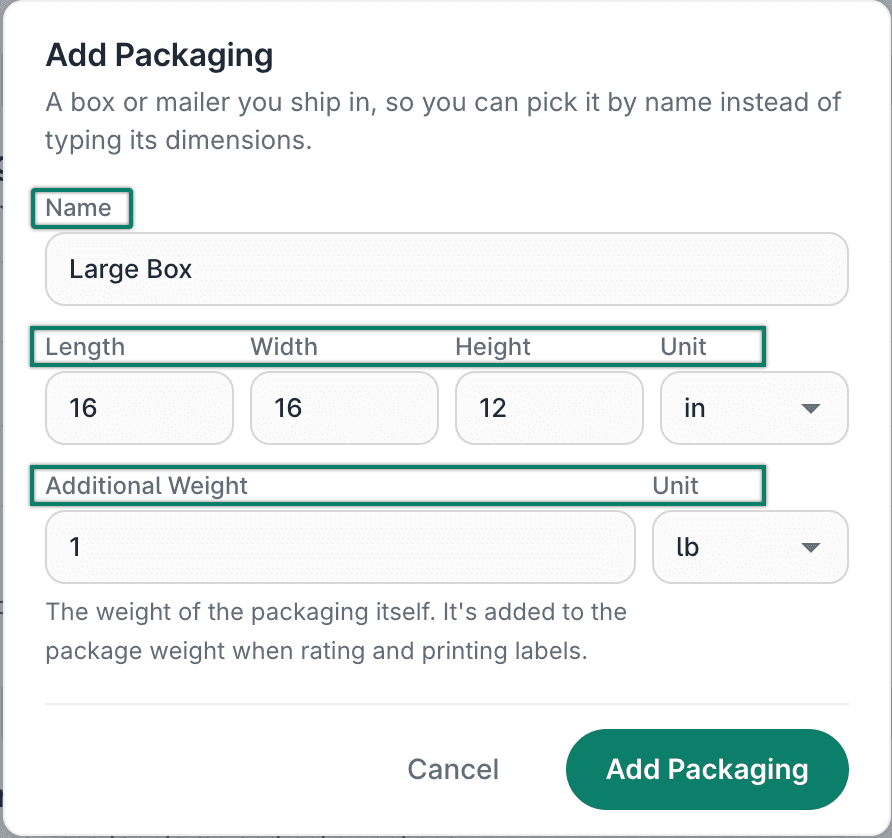
The Add Packaging pop-up opens.
Add the following details for the package:
- Name: Enter a name that makes the package easy to find when you select it from a list.
- Dimensions and Unit: Enter the length, width and height of the package. Then choose the unit of measure (in or cm).
- Additional Weight and Unit: Enter the weight of the empty box or mailer. Then choose the unit of measure (lb, oz, kg or g). This weight is added to the weight of the items in the order when you ship.
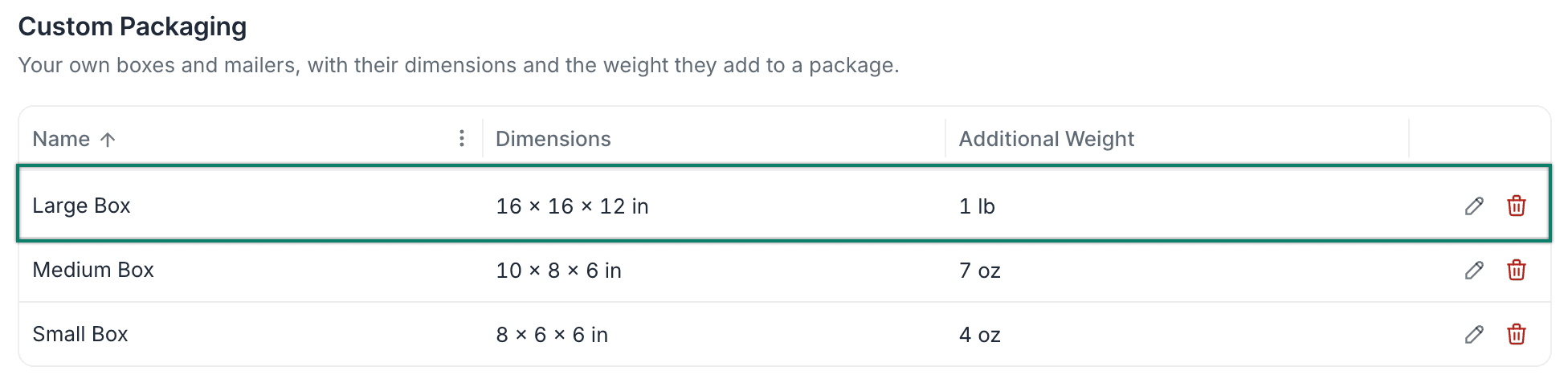
Select Add Packaging.

The package is added to the list of custom packages.
Edit or Delete Packaging
Select the gear icon to open Settings.
Choose Carrier Settings.
Locate the custom package you want to edit or delete in the Custom Packaging section.
To edit the package, select the Edit icon, make your changes in the Edit Packaging pop-up, then click Save.

To delete the package instead, select the Delete icon. Then click Delete Packaging to confirm. Shipments already using this packaging keep its dimensions and weight.
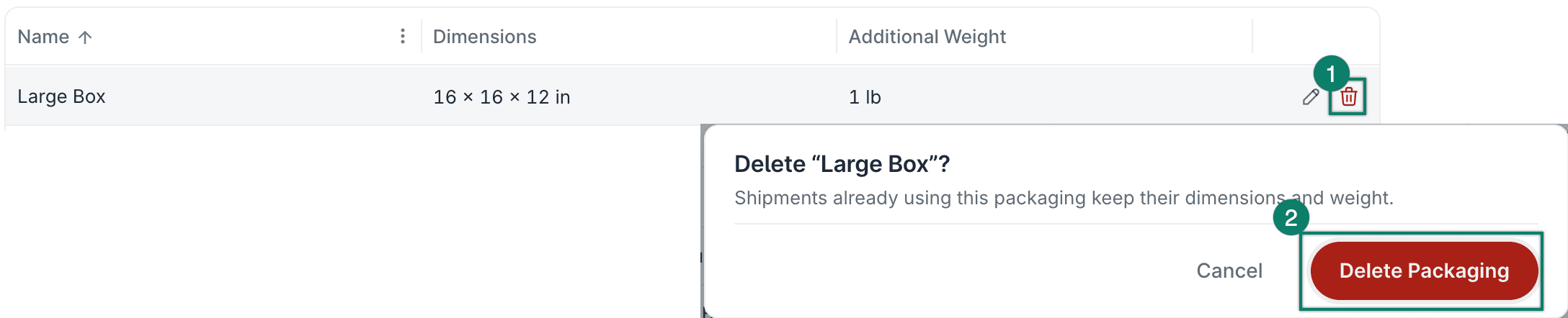
The package is deleted and removed from the package list.

Good To Know
Selecting Custom Packaging
You can select your custom packages from the Packaging drop-down menu anywhere it appears in Postsale, including:
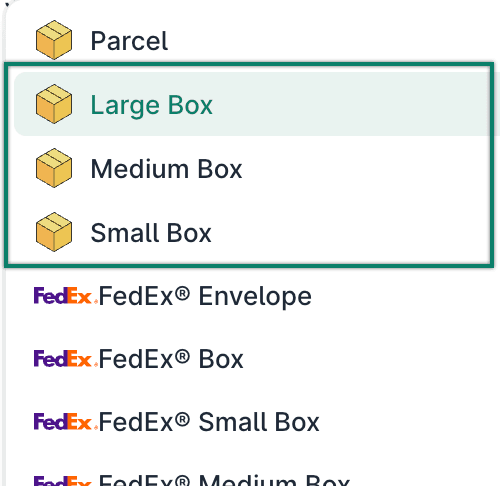
Automatic Packaging
Your custom packages are used when Automatic Packaging is enabled. You can use all your custom packaging or specify certain packages when Postsale picks the right package size for you.
Learn more about how to configure Automatic Packaging in Postsale.
Still have a question? Ask a person.
Write to support@postsale.com or send us a message. We reply the same business day, Monday to Friday, 8 AM to 5 PM Central.