View & Select Rates with the Universal Rate Selector
How to view and select rates with the Universal Rate Selector
Postsale’s Universal Rate Selector helps you compare available shipping options across carriers by the fastest delivery service or the service with lowest cost, helping you to select the best fit for each shipment. Use the Universal Rate Selector to:
- View the rate for the currently selected shipping carrier and service.
- Compare services and rates across multiple carriers, even if carrier-specific options have already been applied to a shipment. This ensures full visibility into all available choices, helping you confidently select the best option for each shipment.
- Select from a list of available carriers/services/rates based on shipment details.
- View and auto-select rates and services by the fastest shipping method or by the most economical.
In this article, we will explore how to quickly view the rate for the currently selected carrier and service and how to use the Universal Rate Selector to select from a list of available services.
Before We Begin
The rate selector displays rates and available services based on an order's shipment details. If shipment details are incorrect or missing, an error will notify you that rates could not be displayed for one or more carriers. Click the error to view more details.
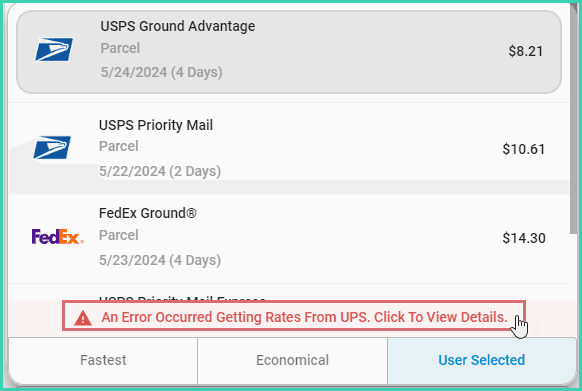
Required shipment details include:
- A valid Ship To address
- Package weight
- Package dimensions (Length, Width, and Height)
This article assumes that you have at least one order in Postsale with valid shipment details. Learn how to import orders into Postsale.
View & Select Rates
On this page
Related